
139 KVR members have added GON to 123 MyKVR groups 158 times.
Download KVR Studio Manager (FREE)
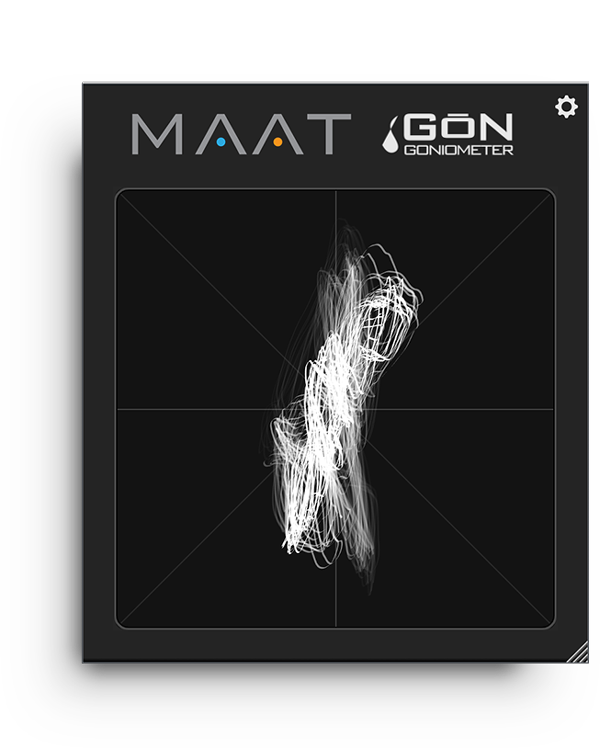
A free, universal visualization plug-in for stereo bus masters, GŌN authentically replicates an analog oscilloscope experience while keeping complexity at bay. This "phase scope" plug–in quickly conveys global trends and troubles, with a visual out–of–phase warning built in. Plus, an optional autogain feature insures that you'll see an understandable display with a very wide range of input amplitudes.
Usable metering is essential for any engineer, and GŌN's options are equally practical, with a notable absence of controls. Unlike an oscilloscope, GŌN's lack of any knobs or switches means its straightforward user interface contains only a single button, the preference's gear icon at upper right. Control over gain, focus, "phosphor" color, drawing style and persistence are all there in the preferences, and everything can be saved as a personal preset.
All of GŌN's functionality is wrapped in an information-rich yet visually unobtrusive user interface that occupies only a small slice of screen real estate. Likewise, the plug-in is "light weight" demanding a absolute minimum of CPU resources so it won't slow down your host.

Please log in to join the discussion
Submit: News, Plugins, Hosts & Apps | Advertise @ KVR | Developer Account | About KVR / Contact Us | Privacy Statement | Sell @ KVR | KVR Marketplace Terms & Conditions
© KVR Audio, Inc. 2000-2026

