Log InCreate An Account
  1. Plugins
  2. »
  3. Safari Audio
  4. »
  5. Hawk Phaser
  6. »
  7. Details
Hawk Phaser
Hawk Phaser by Safari Audio is a Virtual Effect Audio Plugin for macOS and Windows. It functions as an Audio Units Plugin, a VST 3 Plugin and an AAX Plugin.
Product
Version
2.1.0
Product
Version
2.1.0
Effect
Formats

MyKVR: Groups, Versions, ...

326 KVR members have added Hawk Phaser to 345 MyKVR groups 351 times.

Download KVR Studio Manager (FREE)

Not In Your MY KVR Groups
(or group limitation prevents versioning)
+345 in private groups

KVR Rank

Overall: 9523   7424   8323

30-Day: 15092; 7-Day: 11979; Yesterday: 8736

Vintage Modulator for Modern Producers

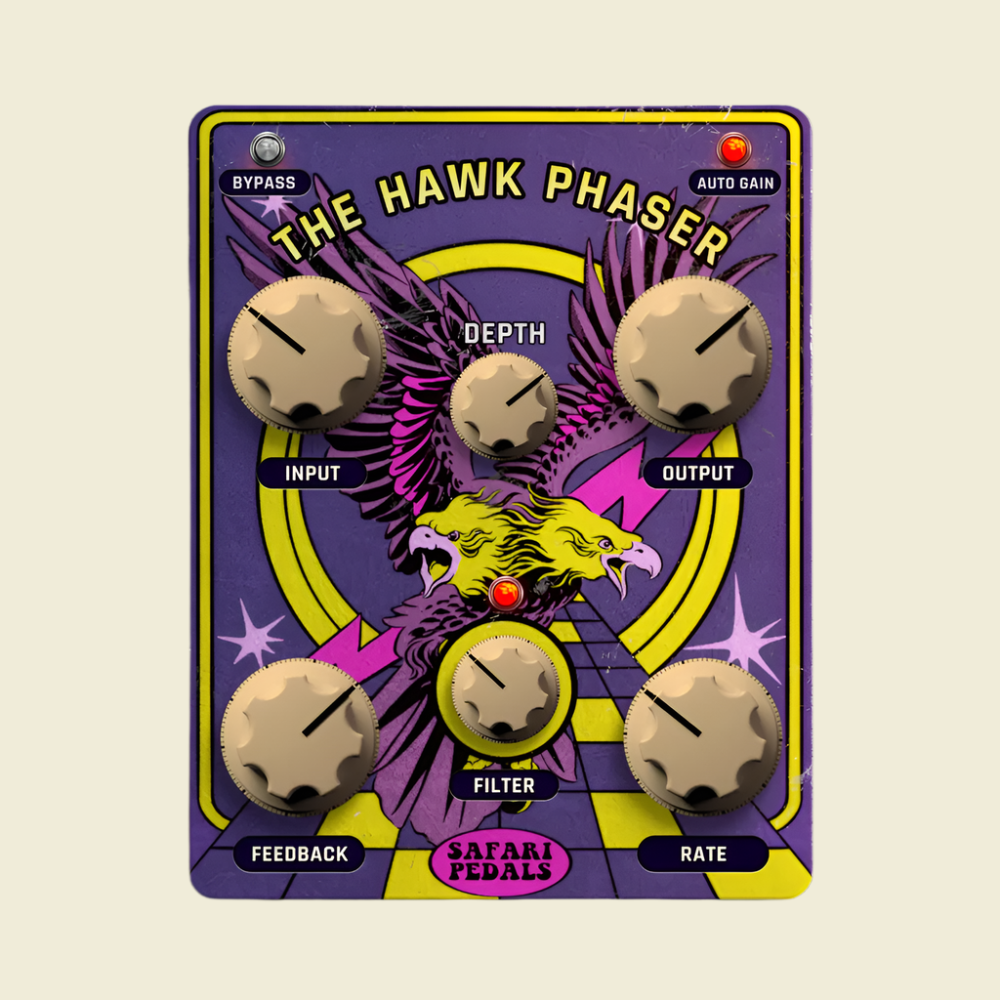
The Hawk Phaser is a versatile and powerful phaser plugin that brings the classic sound of vintage analog phasers to your DAW. With its intuitive controls and rich features, it can add depth, movement, and texture to any instrument or track.

Key Features

  • Vintage Analog Sound: The Hawk Phaser emulates the warm, analog sound of classic phasers, providing a smooth and natural phasing effect.
  • Intuitive Controls: The interface is simple and easy to use, with controls for Depth, Rate, Feedback, Width, and Auto Gain.
  • Depth Control: Adjust the intensity of the phasing effect from subtle to extreme.
  • Rate Control: Control the speed of the phasing effect, from slow and swirling to fast and choppy.
  • Feedback Control: Add feedback to create a more pronounced and resonant effect.
  • Width Control: Adjust the stereo width of the phasing effect.
  • Auto Gain Control: Automatically adjusts the gain to prevent volume fluctuations when using the phaser.
  • Input Drive: Add a touch of grit and warmth to your signal with the input drive control.
  • High-Quality Audio: The Hawk Phaser is built with high-quality audio components to ensure pristine sound quality.

{See video at top of page}

Latest User Reviews

Average user rating of 0.00 from 0 reviews

Products similar to Hawk Phaser...

Comments & Discussion for Safari Audio Hawk Phaser

Discussion
Discussion: Active

Please log in to join the discussion

Log In To KVR Audio