
1 KVR member has added Insert Flow for Cubase & Nuendo to 1 MyKVR group 1 time.
Download KVR Studio Manager (FREE)
Insert Flow
A fast launcher for Cubase and Nuendo workflows.
Search your plug-ins, insert FX chains, access every Cubase and Nuendo command, run Project or MIDI Logical Editor presets, manage selected-track insert slots, and browse exported track archives from one compact picker built for speed.
A fast Cubase/Nuendo launcher for plug-ins, chains, commands, slots, and track archives.
Insert Flow is a macOS workflow launcher for Cubase and Nuendo. It combines plug-in search, FX chains, user groups, full Cubase/Nuendo command access, Project and MIDI Logical Editor preset triggering, selected-track insert slot control, track archive indexing, hotkeys, and MIDI learn into one fast app built around a compact Quick Insert picker.
It started as a smarter way to insert plug-ins, but has grown into a focused workflow tool for finding plug-ins, building chains, triggering commands, managing selected-track insert slots, and navigating reusable track archive material without digging through menus.
Spotlight-style workflow control for Cubase and Nuendo.Search, insert, trigger, and manage without breaking flow.A focused command center for plug-in workflows.Built for big plug-in folders and fast decisions.
Fast Plug-In Search
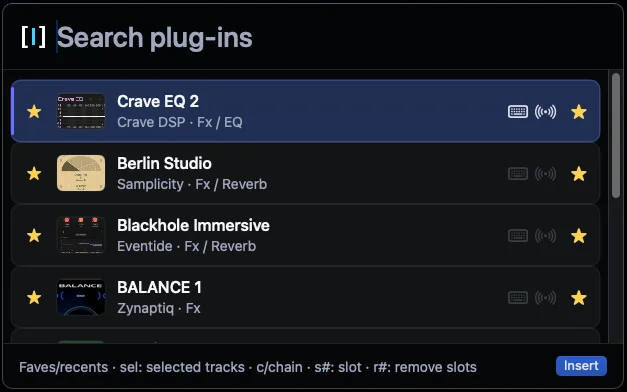
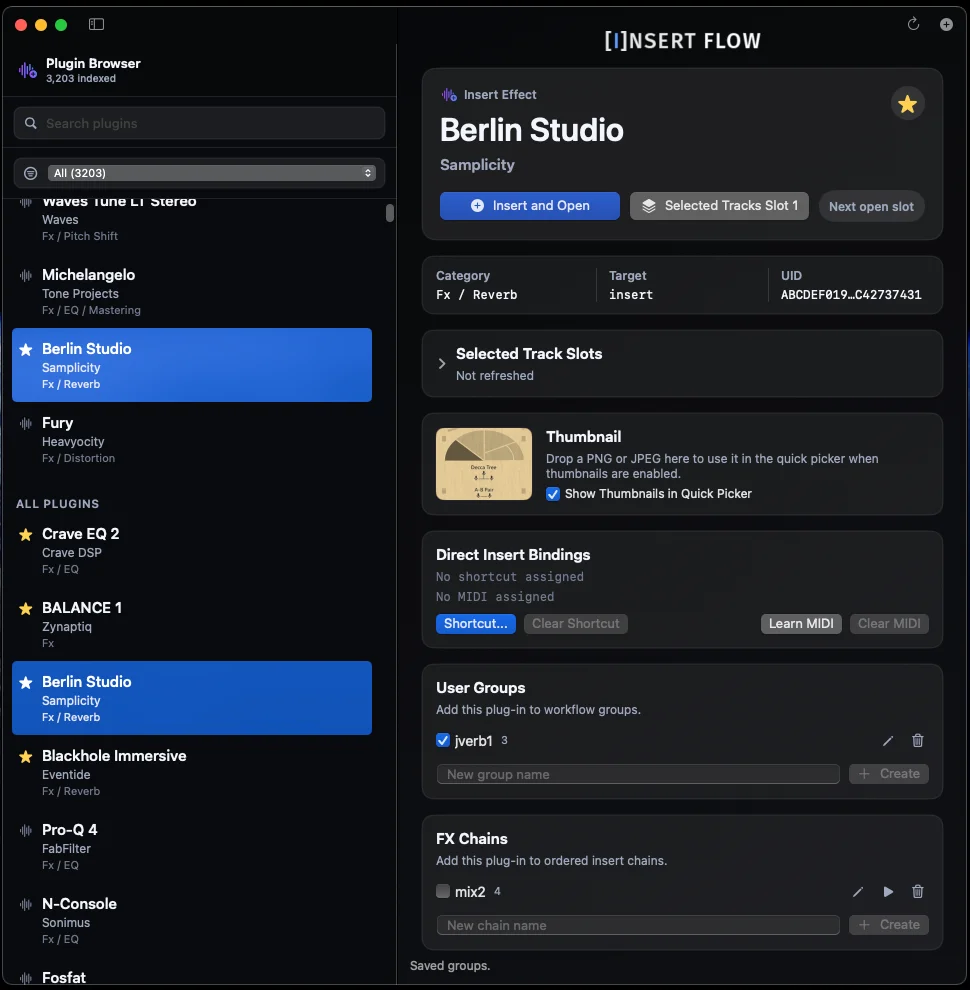
Find plug-ins by name, vendor, category, instrument/effect type, or your own user groups. Insert directly from the main browser or the compact Quick Insert picker.
YouTube.com/watch?v=IVlEp6GNdpg.
A Spotlight-style window for everyday work. Open it with a shortcut, type what you need, press Return, and get back to Cubase or Nuendo.
FX Chains
Create ordered plug-in chains for repeatable workflows like vocal starters, mix bus processing, mastering chains, or sound design stacks.
User Groups
Organize plug-ins your way. Build groups for workflow, genre, instrument role, favorites, or anything Steinberg categories do not cover cleanly.
Selected-Track Slot Actions
Insert, replace, remove, open, or bypass insert slots on the selected track. Batch actions can target selected visible or banked tracks, including specific slots and ranges.
Cubase/Nuendo Key Commands
Access every Cubase and Nuendo command from the app. Import your Key Commands XML, search commands, macros, Project Logical Editor presets, and MIDI Logical Editor presets, then trigger them from the launcher.
Track Archive Library
Point Insert Flow at folders of exported track archive XML files, then search and preview archive contents from Quick Insert before revealing the file in Finder.
Hotkey And MIDI Learn
Assign keyboard shortcuts or MIDI controls to plug-ins, groups, FX chains, Quick Insert, app actions, and selected-track slot actions.
Thumbnails, Licensing, And Updates.
Add optional custom plug-in thumbnails for a more visual Quick Insert experience. Direct-sale license import, local verification, and built-in update checks are included.

Please log in to join the discussion
Submit: News, Plugins, Hosts & Apps | Advertise @ KVR | Developer Account | About KVR / Contact Us | Privacy Statement | Sell @ KVR | KVR Marketplace Terms & Conditions
© KVR Audio, Inc. 2000-2026

