
7 KVR members have added Kirin Hypha to 9 MyKVR groups 15 times.
Download KVR Studio Manager (FREE)
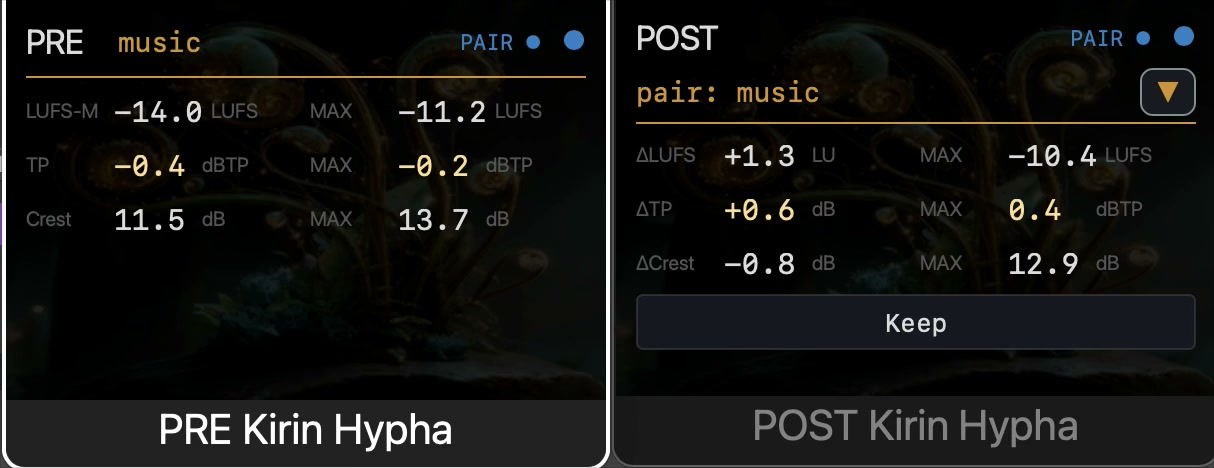
Kirin Hypha is a free, open-source meter for comparing what enters and leaves a DAW processing chain. Put PRE before the chain and POST after it. Up to 12 pairs can run in one project.
Watch mode shows LUFS-M, recent True Peak and Crest Factor. It works on its own—no Kirin OS, account or cloud connection required.
With a Kirin OS license, Record mode also captures PSR, N (Zwicker loudness, ISO 532-1), Sharpness (DIN 45692) and the session's maximum True Peak. A playback or bounce can be kept as one PRE / POST record.
Our published True Peak self-check uses five reference signals. The largest observed error was 0.060 dB, and all five were within ±0.100 dBTP. The test command, source commit, expected values and results are public. This is our own test, not a third-party certification.
A typical DAW CPU reading is about 0–1%. It varies with the DAW, sample rate, buffer size and number of active pairs.
macOS 12 or later: VST3 and Audio Unit, Apple Silicon and Intel. Windows 10/11: VST3.

Please log in to join the discussion
Submit: News, Plugins, Hosts & Apps | Advertise @ KVR | Developer Account | About KVR / Contact Us | Privacy Statement | Sell @ KVR | KVR Marketplace Terms & Conditions
© KVR Audio, Inc. 2000-2026

