
0 KVR members have added Kompis to 0 MyKVR groups 0 times.
Download KVR Studio Manager (FREE)
Kompis is a minimal reference plugin, designed to help you make better mixing decisions.
Referencing is one of the most powerful habits in mixing. Kompis lets you load your reference tracks and run any AU or VST3 plugin you already own directly on your reference tracks, your loudness meter, your spectrum analyser or your favourite EQ ... If it loads in your DAW, it loads in Kompis. No need to learn a new tool, use the tools you already trust and know.
What it does:
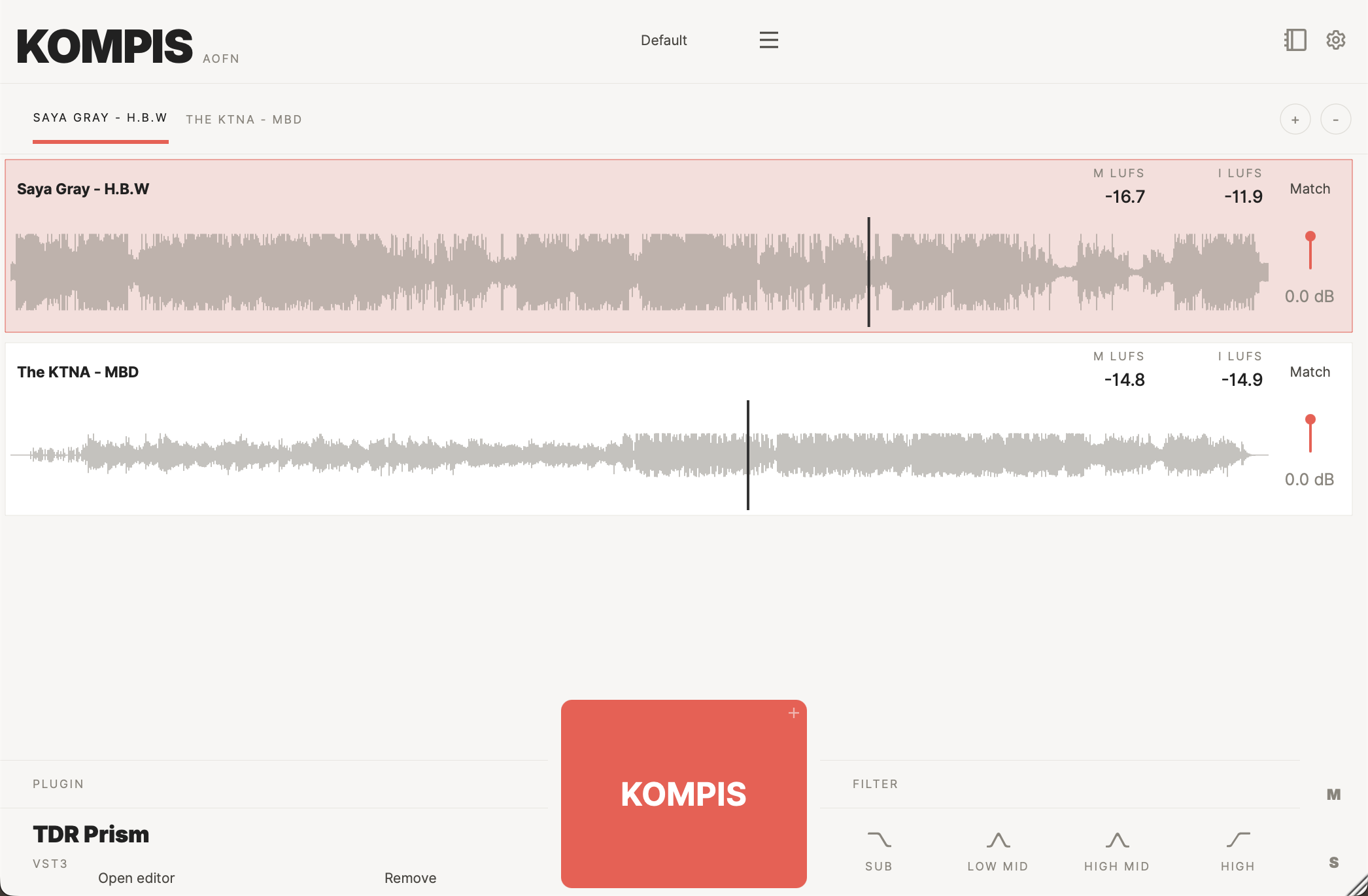
drag in MP3s or WAVs, drop multiple files at once or right-click to browse. Switch between them instantly, loop sections you want to focus on.
iZotope Insight, Youlean Loudness Meter, SPL Hawkeye, anything. Kompis automatically routes your DAW's signal to the plugin's sidechain input, so you can for example overlay the spectrums of your track and the reference track (i.e. with TDR Prism or similar plugins).
Kompis measures integrated LUFS and adjusts the reference so volume differences don't fool your ears.
flip between your mix and any reference track in real time while you work.
isolate and compare specific frequency ranges between your mix and the reference. You can customise the ranges to fit your needs.
save your reference tracks and loaded plugins together as a preset and recall the whole setup in one click. Start every session with your go-to references and analysers already in place.
Kompis detects when your DAW is rendering and bypasses itself automatically. It never ends up in your export.
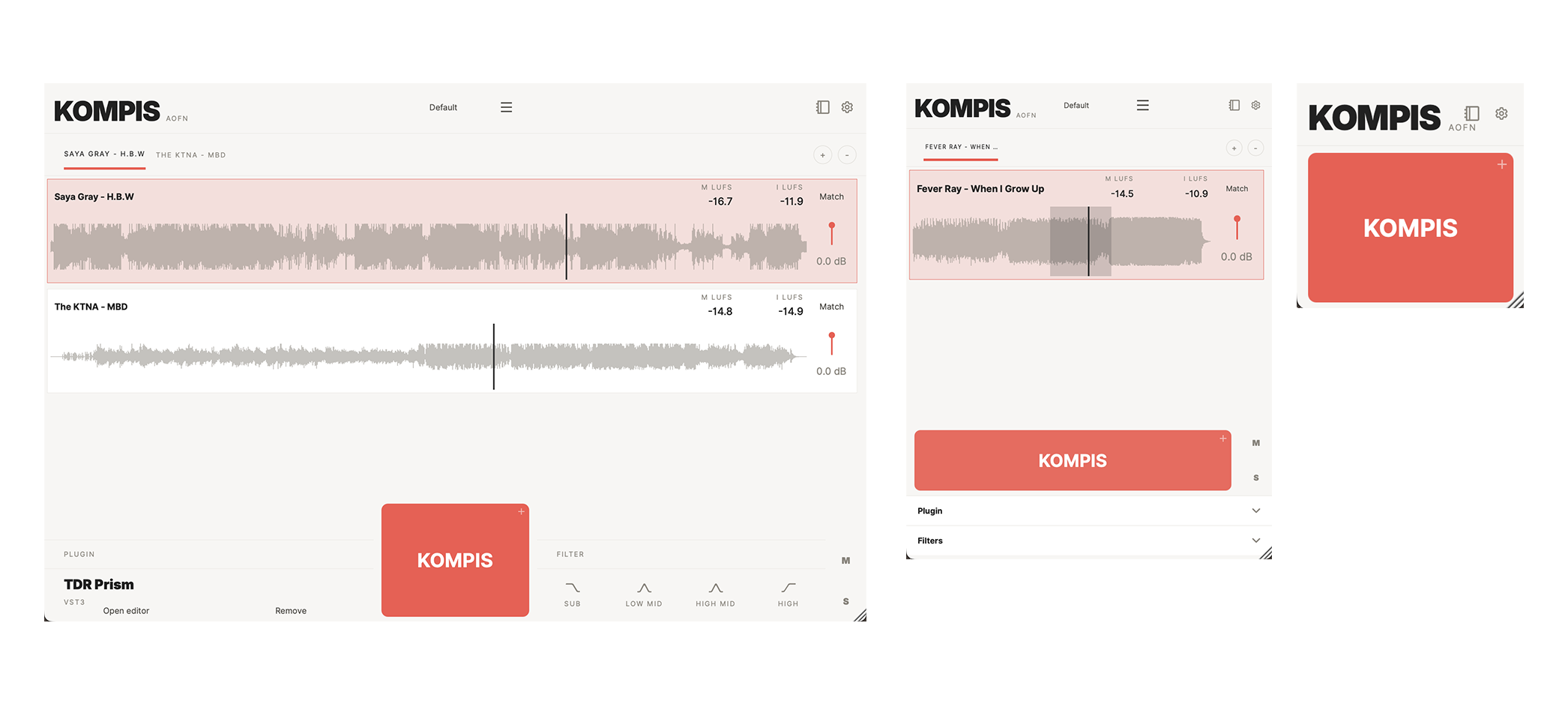
make it the focus when you need it, shrink it out of the way when you don't.
Formats: VST3, AU.
System requirements: macOS 10.15+ (Apple Silicon native).
49€ or pay what you like (minimum 9.99€). If you make use pay what you like please tell a friend about the plugin.

Please log in to join the discussion
Submit: News, Plugins, Hosts & Apps | Advertise @ KVR | Developer Account | About KVR / Contact Us | Privacy Statement | Sell @ KVR | KVR Marketplace Terms & Conditions
© KVR Audio, Inc. 2000-2026

