6 KVR members have added Mango to 2 MyKVR groups 10 times.
Download KVR Studio Manager (FREE)
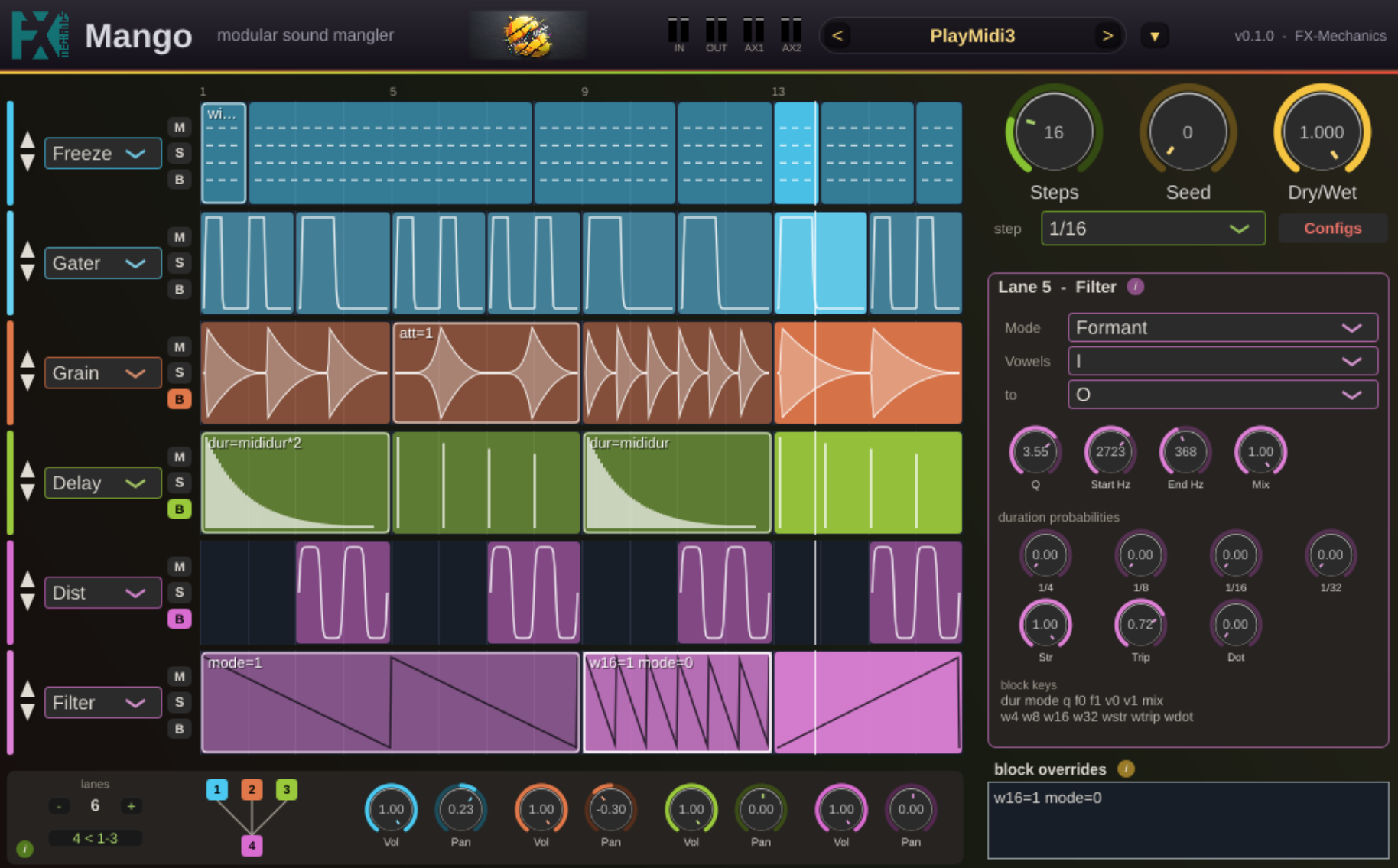
Mango is a rubber step sequencer of up to eight lanes, each driving one effect. You draw blocks on a lane's strip; while the playhead is inside a block, that lane's effect is processing; outside it, the lane is transparent. So you paint when each effect happens, in time with the host, and the lanes stack into a chain from top to bottom.
The character is seeded randomness. Effects that need a rhythmic rate don't take a fixed value: you weight how likely each note length is, and the actual rate is drawn per block. Every draw is a pure function of the seed, the lane and the block, so a pattern always plays back identically (in real time and in an offline bounce alike), and changing the seed re-rolls everything at once.
{See video at top of page}
 40%OFF$29.00Filter M1240%OFF$29.00Filter SEM12%OFF$69.00Delay TAPE-201
Please log in to join the discussion
Submit: News, Plugins, Hosts & Apps | Advertise @ KVR | Developer Account | About KVR / Contact Us | Privacy Statement | Sell @ KVR | KVR Marketplace Terms & Conditions
© KVR Audio, Inc. 2000-2026