12 KVR members have added Marco to 6 MyKVR groups 15 times.
Download KVR Studio Manager (FREE)
{See video at top of page}
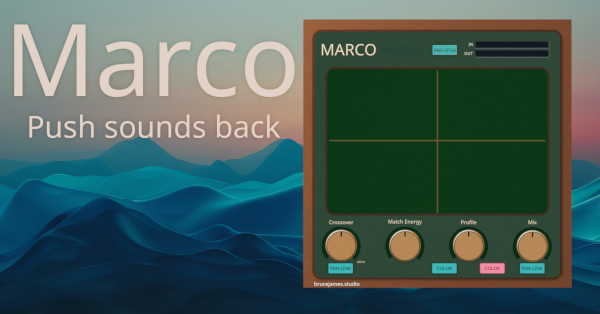
Marco by BruceJames.
Create Depth and Push Elements Back | VST3 (Windows).
Marco is a spatial placement plugin that lets you intuitively place sounds across a realistic stereo field with minimal effort. Push elements back in the mix realistically and with ease. Designed for producers, sound designers, and mixing engineers who want quick, musical control over perceived depth and width — without diving into convolution chains or complex pan/eq automation.
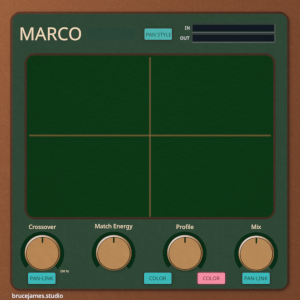
Use the XY pad to drop each element into place: center-panned but up-front? Far left and ghostly? Marco applies a hybrid blend of psychoacoustic filtering, pan law, frequency shading, and modeled early reflections to get you there — instantly.
Features:
Drag-and-drop XY positioning for realistic spatial depth and width.
Switchable crossover mode to apply placement selectively to highs/lows.
Currently only VST3 Windows but more formats imminent.
Whatever the sound, Marco helps your mix feel alive and dimensional without crowding the stereo image.
Demo available.
More info: brucejames.studio
Great plugin, this makes the spatial placement of my tracks so much easier compared to the combination of Auburn Panagement (too many parameters and complexity) and Artist in DSP Transpanner 2 (counterintuitive UI) I have been using so far. This plugin is well worth the money I spent on the Initial offer. However, I deduct one star due to the lack of a written manual. The tooltips are OK, but I would like a more in depth explanation of e.g. the function of the 'profile' control and colours - and not in the form of a YouTube Video. Also, the GUI could use little more eye candy, but that really is a nice to have. Keep up the great work.
Response from ohsomiggz from BruceJames on October 7th, 2025
Thank you so much for the thoughtful review! I completely agree that my presentation still leaves room for improvement — it's not my strongest area, but I'm working on it. I'm currently rolling out a few quality-of-life updates (like an LPF control for the pan option) and will make sure to add a proper written manual as well. It honestly didn't occur to me how important that would be, so I really appreciate the feedback.
As for the UI and visual refinements, I'd love to hear more about what you feel could make it stronger — please reach out at support@brucejames.studio with any suggestions. I'm constantly improving and really value detailed feedback like yours.
Thanks again.
— Michael.

Please log in to join the discussion
Submit: News, Plugins, Hosts & Apps | Advertise @ KVR | Developer Account | About KVR / Contact Us | Privacy Statement | Sell @ KVR | KVR Marketplace Terms & Conditions
© KVR Audio, Inc. 2000-2026