

117 KVR members have added MDV-II & MCV-I to 99 MyKVR groups 124 times.
Download KVR Studio Manager (FREE)
The studio workhorse that defined affordable digital effects × 2 and the bedroom producer's secret weapon.
There are two types of producers: those who think this reverb sounds "too colored," and those who refuse to mix a track without it. We meticulously recreated this cult-classic unit because sometimes, perfection is boring. You use it when you want your synth to float in space, your guitars to smear into a lush nostalgic wash, and your mix to have a sound that's unmistakably its own.
All 100 factory programs are included, organized into seven categories that cover every effect type the original hardware offered:
The MDV-II goes beyond the original hardware with two mathematically modeled DASP-16 chips running in series. Unit A feeds into Unit B, so you can stack a reverse reverb into a chorus, run a gated verb into a delay, or chain any two of the 100 programs together. Each unit has independent program selection, mix, and bypass controls.
Each unit has its own pan control. With both pans centered, the signal runs as a pure series chain — you hear the combined result of A into B. Spread the pans apart and the two stages separate in the stereo field, letting you place each effect independently. It's a smooth crossfade from stacked mono to wide stereo.
The heart of the MIDIVerb II is the custom DASP-16 (Digital Audio Signal Processor) chip designed by Keith Barr. The MDV-II faithfully recreates this chip, reproducing the signal flow of all 100 factory programs at the original 31,250 Hz internal sample rate. Every program produces the same output as the original hardware — including its characteristic warmth and bandwidth-limited charm.
Toggle vintage mode with the fuse icon in the toolbar to drop the internal engine from 44.1 kHz down to the original hardware's native 31,250 Hz sample rate. This lowers the Nyquist ceiling to ~15.6 kHz and stretches reverb tails and delay times to match the original unit, reproducing its characteristic darker, softer tone.
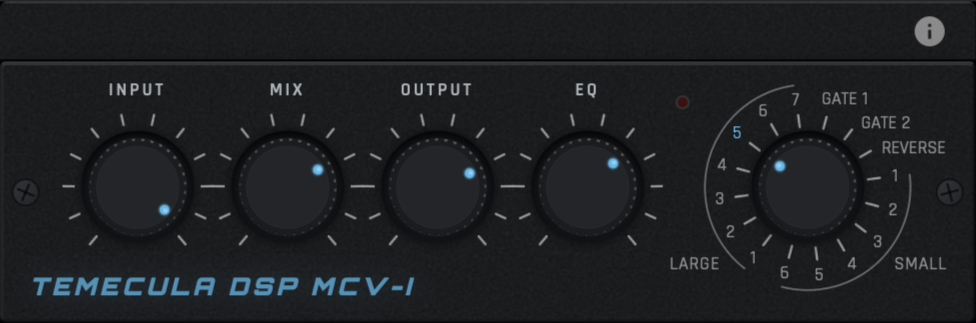
Input Level, Mix, Pan, and Output Level knobs give you precise control over signal flow. A/B buttons switch between the two engines, each with its own program, mix, and pan settings. A per-unit bypass button lets you disable either engine independently. The two-digit numeric keypad, arrow buttons, and drag-to-scroll LED display make program selection fast and familiar. All parameters are fully automatable in your DAW.
 $79.00REV LX-24
Please log in to join the discussion
Submit: News, Plugins, Hosts & Apps | Advertise @ KVR | Developer Account | About KVR / Contact Us | Privacy Statement | Sell @ KVR | KVR Marketplace Terms & Conditions
© KVR Audio, Inc. 2000-2026

