15 KVR members have added OOOO Digital Tape Loops to 12 MyKVR groups 18 times.
Download KVR Studio Manager (FREE)
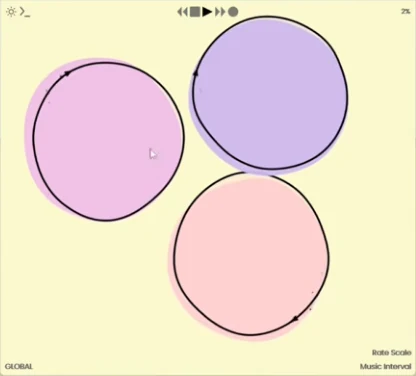
oooo is a tool for creating and manipulating digital tape loops. These loops can be synchronous or asynchronous, linked or unlinked from the DAW host (Ableton, FL Studio, Logic, Reaper, Bitwig, etc.), and can be manipulated in level, panning, and rate in addition to being played polyphonically like a mellotron with MIDI or with a grid. Each loop has its own effect sends, filters, and simple EQ. Each loop can record continuously or as a one shot, and can be routed to any other loop.
oooo is a plugin that has been in the works for half a decade. It started as a script for monome norns called oooooo (2020), evolved into similar scripts like barcode (2020), acrostic (2021) and ouroboros (2023), and was used in multiple SuperCollider performances (2024), and eventually a JACK client called oooooooo (2025). These early creations were made possible through an extraordinary sample manipulation engine, softcut, developed by Ezra Buchla for the norns, which I'm grateful for and forever inspired by.
For oooo Infinite Digits created an open-source engine for real-time sample manipulation, which is inspired and indebted to the genius behind softcut. The engine of oooo enables highly accurate and seamless resampling with multiple playheads and write heads, has Infinite Digits' favorite effects self-contained (tape emulations and a stereo version of my favorite reverb from Dattorro's effect design paper).
oooo is a tool, but it is also distillation of the essence of my (Infinite Digits) personal music practice. This style of tool has been utilized for three Infinite Digits albums: generations, at the place, and for the theatre of the flat imagination. For that reason, oooo encapsulates not only the effects I reach for most often, but also incorporates interactions I am drawn to, like the ability to play loops like a mellotron with MIDI or using the monome grid to record and play gestures on an isomorphic keyboard. See below for more ways I like to use this tool, but don't be limited by it.
{See video at top of page}

Please log in to join the discussion
Submit: News, Plugins, Hosts & Apps | Advertise @ KVR | Developer Account | About KVR / Contact Us | Privacy Statement | Sell @ KVR | KVR Marketplace Terms & Conditions
© KVR Audio, Inc. 2000-2026