2 KVR members have added Oria to 1 MyKVR group 2 times.
Download KVR Studio Manager (FREE)
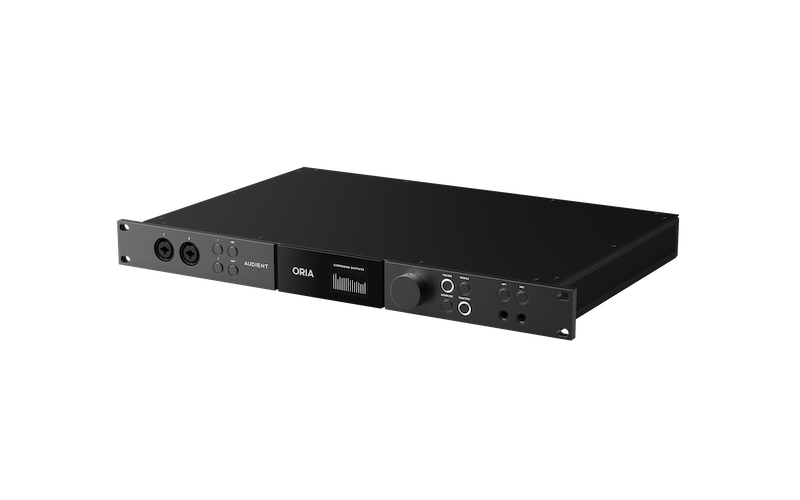
The Audient ORIA is a groundbreaking audio interface and monitor controller meticulously designed for the rapidly evolving world of immersive audio production. Addressing the critical need for comprehensive control and precise calibration in multi-channel environments, ORIA provides a centralized solution for engineers and creators working in formats such as Dolby Atmos, surround sound, and other multi-speaker setups. This 1U rackmount unit seamlessly integrates into both existing studio configurations and serves as a powerful standalone interface, streamlining complex immersive workflows.
ORIA empowers users to confidently mix and monitor multi-channel speaker arrays ranging from standard stereo configurations all the way up to extensive 9.1.6 setups. Beyond simply providing the necessary high-channel-count I/O, ORIA incorporates advanced speaker processing capabilities. This includes onboard DSP for precise room calibration, allowing users to create and store custom profiles to ensure consistent and accurate monitoring across different formats and listening environments. Features like per-channel EQ, delay, trim, and bass management are all available to fine-tune the response of each speaker in the array.
Designed for professional audio performance, ORIA boasts high-quality 24-bit/96kHz AD/DA conversion with impressive dynamic range, ensuring pristine audio quality throughout the monitoring chain. It also includes two of Audient's renowned console-grade microphone preamplifiers, offering clean gain and a touch of classic analog warmth for recording tasks. With flexible connectivity options including analog, AES digital, and ADAT inputs and outputs, plus the option for Dante AoIP, ORIA provides the versatility required for modern immersive production studios. Control is intuitive via the front panel, a dedicated desktop software application, and even an iPad remote app, offering a fluid workflow for managing complex speaker configurations and calibration settings.
{See video at top of page}

Please log in to join the discussion
Submit: News, Plugins, Hosts & Apps | Advertise @ KVR | Developer Account | About KVR / Contact Us | Privacy Statement | Sell @ KVR | KVR Marketplace Terms & Conditions
© KVR Audio, Inc. 2000-2026