
31 KVR members have added Pure Amber to 30 MyKVR groups 32 times.
Download KVR Studio Manager (FREE)
Pure Amber is a Windows VST3 plugin for organic spectral shaping and resonance control.
I built Pure Amber because I was tired of resonance suppressors that surgically fixed my mix but sucked all the life and transient energy out of it in the process. Pure Amber is a high-resolution spectral dynamics processor that targets harshness and boxiness, but with a unique set of tools designed to keep your audio sounding human.
Whether you need to quickly tame a harsh vocal, transparently balance a drum bus, or push the spectral engine into weird, organic stereo widening, Pure Amber gives you the exact tools to do it without the usual plastic-sounding artifacts.
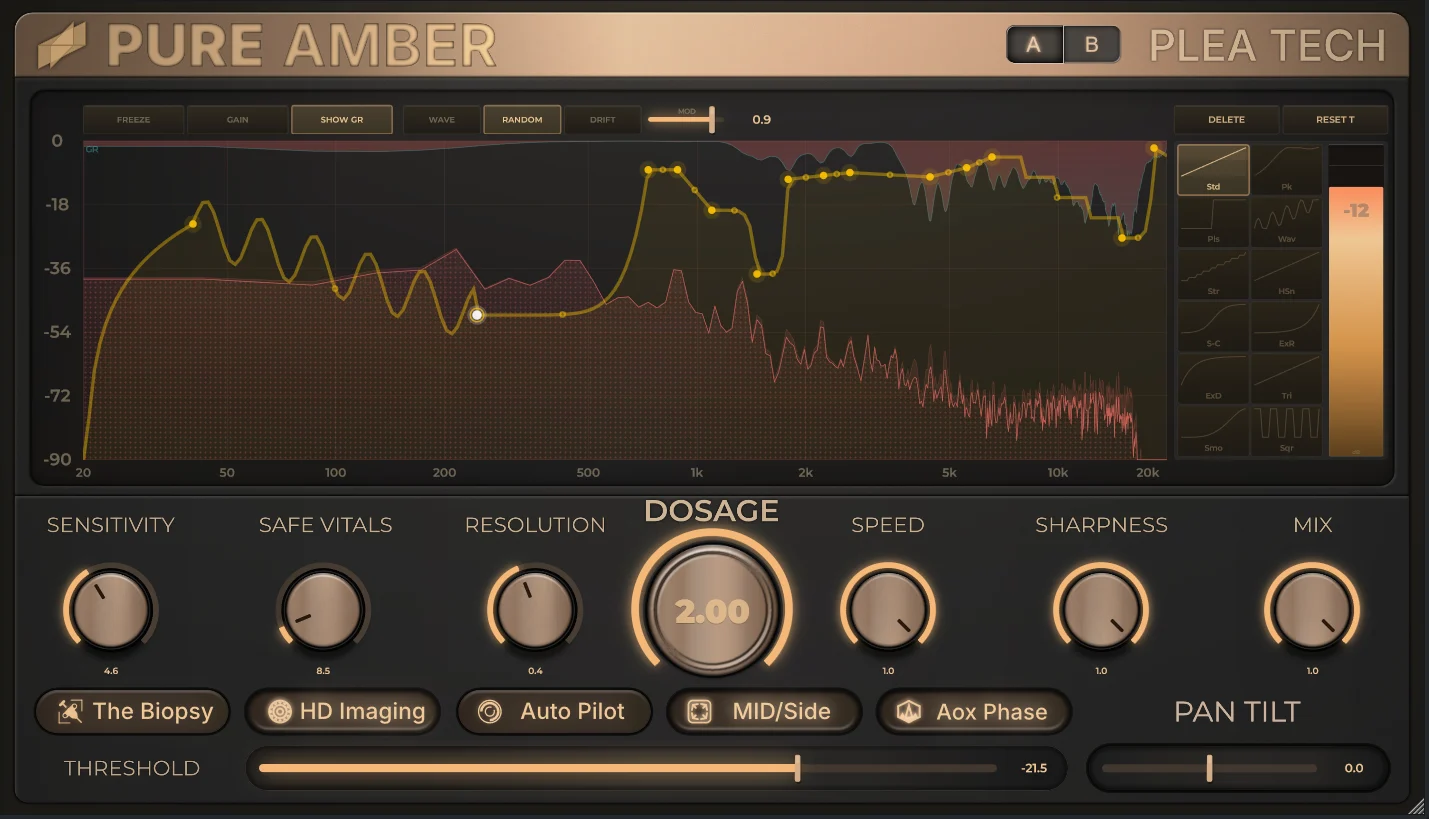
If you want to move fast, just hit Auto Pilot. It's not a gimmick; it's a multi-pass learning engine. It listens to your audio, uses temporal filtering to ignore your musical transients, and hunts down the persistent, annoying resonances. It tunes the parameters, builds a custom suppression curve, and applies it. It even double-checks its work—if a learning pass makes things worse, it automatically rolls back.
Instead of just giving you a threshold, Pure Amber splits the detection and the punishment:
Surgical EQ can sound unnaturally dead. If things get too sterile, flip on Min Phase / Variation Mode. This injects subtle, organic movement, like a sine wave, random noise, or a slow, wandering drift only into the frequency bins that are being actively suppressed. It fills the digital voids left by heavy processing, making aggressive cuts sound natural and alive.
Switch Pure Amber into Mid/Side mode, and the entire engine changes behavior. Instead of standard L/R suppression, it uses the gain reduction data to drive frequency-selective stereo widening. It splits your audio into 8 bands of allpass decorrelation, automatically protecting your mono bass (0-283Hz) while dynamically pushing the harsh stuff out to the sides.
The UI gives you completely freeform control over the suppression curve. Draw your limits directly on the 30fps spectrum display, tweak the tension handles to bend the curves exactly how you want them, or choose from 12 different curve shapes (from bells to sigmoid to steps). If you want to lock the shape and just ride the overall depth, hit the Gain Lock and drag the whole curve as one unit.
Runs in standard mode or with HD Imaging (2x Oversampling) for the cleanest possible processing.

Please log in to join the discussion
Submit: News, Plugins, Hosts & Apps | Advertise @ KVR | Developer Account | About KVR / Contact Us | Privacy Statement | Sell @ KVR | KVR Marketplace Terms & Conditions
© KVR Audio, Inc. 2000-2026

