
0 KVR members have added Quick Launcher to 0 MyKVR groups 0 times.
Download KVR Studio Manager (FREE)
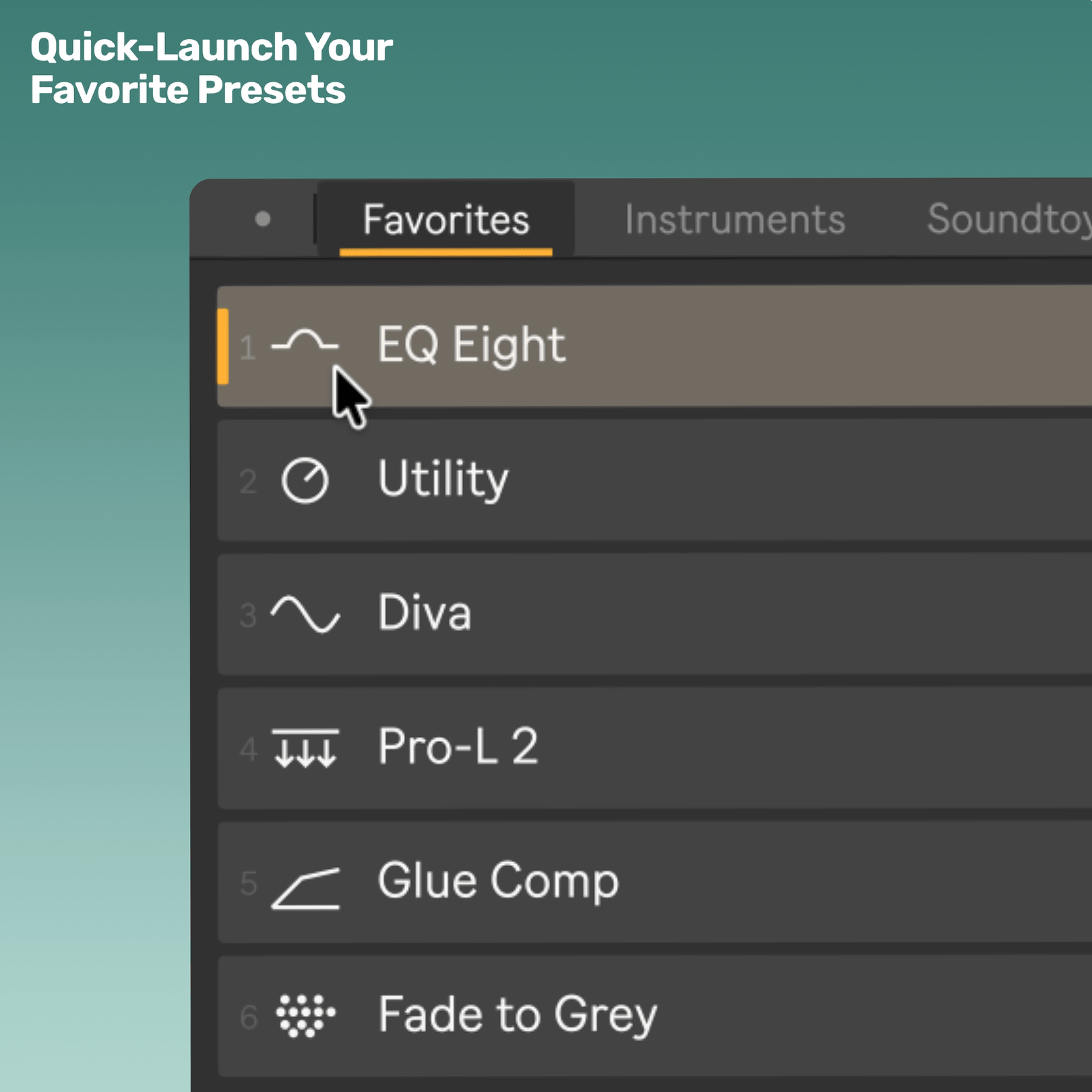
Quick-Launch Your Favorite Presets
Quick Launcher puts your favorite presets one keypress away.
Map the Launch button once, add your go-to presets to one folder, and a compact launcher opens directly at your cursor whenever you need it.
Click a slot or press 1-9 to load Ableton Live and Max for Live device presets, racks, and VST3/AU plugin presets without digging through Live's Browser.
Make it your own
Quick Launcher is designed to match your workflow - reorder presets, arrange tabs, resize the window, and choose from 100+ music-production and Ableton-themed icons.
Quick Launcher can stay simple, or become a visual launcher that matches the way you build chains.
Why producers use Quick Launcher:
- Favorite presets within reach: Launch Ableton Live and Max for Live device presets, racks, and VST3/AU plugin presets from one compact window.
- Opens at your cursor: Press your mapped key or MIDI control and Quick Launcher appears where you are working, ready to launch.
- Click or press 1-9: Launch visible slots with the mouse or number keys while building chains.
- Folder-based tabs: Organize favorites into folders and Quick Launcher turns them into simple category tabs.
- Pin Mode: Keep the launcher open when you want to add multiple devices or presets in a row.
- Edit Mode: Reorder presets, rearrange tabs, and choose from over 100 custom and themed icons so your launcher feels like your setup.
- Smart insertion: Loads presets after the selected device where possible, or at the end of the selected track.
- Lightweight and focused: Built to stay out of the way until you need it.
What it launches:
- Ableton native and Max for Live device presets: .adv
- Ableton racks: .adg
- VST3 plugin presets: .vstpreset
- Audio Unit plugin presets: .aupreset.
On first launch, Quick Launcher shows you where to drop your presets to get started directly.
Setup in 3 quick steps
1. Drop Quick Launcher into your set.
2. Put your favorite presets into the Quick Launcher folder.
3. Done Map the Launch button in Live and start quick-launching.
Continued support and free feature updates included.
If you run into an issue or have an idea that would make Quick Launcher better, simply send me a message.

Please log in to join the discussion
Submit: News, Plugins, Hosts & Apps | Advertise @ KVR | Developer Account | About KVR / Contact Us | Privacy Statement | Sell @ KVR | KVR Marketplace Terms & Conditions
© KVR Audio, Inc. 2000-2026

