55 KVR members have added Rebalance to 51 MyKVR groups 60 times.
Download KVR Studio Manager (FREE)
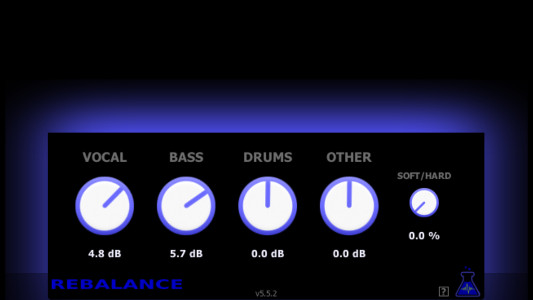
The Rebalance plugin identifies vocal, bass, and drums in an already done musical mix, and makes possible to modify the gain of each of these parts from a single track. It processes efficiently in real-time, by using machine learning techniques.
Example of use: Remove an instrument to create a backing track.
The bass for example can be removed to almost 100 % from an already mixed track, and makes possible to play bass over this new created backing track. This is also possible with vocal, drums, and in some cases with guitars and keyboards.
Example of use: Prepare a song for karaoke.
From a single track song, Rebalance can diminish the vocal part to almost 100 %, which makes the result usable for singing over the remaining instrumental part.
Example of use: Adjust the level of instruments of a rough live recording.
The Rebalance plugin makes possible to adjust the level of the different instruments and vocal of a recording of a live concert made on a single track. This can be useful for improving the sound of a live concert roughly recorded, in order to make a demo for example.
Example of use: Adjust the level of a sample extracted from a track.
If you extracted for example a vocal sample from a song, but there are some remaining notes of keyboard, guitar or other instruments at the same time, the plugin can be used to lower these remaining sounds. And exactly the same way if you have a bass sample, a drum break or anything else that you want to enhance from the rest on an extracted sample.
{See video at top of page}
Latest version available here: https://archive.org/details/bl-plugins-v-6-win-beta

Submit: News, Plugins, Hosts & Apps | Advertise @ KVR | Developer Account | About KVR / Contact Us | Privacy Statement | Sell @ KVR | KVR Marketplace Terms & Conditions
© KVR Audio, Inc. 2000-2026