
0 KVR members have added Reference to 0 MyKVR groups 0 times.
Download KVR Studio Manager (FREE)
Make Your Mix Translate Everywhere.
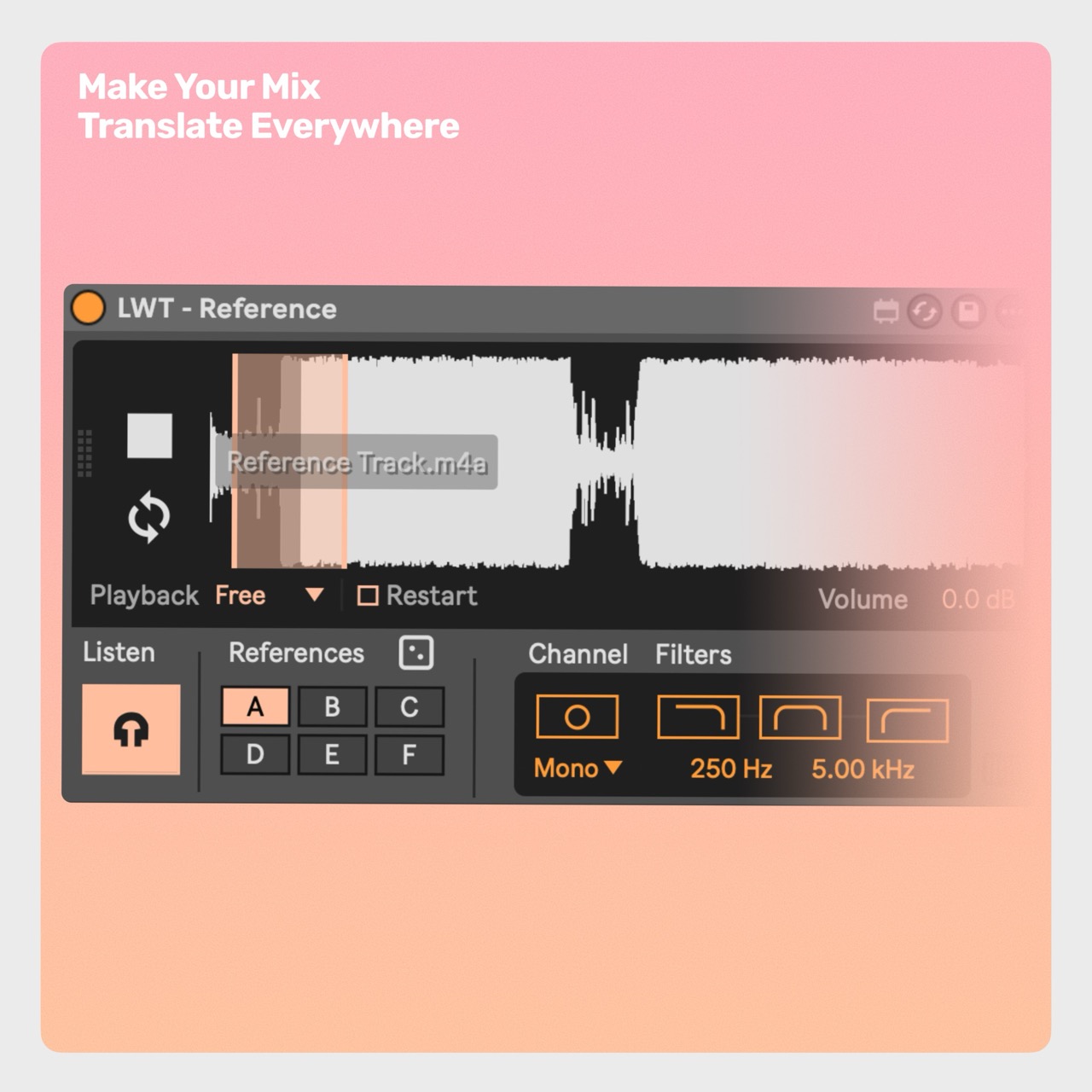
Reference lets you quickly compare your Liveset to professional mixes or previous exports of your own, making sure you're on the right track. Drop in multiple reference tracks, switch between them instantly, and even sync playback with your project. Toggle mono, solo frequency bands, and compare mixes with precision — all in one lightweight, drag-and-drop-ready tool.
Why producers use Reference.
Instant A/B Switching: Jump between your project and any loaded reference track with one click.
SYNC Mode: Aligns playback with your timeline — perfect for comparing your current mix to earlier versions.
Channel Preview: Check Mono, Sides, Left, or Right channels to spot balance and phase issues.
Band Solo: Isolate lows, mids, or highs to fine-tune bass weight, vocal presence, and high-end clarity.
Random Reference: Rotate through multiple reference tracks so your ears stay fresh.
Native Feel: Lightweight design that looks and behaves like an Ableton device.
Setup in 3 quick steps.
1. Drop the device into your set.
2. Drag in your reference tracks.
3. Done Start mixing with confidence.
Continued support and free feature updates included. If you find an issue or have an idea that makes the device better, simply send me a message.

Please log in to join the discussion
Submit: News, Plugins, Hosts & Apps | Advertise @ KVR | Developer Account | About KVR / Contact Us | Privacy Statement | Sell @ KVR | KVR Marketplace Terms & Conditions
© KVR Audio, Inc. 2000-2026

