

4 KVR members have added Speaker Splitter to 3 MyKVR groups 5 times.
Download KVR Studio Manager (FREE)
Speaker Splitter
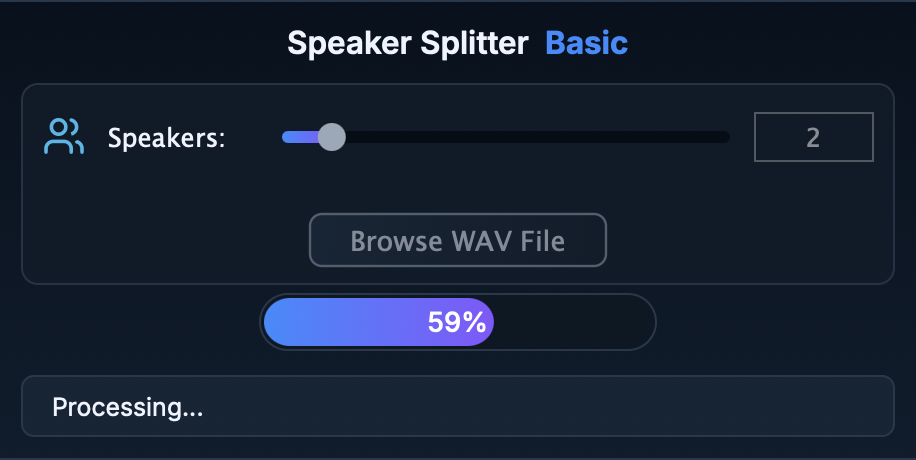
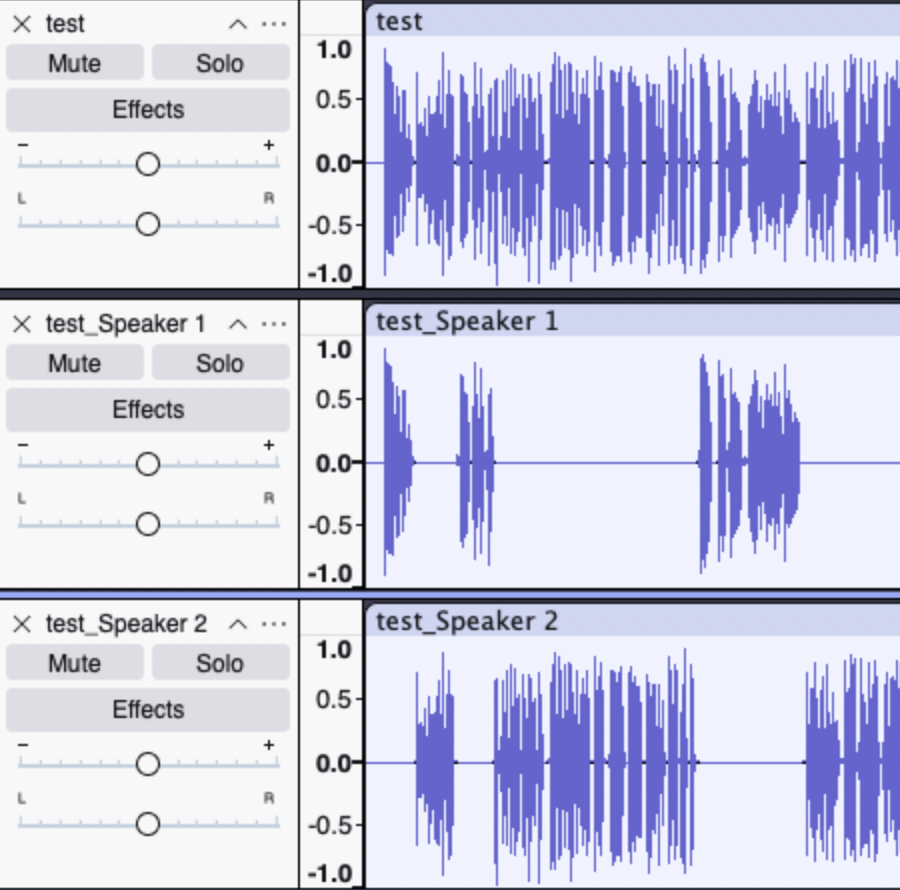
Automatically split mixed-speaker audio into separate tracks, right inside your DAW
Transform any mono or stereo recording into isolated speaker stems — ideal for podcasts, interviews, post-production, and research. With a single plug-in instance, Speaker Splitter uses a lightweight ONNX model to detect speaker boundaries and export per-voice files, saving you hours of manual editing.
Everything the plug-in needs is bundled inside — no separate installers and no "missing DLL" nightmares.
1) Install (copy) your Speaker Diarizer folder to the system VST3 folder:
C:\Program Files\Common Files\VST3\
/Library/Audio/Plug-Ins/VST3/
~/.vst3/
Or if you specifically pinpoint you DAW application to the plug-in root folder.
2) Open the Speaker Splitter plug-in in your DAW program.
3) Browse your recording in WAV format and choose the number of speakers (1–10).
4) Run processing — speaker stems export automatically next to your recording.
Take your podcast, interview, and post-production workflow to the next level. Buy Speaker Splitter now and stop manually chopping audio — let AI do the hard work.
All sales are final, and no refunds will be issued for this product due to its digital nature. If you encounter any issues or need assistance, feel free to contact me at: pr.germux@gmail.com. I'll be happy to help resolve any questions or concerns.

Please log in to join the discussion
Submit: News, Plugins, Hosts & Apps | Advertise @ KVR | Developer Account | About KVR / Contact Us | Privacy Statement | Sell @ KVR | KVR Marketplace Terms & Conditions
© KVR Audio, Inc. 2000-2026

