
23 KVR members have added Strata to 19 MyKVR groups 25 times.
Download KVR Studio Manager (FREE)
Now, at last, you can see your song with just a glance.
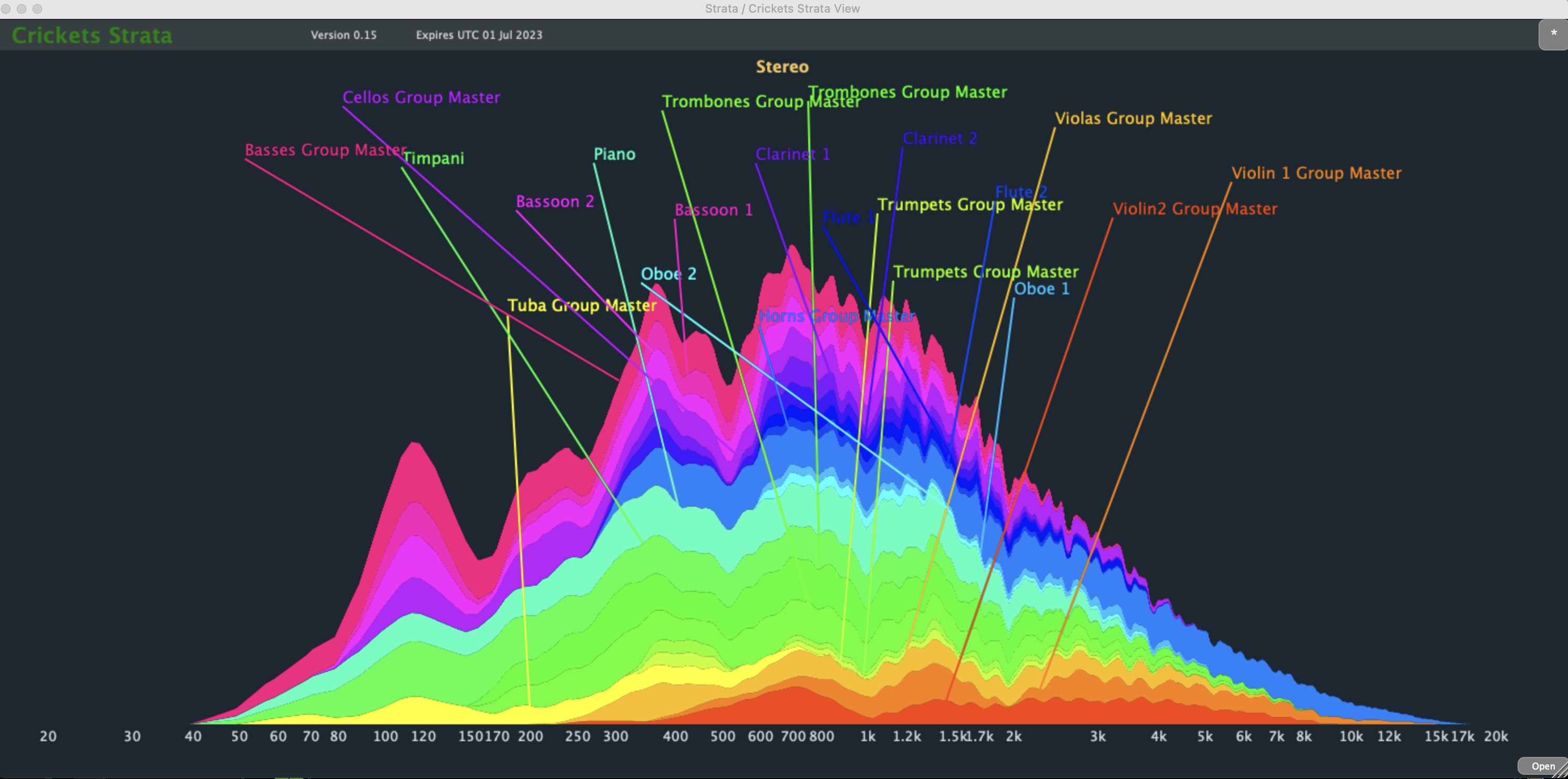
Strata is VST monitoring software that shows you the frequency spectrum of all your tracks all at once. It's called "Strata" because it shows you your tracks layered on top of each other like geological strata.
Use Strata during mixing to instantly see the relative volumes of your tracks, and where they are in the frequency spectrum.
Strata is particularly useful for instantly detecting tracks that are in places in the frequency spectrum where they shouldn't be. In particular, you can instantly see tracks that are intruding too low and causing "mud" in your mix. It's also great for detecting synth tracks that are reaching too far up into the high-hat zone.
The moment you apply Strata to a song, you'll very likely see things that you did not expect, and will start fixing them. But never mind all that! Strata is just plain colourful FUN! Try it and see.
How To Use Strata
Strata comes in the form of two VST3 plugins: Strata Track and Strata Vision. Place an instance of Strata Track at the end of the plugin chain of each track in your song's DAW project. Place an instance of Strata Vision on any track (it doesn't matter which one).
The instances of Strata Track communicate with the instance of Strata Vision (using the internet TCP prototol) enabling Strata Vision can show you the frequency spectrum of all your tracks in one graph.
Key Uses:

Please log in to join the discussion
Submit: News, Plugins, Hosts & Apps | Advertise @ KVR | Developer Account | About KVR / Contact Us | Privacy Statement | Sell @ KVR | KVR Marketplace Terms & Conditions
© KVR Audio, Inc. 2000-2026

