

Thank you for purchasing Gooey's Snake.
If the installer was not deposited into your account, then you can find The Snake (here).
The download will contain installers for The Snake, Presets, and Skin:
Windows presets will be installed to /Documents/Gooey/.
VST3 on Windows will be installed to C:\Program Files\Common Files\VST3\.
AAX on Windows will be installed to C:/Program Files/Common Files /Avid/Audio/Plug-Ins/.
VST3 on Macintosh will be installed to /Library/Audio/Plug-Ins/VST3/.
AU on Macintosh will be installed to /Library/Audio/Plug-Ins/Components/.
AAX on Macintosh will be installed to /Library/Application Support /Avid/Audio/Plug-Ins/.
Macintosh presets will be installed to /Library/Application Support/Gooey/.
On your first opening of The Snake the following screen will appear.
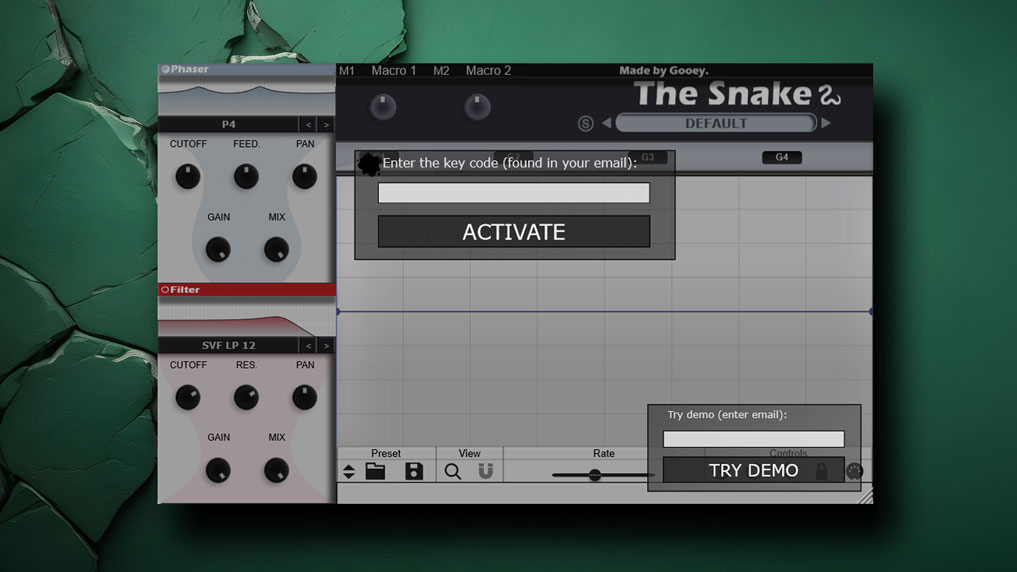
Note, after purchase, there should be a valid activation code in your account.
Enter your activation code and enjoy.
If you have any issues with installation, questions, or feedback, feel free to send me e-mail at dave@gooeyaudio.com.

Please log in to join the discussion
Submit: News, Plugins, Hosts & Apps | Advertise @ KVR | Developer Account | About KVR / Contact Us | Privacy Statement | Sell @ KVR | KVR Marketplace Terms & Conditions
© KVR Audio, Inc. 2000-2026

