12 KVR members have added Toxic to 10 MyKVR groups 13 times.
Download KVR Studio Manager (FREE)
note:v1.0.2 Released.
— Improved realtime UI rendering performance with more targeted repaint paths.
— Added an OpenGL-backed realtime renderer path while keeping JUCE fallback drawing for compatibility.
— Fixed realtime display regressions where LFO, Envelope, FFT/filter views, assignment arcs, or assignment spots could appear frozen or blank during UI updates.
— Smoothed category and routing toggle animation, including the signal-flow refresh after Serial / Parallel changes.
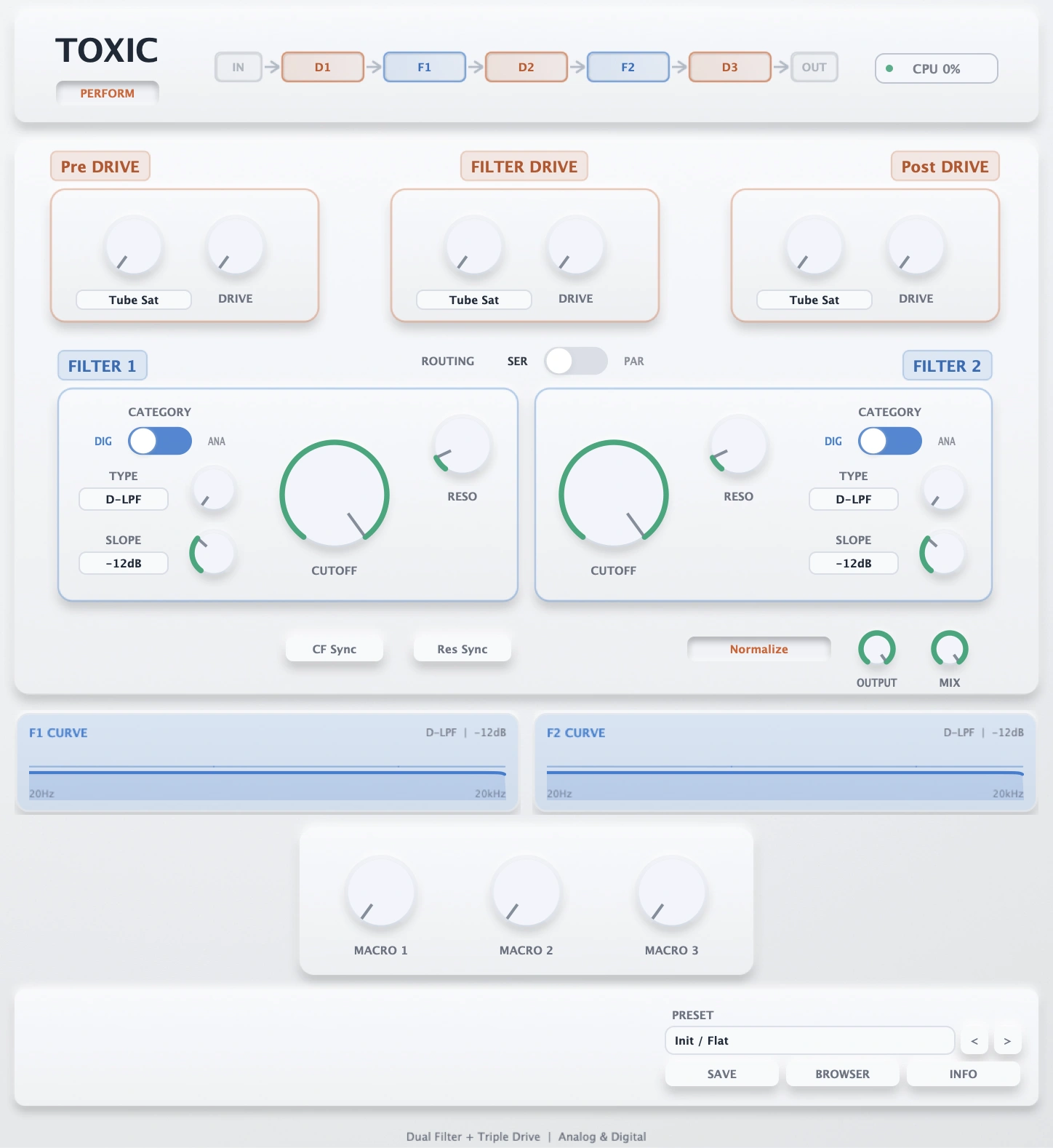
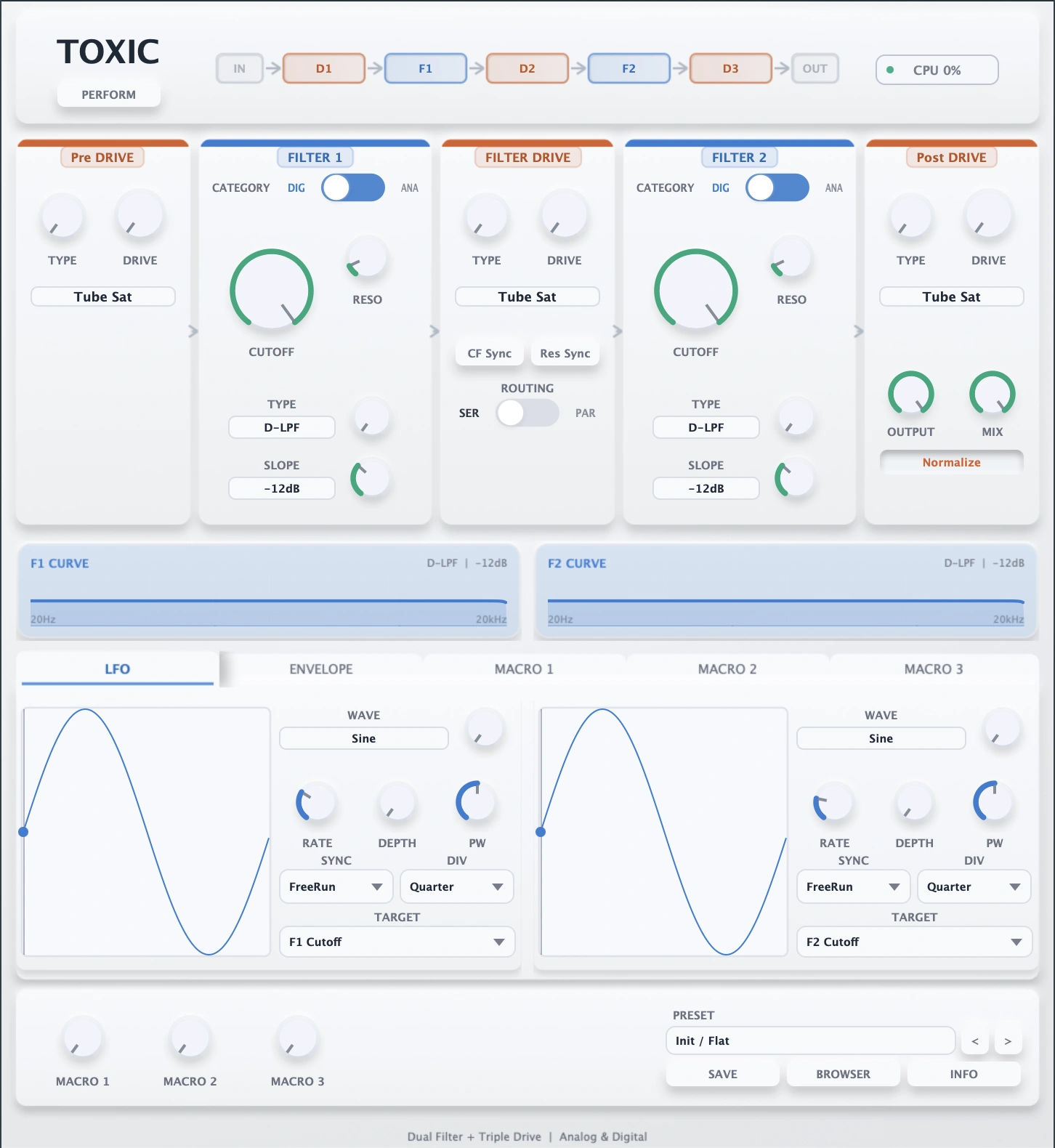
Toxic is a free dual-filter effect built for the KVR Developer Challenge 2026. It combines serial/parallel routing, three drive stages, analog and digital filter models inspired by the topology of a hardware VA synthesizer, LFOs, an envelope follower, and macro control in one performance-ready plug-in.
Toxic's filter section is inspired by the topology of a legendary hardware VA synthesizer: a flexible dual-filter structure with serial/parallel routing, multiple analog-style and digital-style filter characters, and formant/vowel movement designed for animated sound design.
It is not a clone or an official emulation. The goal is to capture the workflow idea of a performance-oriented dual-filter synthesizer architecture and rebuild it as a free creative effect for modern DAW use.
{See video at top of page}
A new update was release for this plugin fixing the framerate issue, and I can now say that this thing is awesome! It features three distortions and two filters with many different algorithms, and they can be put through very powerful modulators. It also comes with great looking and intuitive interface. I still have an issue with the plugin stuttering when i switch from digital to analog filters and back, but it is a very minor issue and I didn't think it was worth lowering my rating for.
Response from sknife from SoundRave on July 9th, 2026
Thanks for the report.
I tested the plugin on my Windows FL Studio machine without bridging and could not reproduce the framerate issue, so it may be environment-dependent.
Could you let me know your FL Studio version, Windows version, GPU, plugin format used (VST2 or VST3), display scaling percentage, and monitor resolution / refresh rate?
I'll look into possible GUI performance improvements for FL Studio setups where this happens.
 $49.00Dist OPAMP-21$49.00Filter MS-20
Please log in to join the discussion
Submit: News, Plugins, Hosts & Apps | Advertise @ KVR | Developer Account | About KVR / Contact Us | Privacy Statement | Sell @ KVR | KVR Marketplace Terms & Conditions
© KVR Audio, Inc. 2000-2026