6 KVR members have added Transcribe! to 4 MyKVR groups 8 times.
Download KVR Studio Manager (FREE)
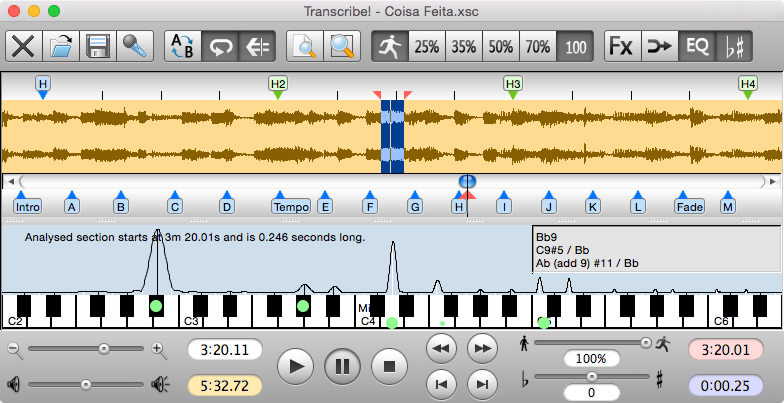
The Transcribe! application is an assistant for people who want to work out a piece of music from a recording, in order to write it out, or play it themselves, or both. It doesn't do the transcribing for you, but it is essentially a specialised player program which is optimised for the purpose of transcription. It has many transcription-specific features not found on conventional music players.
It is also used by many people for play-along practice. It can change pitch and speed instantly, and you can store and recall any number of named loops. So you can practice in all keys, and you can speed up as well as slow down. There is some advice about play-along practice in Transcribe!'s help, under the heading "Various Topics".
And it is also used for speech transcription. With its support for foot pedals and its superior slowed-down sound quality, it is an excellent choice for this purpose. There is some advice about speech transcription in Transcribe!'s help, under the heading "Various Topics".
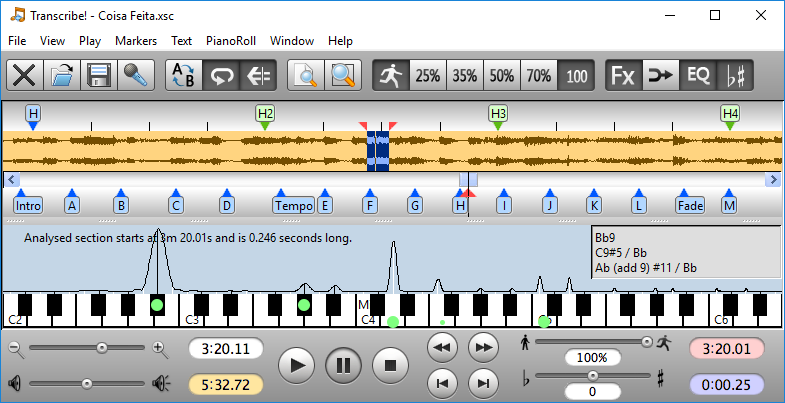
Conventional music players are really designed for people who want to listen to whole tracks. They are very inconvenient for transcribing music as they are not designed for this purpose. If you copy the recording to your computer's hard disk as a sound file then you can use Transcribe! instead. Transcribe! offers many features aimed at making the transcription job smoother and easier, including the ability to slow down music without changing its pitch, to analyse chords and show you what notes are present, and the capability of adding markers and textual annotations so you can easily navigate around the track. Transcribe! also has a piano keyboard displayed on screen which you can click to play reference notes.
It is important to understand that Transcribe! does not attempt to do the whole job, processing an audio file and outputting musical notation or MIDI - this would be nice, but is a currently unsolved research problem. The spectrum analysis feature is very useful for working out those hard-to-hear chords, but you must still use your ear and brain to decide which of the peaks in the spectrum are notes being played, which are merely harmonics, and which are just the result of noise and broad-spectrum instruments such as drums. If you have never worked out even a simple piece of music by ear then Transcribe! will probably not help you (see Introduction to Transcribing Music), but if you do sometimes work out recorded music by ear then Transcribe! can make the job a lot quicker and easier.
If you are working from a video file then Transcribe! can usually display the video too.
Transcribe! takes no interest in MIDI files - these already contain explicit information about what notes are to be played and when, and there are plenty of programs available which can display this information. Transcribe! deals with audio sample data files.
Transcribe! plays and records audio files but it is not an audio editor. It is capable of applying various effects to audio such as speed change, pitch change and EQ. You can save the modified audio to a new sound file if you want.
Video courtesy of Jennifer Batten
{See video at top of page}

Please log in to join the discussion
Submit: News, Plugins, Hosts & Apps | Advertise @ KVR | Developer Account | About KVR / Contact Us | Privacy Statement | Sell @ KVR | KVR Marketplace Terms & Conditions
© KVR Audio, Inc. 2000-2026