
1 KVR member has added TwinPath to 1 MyKVR group 1 time.
Download KVR Studio Manager (FREE)
TwinPath enables parallel effects processing using your existing Audio Units, without configuring busses or complex routings.
Its core feature is bridging parallel processing and sequential chaining, allowing parallel effects to be lined up on single tracks, instead of having them distributed across several busses.
Depending on the DAW used, this can prevent a lot of clutter and free up valuable screen real estate, especially in mobile host applications. The result is a consistent setup that can be reliably recreated in any DAW, regardless of how each host handles audio routing.
Among its possible applications, TwinPath pairs especially well with delay effects for dynamic performances. Shifting focus from deep editing to switching between (or blending) entire modules opens up a new perspective and new features – especially when feedback delays are involved. And of course, both approaches can be applied at the same time.
Once inserted into a track's effects chain, TwinPath handles splitting and merging audio streams and provides several convenience features.
It offers two main classes of operation:
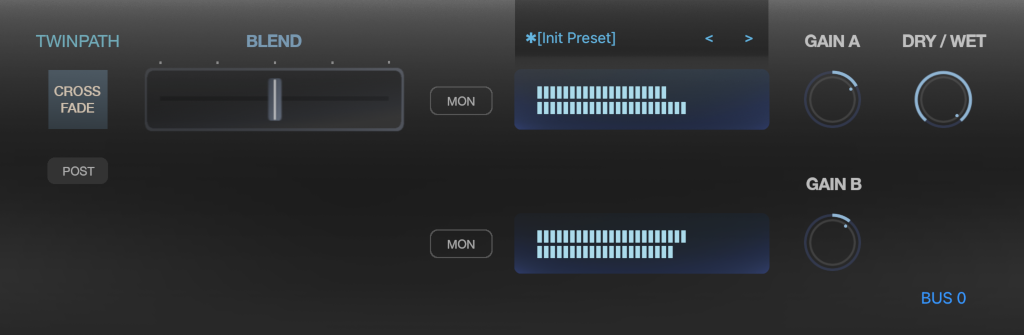
CROSS-FADE
• Blend between two effects chains using a single control
• Switchable pre/post operation: pre mode preserves effect tails and lets feedback effects "breathe", while post mode offers instant, direct control.
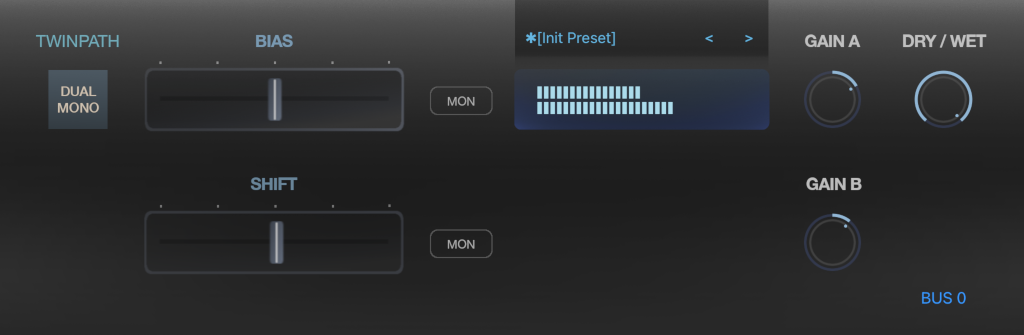
DUAL MONO
• Run different effects chains for Left/Right, Mid/Side, or a continuous blend between them
• Channel mapping and FX bias are smooth, performance-friendly controls
• Quick and efficient workflow replacement that overcomes functional limits of stock dual mono modes, such as restrictions on independent preset loading.

Please log in to join the discussion
Submit: News, Plugins, Hosts & Apps | Advertise @ KVR | Developer Account | About KVR / Contact Us | Privacy Statement | Sell @ KVR | KVR Marketplace Terms & Conditions
© KVR Audio, Inc. 2000-2026

