
Follow these steps to receive your Antelope native plugin license on your iLok account and install it successfully :
1. Create an Antelope account at en.antelopeaudio.com/sign-up
2. Login into the Antelope website to enter the User Area:
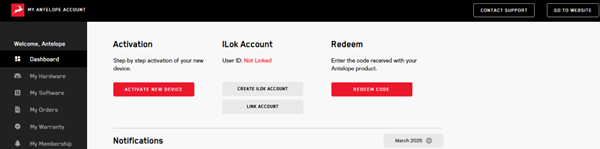
3. Link your iLok account to your Antelope account.
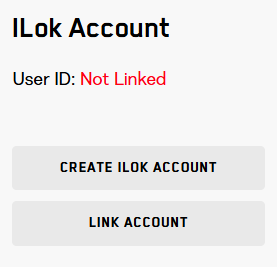
- If you don't have an iLok account, select "CREATE ILOK ACCOUNT" and go through the process of creating an iLok account. Then, link it to the Antelope account.
- Make sure you have iLok License Manager installed on the computer.
4. Click "REDEEM CODE" and enter the code you have received from your purchase:
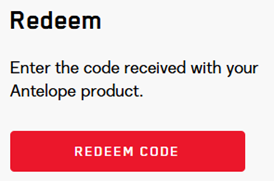
5. Wait a few minutes until the license is delivered to your iLok account. They will appear in the iLok License Manager.
The license supports Cloud and iLok Dongle (2nd or 3rd generation) activation.
* For Cloud operation, internet connection is required while the plugin is being used.
6. Download the Antelope Launcher and login:
7. Download your plugin from the Plugins tab in the Antelope Launcher.

Please log in to join the discussion
Submit: News, Plugins, Hosts & Apps | Advertise @ KVR | Developer Account | About KVR / Contact Us | Privacy Statement | Sell @ KVR | KVR Marketplace Terms & Conditions
© KVR Audio, Inc. 2000-2026

