
1 KVR member has added Video Slave 2 to 1 MyKVR group 1 time.
Download KVR Studio Manager (FREE)
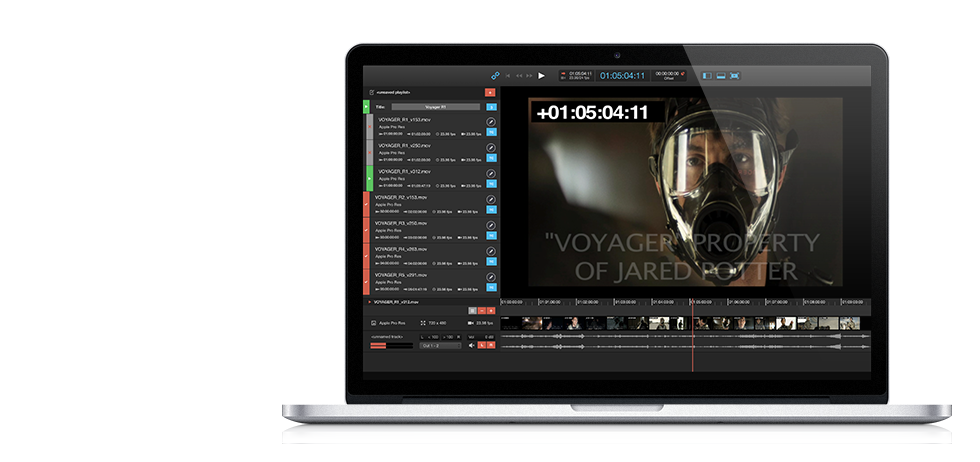
Use Video Slave 2 to play movie clips in sync with Pro Tools, Cubase, Nuendo, Logic Pro X, Studio One and many other popular DAWs. Video Slave 2 uses MIDI Timecode - a protocol supported by most Digital Audio Workstations on the market today - to drive synchronized movie playback as well as MIDI Machine Control for full scrubbing support.
Even better MIDI Timecode and MIDI Machine Control allow you to playback video from a separate computer using either a wired ethernet cable or Wi-Fi connection.
The MIDI data can run from the same machine that's also running your DAW but also from another machine on the local network. Both settings are common and well supported by Video Slave 2.
Video Slave 2 supports all of the codecs used today such as DV/DVCPRO, Motion JPEG, Apple Pro Res, H.264, AVC Intra and many more. There's typically no need to convert movie files to a different format which will save you a lot of time.
The supported container types include QuickTime as well as MXF. (operational patterns Op1a and Op-Atom, Pro version only).
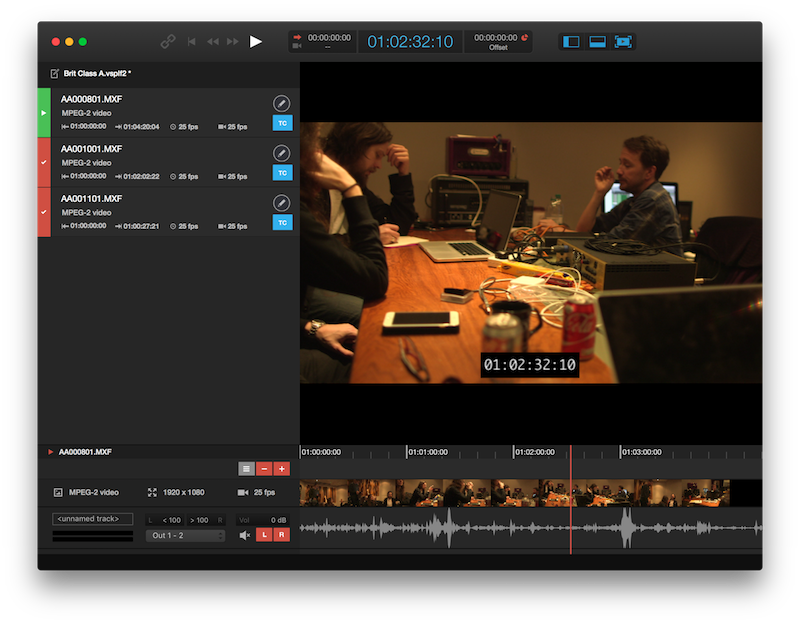
Throw all your clips into a playlist and let Video Slave 2 choose the right reel automatically according to the incoming timecode. Disable clips in the playlist to prevent certain clips from playing without removing them from the playlist.
Additionally, you can use Video Slave 2's new versions feature to keep track of all video files you received from the editorial. Create a version with all different files of the same scene/reel and keep all of them in sight. Switch back to an older version quickly in order to find changes easily.
With Video Slave 2 it is also possible to superimpose the picture with different kinds of visual cues. Video Slave 2 currently supports three kinds of overlays: Streamers, Markers and ADR Cues (Pro version only). All types of visual cues are highly customizable through the application's preferences.
To start visual events remotely, define trigger events in the preferences and trigger them through external MIDI events sent from your DAW for example. Video Slave 2's streamers can optionally be time or tempo based to fit the needs of composers and ADR/foley recordists alike.
ADR cues (Pro version only) are designed to aid in dialog recording sessions. They can either be created directly in Video Slave 2 or they can be imported from a variety of files. Video Slave 2 currently supports cue data import from the following files:
CSV/TAB: comma or tab separated text files (file extension: .csv, .tab, .txt)
SRT: SubRip subtitle files (file extension .srt)
STL: Standard subtitle files (SPRUCE, DVD Studio Pro and EBU-N19, file extension: .stl)
ADR Studio Scripts: XML files exported from Gallery's ADR Studio Pro (file extension: .xml)
In addition to the visual events, you can display a timecode/feet and frames overlay with selectable font, size and color.
All visual overlays can be turned on or off on a per video device basis. This allows for setups where the voice talent can watch the video superimposed with streamers, punches and text while the editor or director can focus on the performance without being distracted from the visual cues.

Please log in to join the discussion
Submit: News, Plugins, Hosts & Apps | Advertise @ KVR | Developer Account | About KVR / Contact Us | Privacy Statement | Sell @ KVR | KVR Marketplace Terms & Conditions
© KVR Audio, Inc. 2000-2026

