
8 KVR members have added VoiceAssist Basic to 3 MyKVR groups 8 times.
Download KVR Studio Manager (FREE)
Smart Vocal Dynamics
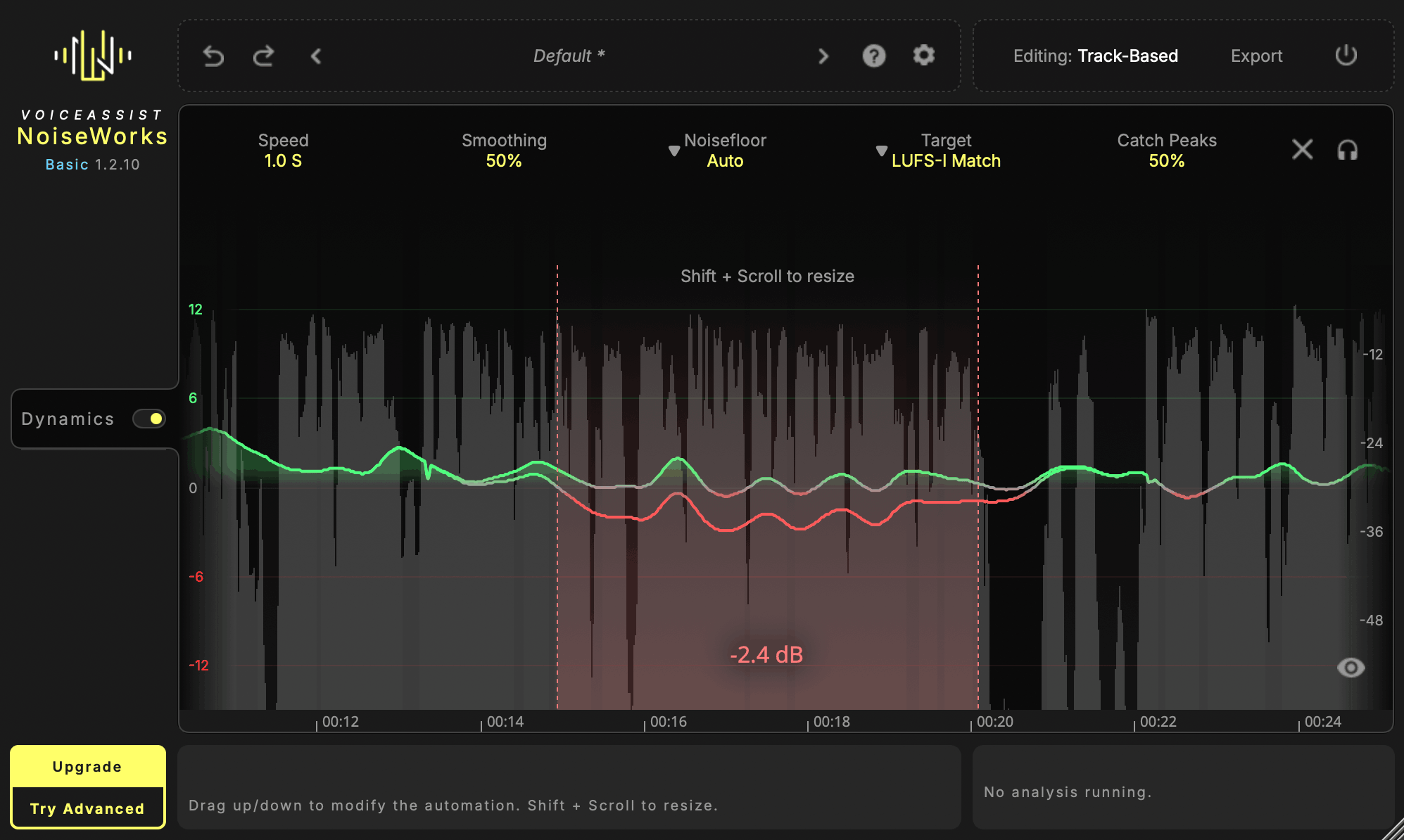
Get crystal-clear, consistent voice tracks — without the tedious manual work. VoiceAssist Basic gives you intelligent dynamics processing that analyzes your performance and writes a custom volume automation, tailored to your settings.
Every word and syllable counts — whether it's for dialogue or vocals. VoiceAssist Basic analyzes your performance and writes a custom volume automation with infinite lookahead — tailored to your settings.
Want a subtle volume ride that no one will notice? Use the High Speed mode. Need aggressive leveling for rap vocals? Switch to Fast Speed, and your voice will cut through — clear and consistent.
Work in LUFS-I or LUFS-S with integrated peak control to trigger your compressor only when you really need it.
Choose between different target modes including smoothing and speed control to match the dynamics behavior to your specific use case.
VoiceAssist Basic is built for anyone who needs fast, reliable vocal leveling without the complexity of a full processing suite.
Music Production and Mixing:
Producers and vocal mixers who want consistent levels across takes, comps, and layered vocals.
Engineers who need a smart volume ride that replaces manual clip gain — faster and more precise.
Post Production and Dialogue:
Dialogue editors managing material recorded across different rooms, shooting days and mic positions.
Re-record mixers who want cleaner, more consistent stems before they reach the stage.
Podcast and broadcast editors preparing large volumes of speech with limited turnaround time.
Hybrid Workflows:
Facilities where sessions move between DAWs or between editors and automation needs to stay intact.
Anyone who wants predictable, editable results without relying on long chains of corrective plug-ins.
Works with Pro Tools (ARA + AudioSuite), Studio One, Reaper, Cubase, Nuendo, LUNA, and any AU/VST3/AAX host via Transfer Mode.
Upgrade anytime — move to Standard or Advanced and only pay the difference at noiseworksaudio.com.

Please log in to join the discussion
Submit: News, Plugins, Hosts & Apps | Advertise @ KVR | Developer Account | About KVR / Contact Us | Privacy Statement | Sell @ KVR | KVR Marketplace Terms & Conditions
© KVR Audio, Inc. 2000-2026

