27 KVR members have added Xtractpler - Multi-Velocity Audio Sampler and Sound Library Exporter to 4 MyKVR groups 31 times.
Download KVR Studio Manager (FREE)
Xtractpler is the most affordable and intuitive way to extract multi-velocity audio samples from any VST3/AU plugin, DAW, MIDI-capable hardware module, synthesizer, acoustic instrument, or vocal performance.
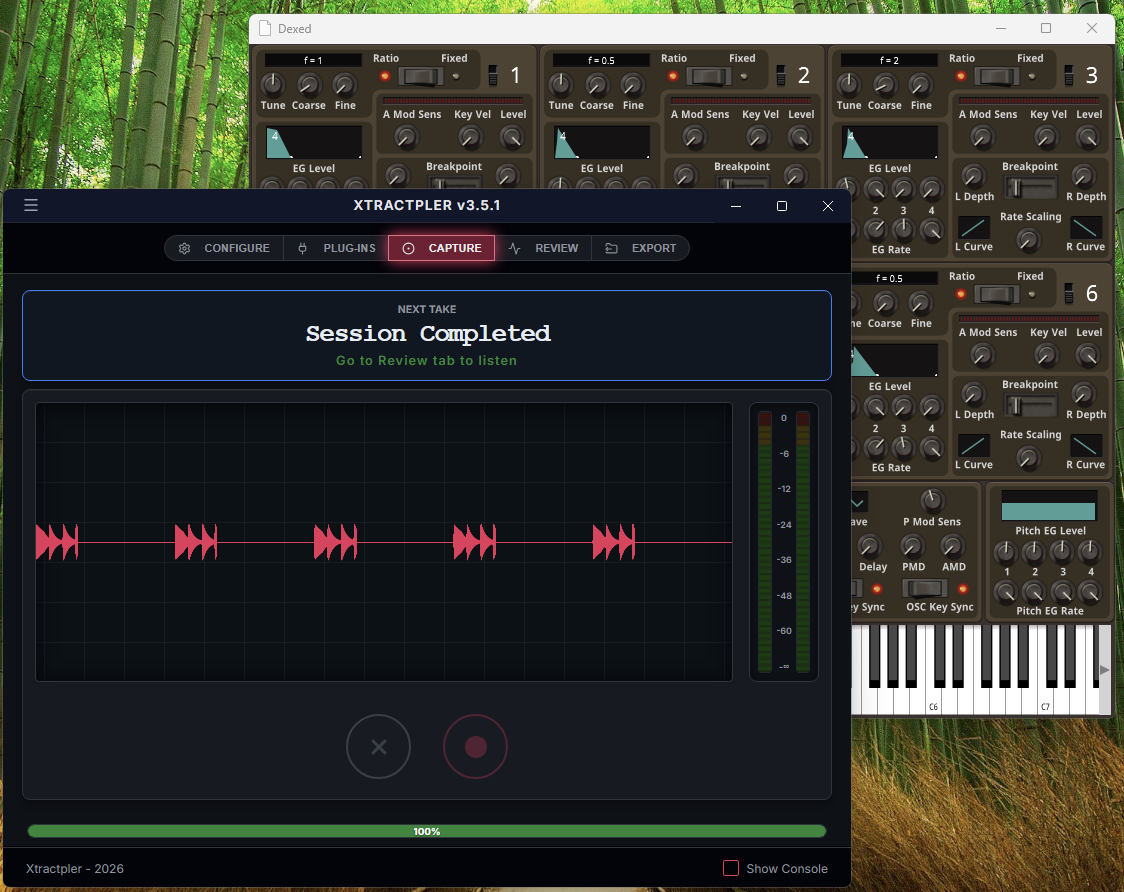
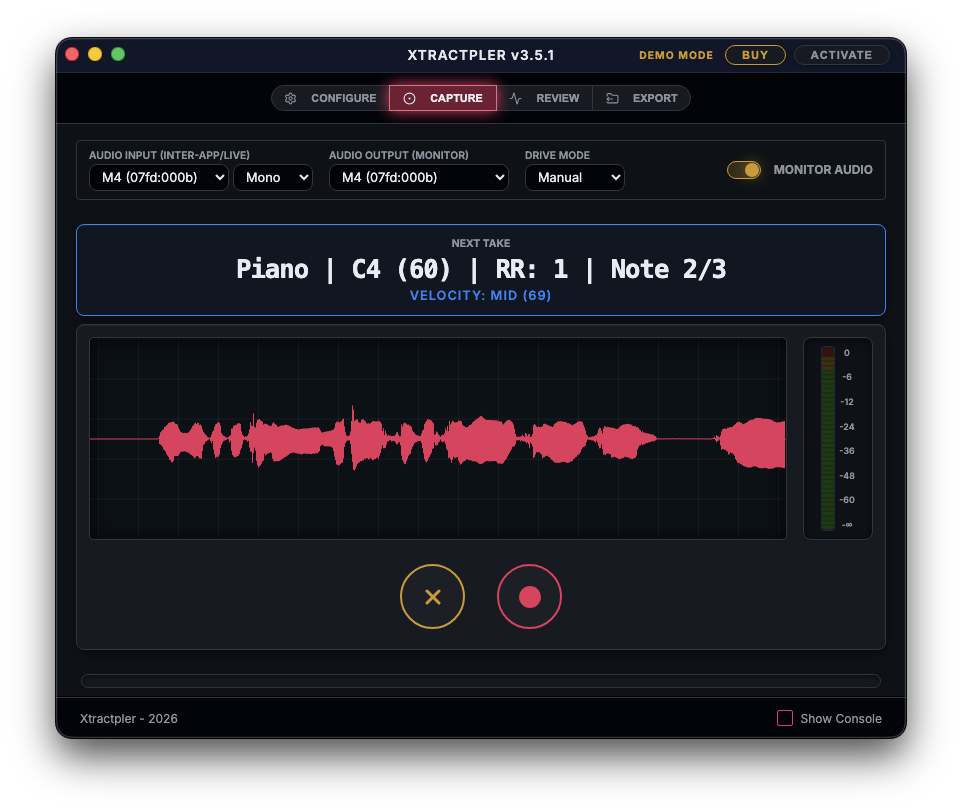
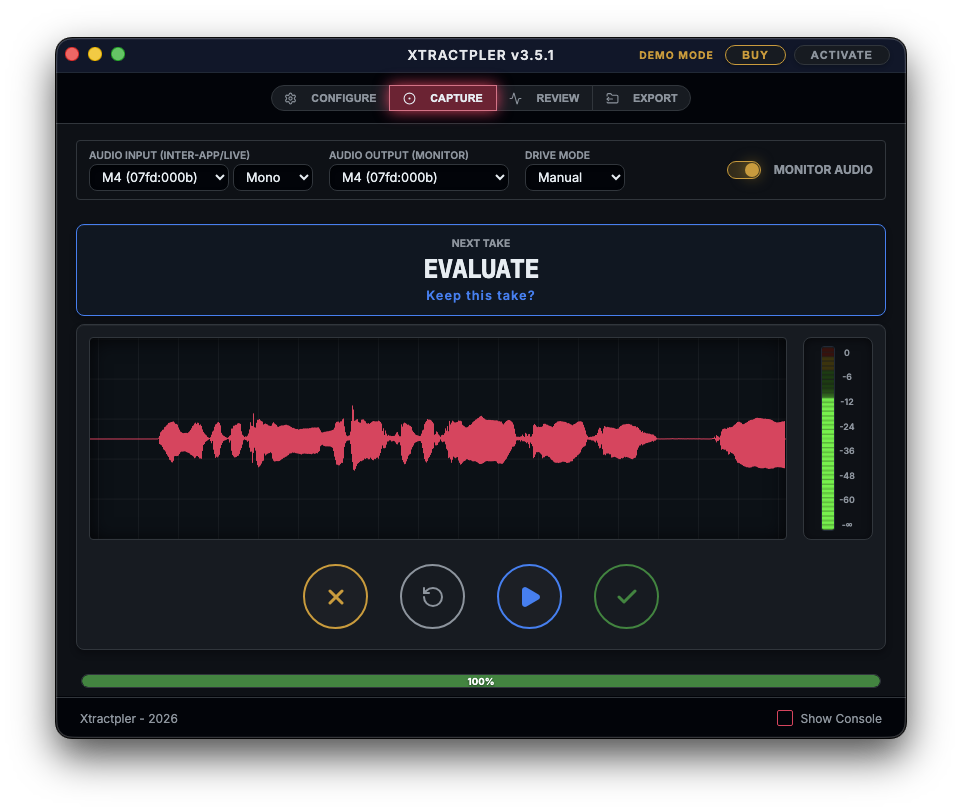
Powered by a high-performance native audio engine, Xtractpler is a highly configurable, automated audio capture tool designed to operate independently without requiring a host DAW. It triggers MIDI notes across multiple velocity layers and Round Robins, or records external/internal audio sources directly. The result is perfectly sliced, processed, and mapped audio files ready for your favorite sampler, hardware groovebox, or e-drum module.
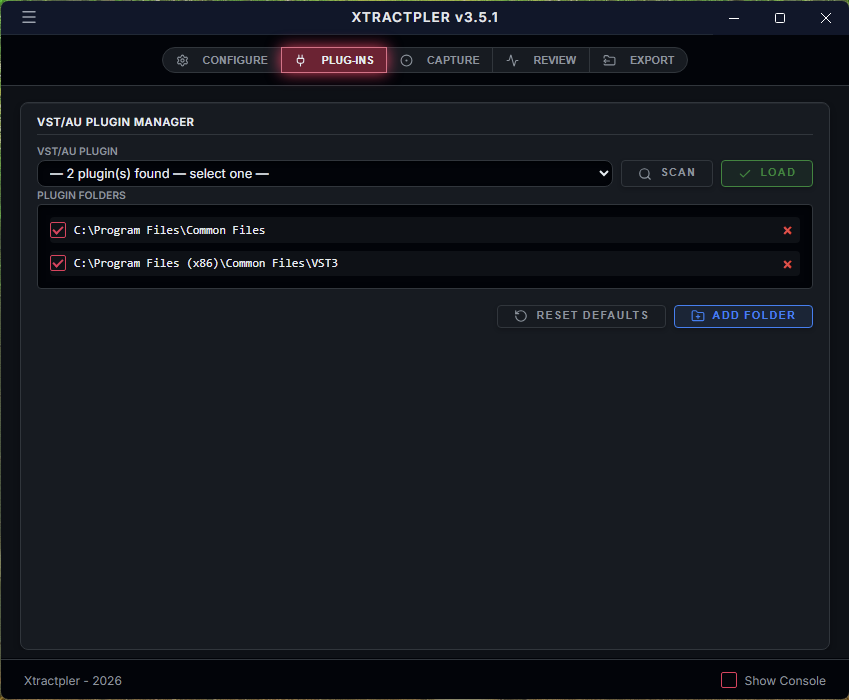
Internal VST/AU Hosting & Offline Rendering: Host VST3 and AU plugins directly inside Xtractpler! This allows for blazing-fast offline audio rendering, ensuring pristine capture that bypasses real-time playback and eliminates complex routing.
Chromatic Note & Range Input: Effortlessly sample tonal instruments. Enter ranges like "C1..C5" directly into the grid, and Xtractpler will automatically generate the full chromatic map, saving hours of manual data entry.
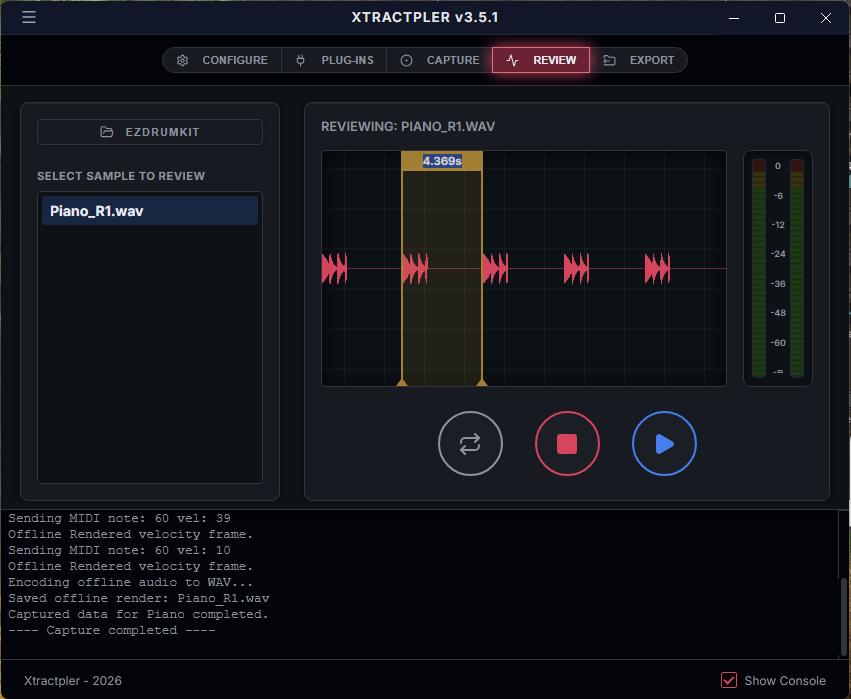
Advanced Waveform Visualization: Use the high-fidelity waveform display in the Review tab to inspect slices with surgical precision. Verify timing between transients visually to perfectly adapt your grid parameters.
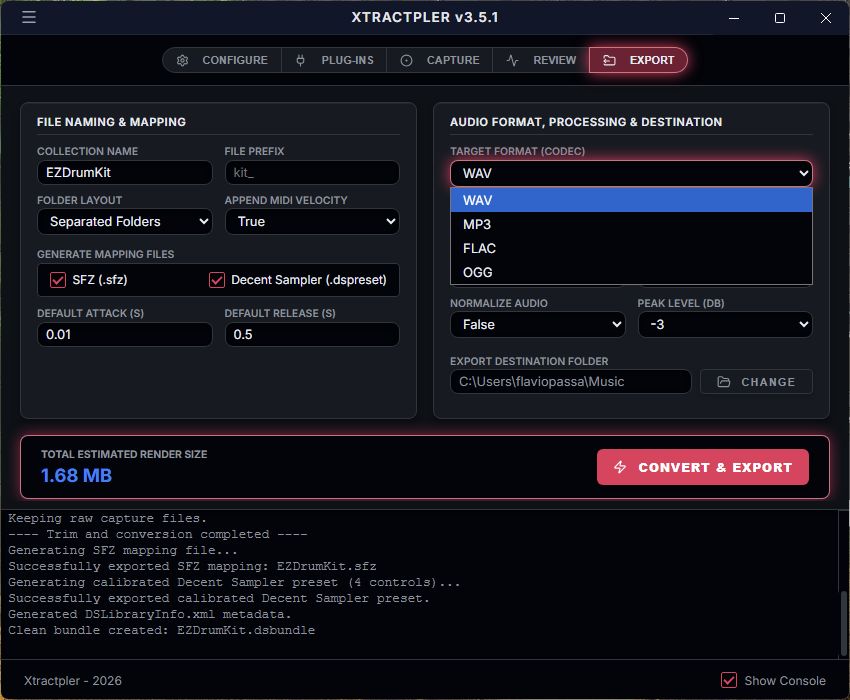
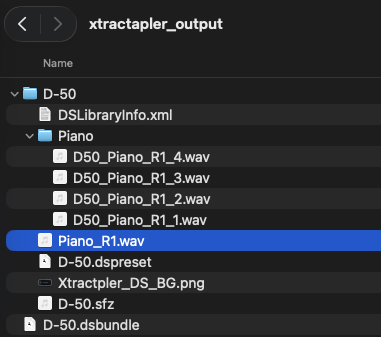
Advanced Sample Mapping: Automatically generate ready-to-play mapping files for SFZ, Decent Sampler, Ableton Sampler (.adv), Bitwig Studio, Sitala
Pro & Hardware Extensions (requires Pro license): We are preparing native support for professional hardware and DAWs, including Logic Pro EXS24, Akai MPC (.xpm), Ableton Drum Rack (.adg), Roland SPD-SX PRO, Elektron, Studio One Impact and Hydrogen Drumkit
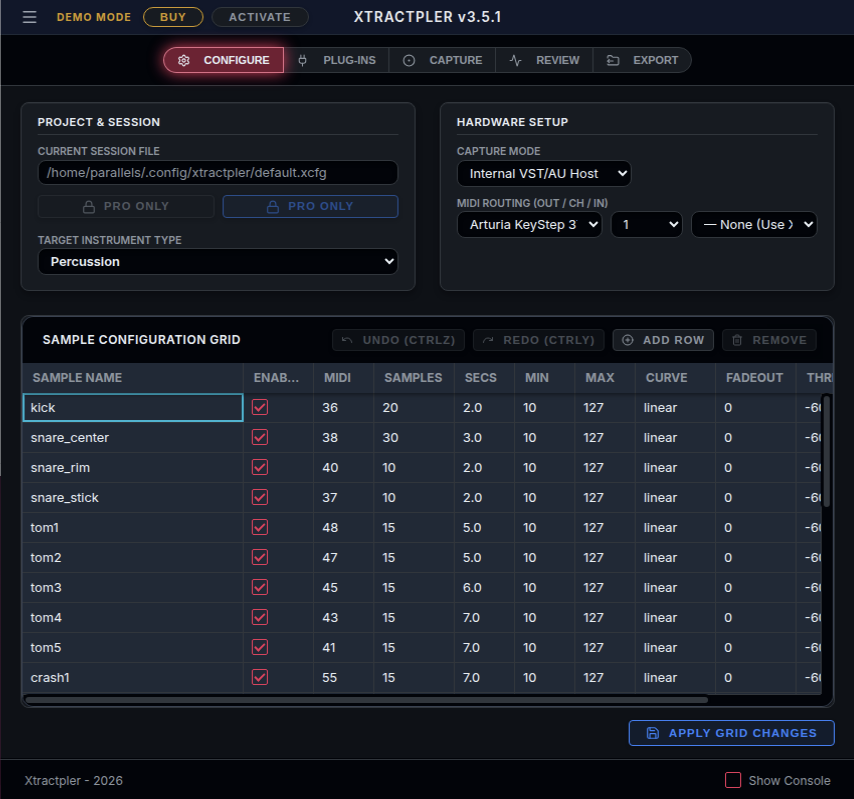
Pro-Grade Grid UX: Major upgrades to the configuration grid featuring flawless row deletion, rapid Tab key navigation, and strict focus trapping for a frustration-free workflow.
Built-in basic ADSR Envelopes: Shape tonal sounds before export. Apply customizable Attack and Release adjustments to instruments like SFZ, Decent Sampler, and Ableton (.adv) to prevent abrupt clicks.
32-bit Float / 96 kHz: Choose between lossless 32-bit float, 24-bit, or 16-bit WAV at sample rates up to 96 kHz. A persistent footer badge keeps your active quality settings visible at all times.
Auto-Loop Export: Xtractpler calculates seamless loop points, applies a crossfade, and writes loop metadata directly into your exported presets. One click — perfectly looping pads and keys in every format.
Expanded Export Formats: In addition to WAV & MP3, you can now export your samples in FLAC and OGG formats.
Deep Velocity & Round Robin Control: Multi-velocity layers with Linear, Exponential, or Logarithmic curves, plus Round Robin support.
Automated Audio Processing: Automatic trimming, normalization (-3dB to -15dB), and conversion of sample rate, bit depth, and mono/stereo format.
Compatibility: Native support for Windows 10/11 (Intel), Linux, and macOS (Apple Silicon M-Series). (Note: Intel Macs are not supported since v3.5).
(Note: If you are using the Internal VST/AU Hosting mode, you do not need these tools. This applies only to Inter-App Capture Mode).
macOS: Requires a free third-party extension like BlackHole, Soundflower, or VB-Cable for internal routing.
Windows: Requires a virtual MIDI loopback tool (LoopMIDI, LoopBe1) and enabling "Stereo Mix" for audio capture.
Linux: Works seamlessly with PipeWire (qpwgraph/Helvum) or JACK (QjackCtl).
More information in: Xtractpler Home
Technical Notes & Inter-App Routing
(Note: If you are using the Internal VST/AU Hosting mode, you do not need these routing tools. The below applies only to Inter-App Capture Mode).
Special note for Mac Users: macOS requires a free third-party extension to route audio internally for Inter-App capture. We recommend installing one of the following virtual audio drivers:
Special note for Windows Users: To route MIDI internally during Inter-App capture, Windows requires a free virtual MIDI loopback tool. Popular options include:
For capturing audio, ensure the Windows "Stereo Mix" device is enabled and selected as your Audio Input. If Stereo Mix is hidden or missing on your system, please refer to these troubleshooting guides:
Special note for Linux Users: For internal Inter-App routing on Linux, Xtractpler works seamlessly with modern audio servers. We recommend using PipeWire (the current standard on most distributions) or JACK. To easily route your virtual MIDI and Audio between Xtractpler and your standalone plugins or synths, you can use free visual patchbay tools such as:
Tutorials & Use Cases from previous versions
Check out our guides to get the most out of Xtractpler:
{See video at top of page}.
How to extract drum samples from a VST.
How to extract sounds from a non-drum VST.
How to use Xtractpler Live mode to capture a VST by playing notes from a MIDI keyboard.
Reviewed By benkeiuk [all]
July 25th, 2020
Version reviewed: 2.0.2 on Mac
For the price, this does exactly what you need it to do.
I have few synths that I needed to multisample and didn't fancy the task fo doing it myself. I saw this one on offer and figured it was worth a go at such a low price.
At first I had an issue which was resolved very quickly with an coupl of emails back and forth with the developer. They actually updated the app to make sure the issues wasn't possible in the future which is great service!
After that initial bump (which was cleared up in a matrer of hours) I have all the multisamples of the synths I needed and a few nice templates built for future use.
Building the templates themself is easy enough, although as a feature request - in NOTE row maybe have a drop down menu with the note/octave in? So instead of putting in 48 you can just select C3 etc.. it would save people having to refer to a chart for note numbers to actual real world note and octave information.


Thanks for the review and feedback. We appreciate the time you took to write it and comment on potential features. The DropDown note/octave is something that we've considered, however we've noted as well that there are two implementations of MIDI chart, one that use MIDDLE C (note #60; $3C) is C3 (C in the 3rd octave). However, another convention adopted mainly by Yamaha Corp. for their synthesizer products which parallels the Octave Designation System used in Music Education formulated by the Acoustical Society of America where Middle C is designated "C4" instead. As this situation may be confusing for some artists, we've preferred to go with the note number value instead.
Hi there.
I do not have the "Stereo Mix" on Windows.
Is it possible to use your Software with VB-CABLE or Audacity or any other way to get Audio into it?
Best regards.
StudioMix is a Windows device that comes with Windows and has to be enabled in order to appear in your system. Please, check the following links for additional information on how to enable it.
https://thegeekpage.com/stereo-mix/
https://appuals.com/how-to-restore-missing-stereo-mix-on-windows-10/
https://allthings.how/how-to-enable-missing-stereo-mix-option-in-windows-10/
https://www.hitechwork.com/what-is-stereo-mix-and-how-to-enable-it-in-windows-10/
THIS POST HAS BEEN REMOVED
Please log in to join the discussion
Submit: News, Plugins, Hosts & Apps | Advertise @ KVR | Developer Account | About KVR / Contact Us | Privacy Statement | Sell @ KVR | KVR Marketplace Terms & Conditions
© KVR Audio, Inc. 2000-2026