


MU.LAB 2.0 PreRelease D is availabe on
http://www.mutools.com/downloads.html
Besides quite some fixes and tunings, these are the highlights of this new version:
* Tracks can be moved up/down
* Improved Audio Lab
* Improved MultiSample editing
* Included Piano and Drumset multisamples
The detailed change list is here.
MU.LAB 2.0 PreRelease D
-

- KVRAF
- 13862 posts since 24 Jun, 2008 from Europe
-
- KVRian
- 620 posts since 27 Jul, 2001 from france
Great !
PQ
free software at : http://pquenin.free.fr/pqnaudio
free music at : http://www.soundclick.com/thepqueninproject
free software at : http://pquenin.free.fr/pqnaudio
free music at : http://www.soundclick.com/thepqueninproject
-
- Hun #3
- 4265 posts since 25 Mar, 2002 from A quaint little village just south of Hamburg, Germany
The piano is a spot of genius ... it's only 600+ KB big 
Surprisingly good!
I still need to make those drumkits...
I'm even less sure now if making all the windows hit brickwalls on all sides was a good design decision - I find it awfully hard to tweak, say , a synth and a rack volume meter at the same time that way - as you will when you're trying out sounds.
Sure there's the tabbed window system but most people will find it a lot more intuitive to just drag the synth out of the way just enough for its channel strip/a sequence/etc to appear. This isn't currently possible.
I move we ask the audience!
The track moving functionality is awesome! The whole track/part/target thing is perfect now.
Marco
Surprisingly good!
I still need to make those drumkits...
I'm even less sure now if making all the windows hit brickwalls on all sides was a good design decision - I find it awfully hard to tweak, say , a synth and a rack volume meter at the same time that way - as you will when you're trying out sounds.
Sure there's the tabbed window system but most people will find it a lot more intuitive to just drag the synth out of the way just enough for its channel strip/a sequence/etc to appear. This isn't currently possible.
I move we ask the audience!
The track moving functionality is awesome! The whole track/part/target thing is perfect now.
Marco
-
- KVRist
- 357 posts since 5 Aug, 2006 from St. Louis
MuLab 2.0 Release D - PC with Windows XP - on a laptop
Tried to use ProteusVX VST in the latest MuLab 2.0 Release D but consistently get crashes. The VST loads and plays but when play is stopped, a crash occurs.
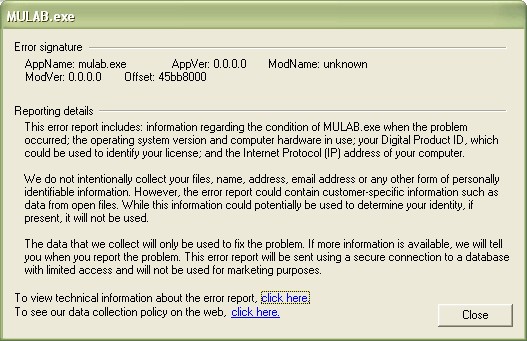
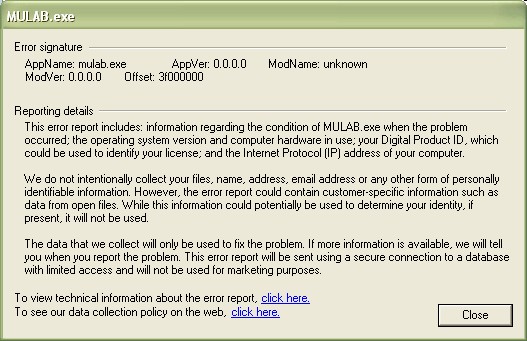
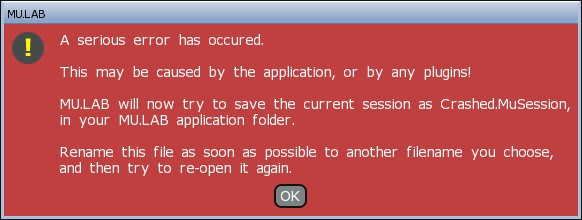
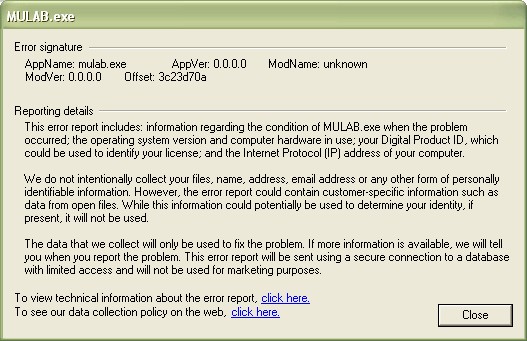
Also get the red screen when I try to save the file.
Tried to use ProteusVX VST in the latest MuLab 2.0 Release D but consistently get crashes. The VST loads and plays but when play is stopped, a crash occurs.
Also get the red screen when I try to save the file.


-
- KVRAF
- Topic Starter
- 13862 posts since 24 Jun, 2008 from Europe
I'll revise this.Bonteburg wrote:I'm even less sure now if making all the windows hit brickwalls on all sides was a good design decision...
-
- KVRAF
- Topic Starter
- 13862 posts since 24 Jun, 2008 from Europe
I just tried Proteus VX again, targetted a sequence to it, stopped play, but no crash... So can't repeat it here.jpumphandle wrote:MuLab 2.0 Release D - PC with Windows XP - on a laptop
Tried to use ProteusVX VST in the latest MuLab 2.0 Release D but consistently get crashes. The VST loads and plays but when play is stopped, a crash occurs.
Also get the red screen when I try to save the file.
Is it a repeatable crash? If yes, could you please send me a musession that generates such crash.
-
- KVRAF
- Topic Starter
- 13862 posts since 24 Jun, 2008 from Europe
A new application patch, PreRelease D2, is available at:mutools wrote:I'll revise this.Bonteburg wrote:I'm even less sure now if making all the windows hit brickwalls on all sides was a good design decision...
OSX: http://www.mutools.com/mulab/mulab-prd2-osx.zip
WIN: http://www.mutools.com/mulab/mulab-prd2-win.zip
The zip only contains the new application file so just drop it on top of the existing PreRelease D application file, and choose "Overwrite" / "Replace".
This new version has a finetuned behaviour regarding moving windows. You can move windows partially off screen again, but not on the top <-> title bar must be kept visible so to be able to move the window.
At the sides there is a snapping behaviour so it's still easy to match a window to the left/right/bottom.
Hope you like it this way. Feedback always welcome.
-
- KVRAF
- 2938 posts since 18 Jul, 2005
Hi, here's the response. Was busy, meant to get back to you much sooner. Sorry if it's a total mess, I copied some stuff from home and pasted and wrote some at work.
Feature requests:
Track headers, there's lots of empty space there. You've got your own plans, I'm sure, but some suggestions of what to fill it with:
- Name of output target (if there is one)
- Solo / mute indicator (quite confusing when there's no visual indicator and you've forgotten what you soloed/muted
- Audio input monitor and MIDI receive buttons (I.e. route audio & midi input through to target racks, if there is any targeted)
Recording
-- Any plans on assigning inputs to tracks? (is multitrack recording possible at the moment?) As it is, it's quite cumbersome to record from different inputs at, for instance switching from an external synth's input to a mic input
-- Record arming, to enable multitrack recording (only armed tracks get recorded to)
Composer & Sequence editors:
- Grid resolution - this would be good moved to the main panel, I reckon, rather than being buried in nested menus.
Sequence editors:
- Could you make it so you can double click + drag the timeline to change the loop region like in the main composer?
Modular spaces:
- Swap order - reverses the order in the signal chain of each selected component in the order they were selected. Only if the same number of ins and outs. E.g. A-C-B would become B-C-A
- Delete wire by selecting wire - maybe via control points in the centre?
- It's not a big thing at all, but I think you should also be able to rename the parameter knobs in MUX / MuSynth from the right click menu, I reckon. It took a little time for me to figure out you did it from the centre title. It'll be in the manual of course, but stuff like this does affect the pick-up-and-go feel of the software.
Rack desk:
- Clip indicators - being able to use something like [modifier]+click to clear them all in one go would be pretty cool.
- Why do you need shift to drag the rack elements? I mean, drag & drop is an great feature to have here, so why break with the OS conventions? (apologies if this is standard behaviour on Mac, I'm a windows user) I think the shift modifier would here be better reserved for swapping positions of rack elements rather than the default replace behaviour
- Is db volume planned to be displayed on the meters at any point?
------------------------------------
Bugs:
- As far as I can tell, when you replace a rack element with another and select 'Keep in MPA', it doesn't seem to do this.
Other comments:
I personally think there's a bit too much common functionality buried in context menus, yet there's also a lot of screen space going spare at the moment. It's reasonable for the features that are unlikely to be used very often to be contained in context menus, but as a general interface rule I reckon the time and number of steps to access a functionality should be inversely proportional to how often it is likely to be used. Examples of where this isn't reflected too well:
- Grid options (as mentioned before)
- Plugin presets (should be moved into a drop down list of the VST plugin wrapper window, I reckon)
- Recording set-up. This relates to being able to set permanent inputs
- I'm writing this at work, but there's other cases where there's common functionality in nested menus.
- I love the click+drag on the audio toggles on the track headers! Very cool feature.
- The way listmenus respond to whole strings rather than first letter is awesome. E.g. if you know exactly what VST you want, this is the fastest way I've ever come across in a host to find it. Fantastic feature.
- Pre+post implementation on the racks is excellent. It would be augmented well with the rack element position swapping though, so there would be less steps involved in moving elements around without deletions.
Automation stuff: I'll get back to you on this when I get home and can go through it on the sequencer.
There's a lot of stuff I like a lot about the program. Thing is, the design of most hosts in my mind tends to align with either recorded music or electronic loop based music -- and I tend to like features of both. Whereas Reaper is a bit too far on the audio side for me, and lacks the innovative synthesis, effect and MIDI mangling possibilities of MULab, MULab's a bit too far on the MIDI side at the moment for my audio needs. I hate to put it like this, 'cause it feels like a bit of a strong-arm tactic to pin a sale on it, but is multitrack recording (i.e. from multiple inputs into multiple tracks) already possible, or going to be at some point soon? If so, count me a sale.
Feature requests:
Track headers, there's lots of empty space there. You've got your own plans, I'm sure, but some suggestions of what to fill it with:
- Name of output target (if there is one)
- Solo / mute indicator (quite confusing when there's no visual indicator and you've forgotten what you soloed/muted
- Audio input monitor and MIDI receive buttons (I.e. route audio & midi input through to target racks, if there is any targeted)
Recording
-- Any plans on assigning inputs to tracks? (is multitrack recording possible at the moment?) As it is, it's quite cumbersome to record from different inputs at, for instance switching from an external synth's input to a mic input
-- Record arming, to enable multitrack recording (only armed tracks get recorded to)
Composer & Sequence editors:
- Grid resolution - this would be good moved to the main panel, I reckon, rather than being buried in nested menus.
Sequence editors:
- Could you make it so you can double click + drag the timeline to change the loop region like in the main composer?
Modular spaces:
- Swap order - reverses the order in the signal chain of each selected component in the order they were selected. Only if the same number of ins and outs. E.g. A-C-B would become B-C-A
- Delete wire by selecting wire - maybe via control points in the centre?
- It's not a big thing at all, but I think you should also be able to rename the parameter knobs in MUX / MuSynth from the right click menu, I reckon. It took a little time for me to figure out you did it from the centre title. It'll be in the manual of course, but stuff like this does affect the pick-up-and-go feel of the software.
Rack desk:
- Clip indicators - being able to use something like [modifier]+click to clear them all in one go would be pretty cool.
- Why do you need shift to drag the rack elements? I mean, drag & drop is an great feature to have here, so why break with the OS conventions? (apologies if this is standard behaviour on Mac, I'm a windows user) I think the shift modifier would here be better reserved for swapping positions of rack elements rather than the default replace behaviour
- Is db volume planned to be displayed on the meters at any point?
------------------------------------
Bugs:
- As far as I can tell, when you replace a rack element with another and select 'Keep in MPA', it doesn't seem to do this.
Other comments:
I personally think there's a bit too much common functionality buried in context menus, yet there's also a lot of screen space going spare at the moment. It's reasonable for the features that are unlikely to be used very often to be contained in context menus, but as a general interface rule I reckon the time and number of steps to access a functionality should be inversely proportional to how often it is likely to be used. Examples of where this isn't reflected too well:
- Grid options (as mentioned before)
- Plugin presets (should be moved into a drop down list of the VST plugin wrapper window, I reckon)
- Recording set-up. This relates to being able to set permanent inputs
- I'm writing this at work, but there's other cases where there's common functionality in nested menus.
- I love the click+drag on the audio toggles on the track headers! Very cool feature.
- The way listmenus respond to whole strings rather than first letter is awesome. E.g. if you know exactly what VST you want, this is the fastest way I've ever come across in a host to find it. Fantastic feature.
- Pre+post implementation on the racks is excellent. It would be augmented well with the rack element position swapping though, so there would be less steps involved in moving elements around without deletions.
Once undo is implemented for all events, definitely the delete menus IMO. Perhaps this could be optional in preferences or allow unprompted deletes via modifier (e.g. shift+del, like in windows)? Also:MuTools wrote:In your opinion: Are there any places where MU.LAB should shut up instead of talk?
I meant dragging note lengths here, sorry. This pop-up should definitely be done away with, I reckon.robenestobenz wrote:When dragging multiple notes, it'd be cool if instead of using the menu to select mode, you could use Drag / CTRL+Drag / Shift+Drag / Ctrl+Shift+Drag for each of the modes. Cancel would be ctrl+z in this case.
I reckon adding a context menu with delete/copy/paste and enabling the delete/copy/paste key here would be consistent with the rest of the program. Again, it's that pick-up-and-go feel which is hurt by things not working as people might expect, or in ways that are inconsistent throughout the program.MuTools wrote:Can you completely delete any automation you've created? I.e., something like just right click + delete in the content section of the part editor to completely remove parameter automation or a certain CC.
Use "Select All" + [Delete] key Wink
"Select All" can be done via the context menu or via [Ctrl]+A on Windows or [Apple]+A on OSX.
Play position makes sense actually, I should have read the manual. I'd still support the dialog-box way, but as it's likely to be the less commonly used of the two methods, I would keep this option in a context menu.MuTools wrote:When pasting events, they're pasted at the current play position.
I just noticed that in the composer, it's the same, but a dialog box appears where you can edit the paste position, so that's more explicit.
(To do: Whatever method is used, it should be the same in the composer and sequence editor)
Is the dialog-way better?
How would you like it to be?
Automation stuff: I'll get back to you on this when I get home and can go through it on the sequencer.
I'd add an add group from folder command, which would then scan the selected folder and add all contained dlls with a VSTID into a new group with the folder name. This way, setting up groups is still very fast for the many people who have the common practice of organising their plugins in folders like Effects, FSU, Dynamics etc,MuTools wrote:I'm sure you know you can group plugins. But not yet automatically by their folder.
The problem with vst folders is that many/most vst plugins have their own folder, containing the plugin itself, some patch files, docs, graphic resources etc...
So then every plugin comes in its own group, which is nonsense, right?
How do you see this?
Yeah, now I can turn the grid off I can make the adjustments I need to make drums sound more natural after the input quantization.MuTools wrote:grid stuff
Awesome news, especially about the possibility of MIDI in shortcuts. Sounds very powerful.robenestobenz wrote:Are customizable shortcuts planned at any point? Or just more shortcuts in general? E.g. for the recording types and stuff. I find having to use the mouse slows me down a lot.MuTools wrote:Yes, definitely. The main reason why it's not yet in there is because i'm constructing an advanced extensive system that will make a lot possible.
Don't want to invest precious dev-time in an intermediate system meanwhile.
There's a lot of stuff I like a lot about the program. Thing is, the design of most hosts in my mind tends to align with either recorded music or electronic loop based music -- and I tend to like features of both. Whereas Reaper is a bit too far on the audio side for me, and lacks the innovative synthesis, effect and MIDI mangling possibilities of MULab, MULab's a bit too far on the MIDI side at the moment for my audio needs. I hate to put it like this, 'cause it feels like a bit of a strong-arm tactic to pin a sale on it, but is multitrack recording (i.e. from multiple inputs into multiple tracks) already possible, or going to be at some point soon? If so, count me a sale.

-
- KVRAF
- Topic Starter
- 13862 posts since 24 Jun, 2008 from Europe
I don't get it, the name and mute button are displayed. Not on your system?robenestobenz wrote: Track headers, there's lots of empty space there. You've got your own plans, I'm sure, but some suggestions of what to fill it with:
- Name of output target (if there is one)
- Solo / mute indicator (quite confusing when there's no visual indicator and you've forgotten what you soloed/muted
Cfr:

MU.LAB only supports single track recording for now, mono and stereo.Recording
-- Any plans on assigning inputs to tracks? (is multitrack recording possible at the moment?) As it is, it's quite cumbersome to record from different inputs at, for instance switching from an external synth's input to a mic input
-- Record arming, to enable multitrack recording (only armed tracks get recorded to)
There definitely are growing ideas and plans regarding enhanced support for true multitrack recording in a future version. But that's future talk.
Goal is to keep the interface as light as possible.Composer & Sequence editors:
- Grid resolution - this would be good moved to the main panel, I reckon, rather than being buried in nested menus.
I guess the reason why you want it more upfront is for access speed.
Once key shortcuts are implemented, you'll be able to switch grids by keypress, which will be very fast.
Would that solve the issue for you?
Agreed.Sequence editors:
- Could you make it so you can double click + drag the timeline to change the loop region like in the main composer?
Agreed.Modular spaces:
- It's not a big thing at all, but I think you should also be able to rename the parameter knobs in MUX / MuSynth from the right click menu, I reckon. It took a little time for me to figure out you did it from the centre title. It'll be in the manual of course, but stuff like this does affect the pick-up-and-go feel of the software.
Added on the whishlist.- Clip indicators - being able to use something like [modifier]+click to clear them all in one go would be pretty cool.
Agreed; That's already on the whishlist, but for a next version.- Why do you need shift to drag the rack elements?
You see 3 lines on the level meter:- Is db volume planned to be displayed on the meters at any point?
Top = -6dB
Mid = -12dB
Bottom = -18 dB
How do you replace it?- As far as I can tell, when you replace a rack element with another and select 'Keep in MPA', it doesn't seem to do this.
When using "Replace", it is really replacing it, so then it's not kept in the MPA.
Goal is to keep the interface as light as possible.I personally think there's a bit too much common functionality buried in context menus, yet there's also a lot of screen space going spare at the moment. It's reasonable for the features that are unlikely to be used very often to be contained in context menus, but as a general interface rule I reckon the time and number of steps to access a functionality should be inversely proportional to how often it is likely to be used.
Agreed.- Plugin presets (should be moved into a drop down list of the VST plugin wrapper window, I reckon)
Recording audio in MU.LAB 2.0 is simple and straightforward.- Recording set-up. This relates to being able to set permanent inputs
That's an advantage.
But at the same time i understand it may not yet answer the needs of real multitrack recording.
There already are plans on the mutools dev desks regarding the evolution of record audio in mu.lab.
Lets recap in the future.
Thanks- I love the click+drag on the audio toggles on the track headers! Very cool feature.
(but i don't immediately know what you mean)- The way listmenus respond to whole strings rather than first letter is awesome. E.g. if you know exactly what VST you want, this is the fastest way I've ever come across in a host to find it. Fantastic feature.
Can you please elaborate a bit on how you see this.- Pre+post implementation on the racks is excellent. It would be augmented well with the rack element position swapping though, so there would be less steps involved in moving elements around without deletions.
Sure. If it's undoable, then tere is no need for the confirmation.Once undo is implemented for all events, definitely the delete menus IMO.
Ah that one.I meant dragging note lengths here, sorry. This pop-up should definitely be done away with, I reckon.
Mmm, not sure if i agree.
Hey, it only takes the first letter of the option to choose that option.
So just change the length and press [A] (if you want all selected notes to have the same Absolute length as that edited note)
I guess it's more a matter of habitude...
And this way, users don't have to read the docs, it's self-explanatory!
It does!I reckon adding a context menu with delete/copy/paste and enabling the delete/copy/paste key here would be consistent with the rest of the program.
See the context menu in the curve editor itself, not at the left side.
If that's the case, please feedback!Again, it's that pick-up-and-go feel which is hurt by things not working as people might expect, or in ways that are inconsistent throughout the program.
In the above case, i think it's in there in a quite consistent way.
Agreed?
My conclusion is to also use the dialog way in the sequence editor, because of consistency.Play position makes sense actually, I should have read the manual.
I'd still support the dialog-box way, but as it's likely to be the less commonly used of the two methods,
I would keep this option in a context menu.
And it only takes an [Enter] or [Return] to confirm the default position = play position.
But that doesn't solve the problem that many/most vsts have their own folder in order to collect their resource files (plugin graphics, patches, docs, ...)I'd add an add group from folder command, which would then scan the selected folder and add all contained dlls with a VSTID into a new group with the folder name.
This way, setting up groups is still very fast for the many people who have the common practice of organising their plugins in folders like Effects, FSU, Dynamics etc,
Or am i missing something?
No prob putting it like thatThing is, the design of most hosts in my mind tends to align with either recorded music or electronic loop based music -- and I tend to like features of both.
Whereas Reaper is a bit too far on the audio side for me, and lacks the innovative synthesis, effect and MIDI mangling possibilities of MULab,
MULab's a bit too far on the MIDI side at the moment for my audio needs.
I hate to put it like this, 'cause it feels like a bit of a strong-arm tactic to pin a sale on it, but is multitrack recording (i.e. from multiple inputs into multiple tracks) already possible, or going to be at some point soon? If so, count me a sale.

Well, as mentioned above, there definitely are growing ideas and plans regarding enhanced support for true multitrack recording in a future version.
Thanks for your extensive feedback!
Cheers
Last edited by MuTools on Tue Sep 30, 2008 4:21 pm, edited 2 times in total.
-
- KVRAF
- Topic Starter
- 13862 posts since 24 Jun, 2008 from Europe

-
- KVRist
- 30 posts since 12 Mar, 2002 from Hochheim, Germany
Not really a bug, just a little thing:
after unlocking the free version with my key to the unlimited version, the start screen still appears as "free" version. If i use the help/about mulab menu, than it says "unlimited".
greetings T.
after unlocking the free version with my key to the unlimited version, the start screen still appears as "free" version. If i use the help/about mulab menu, than it says "unlimited".
greetings T.
-
- KVRist
- 357 posts since 5 Aug, 2006 from St. Louis
This is now closed. It was definitely repeatable, but when I tried the Musession on another computer, it worked without flaw.mutools wrote:I just tried Proteus VX again, targetted a sequence to it, stopped play, but no crash... So can't repeat it here.jpumphandle wrote:MuLab 2.0 Release D - PC with Windows XP - on a laptop
Tried to use ProteusVX VST in the latest MuLab 2.0 Release D but consistently get crashes. The VST loads and plays but when play is stopped, a crash occurs.
Also get the red screen when I try to save the file.
Is it a repeatable crash? If yes, could you please send me a musession that generates such crash.
I uninstalled ProteusVX and MuLab on the Laptop, then re-installed which solved the crashes. So I can't tell you what caused the problem. The ProteusVX by EMU has some strange requirements i.e. only allows installation of the soundbanks on your 'C' drive and also makes a number of Registry entries.