


To test the portability, I created a session that features midi files, audio files, VST modules and samples.
All works normally when using the USB session on the same drive as it was created. But moving to another computer is another story.
Midi files - no problem since they are embedded in the session.
Audio files - The locator pops up to locate the Audio file (The drive letter has changed on the new host computer). However, first I got a cryptic crash message (below) then went on to locate the Audio file (on the USB).
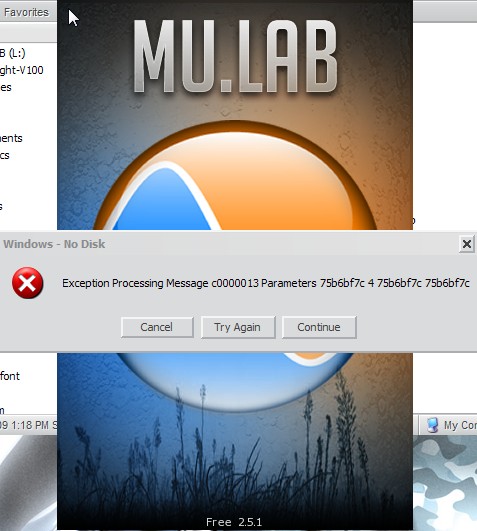
Continuing allows location and inclusion of the Audio file.
VST modules - I have included all of the VST modules to be used by this MuLab session in a VST Subdirectory on the USB drive. The XML directory contains the original Drive Letter for the USB drive which on another computer is totally incorrect. MuLab attempts to Locate the VST modules as they occur in the session, but for some reason I ended up with many VST's marked 'disabled'. To correct, it was necessary to delete and re-add these VST modules. Which is OK, but takes time and when several VST modules are involved it can be tricky. In the end, you can delete, re-add the VST modules to the Directory and get them all working again.
Samples - In this specific case using SFZ Soundfont Player, the location of the samples (.SF2 files) was lost to the SFZ preset. But it is a fairly simple matter to reload these samples from their location on the USB drive.
In summary - Portability is there, but requires lots of extra work to get around the hard coded drive letter saved in the session. Once the new session is saved with correct drive letters, the project can go on. HOWEVER, it starts all over when you move the session back to the original computer where the drive letter must be re-learned all over again.
The only thing I could think of that might be somewhat of a solution would be to add a Drive Letter variable for USB use that could be entered in the same way that the Audio and Midi device info must be added to get everything going as a USB drive is mounted on another computer. Otherwise, portability is somewhat of a task.


