


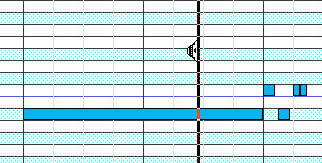
Makes it not more sense to use <Alt>+ Leftmouse for a songpointer to drag over the notes?
On this way you can hear the notes following eachother up
A chord can be heard quick now
scrollable songpointer in sequenze editor
-
- KVRAF
- 5573 posts since 30 May, 2006 from Hollow Earth
You are right Jo, It was not in the wish-list but in the "Consideration" R&D period (Sounding Notes). 
Anyway the "Drag" addition to the "Audition" mode seem not to interfere with an additional branching of the Alt+Left click. What do you think?
It is a nice function especially for users that Write instead of Direct Midi input.
I have been missing this function from the very beginning since I had it in energyXT and FL Studio and others.
I understand the concern of being in the way sometimes for some users but if you just implement it in the Alt+LMB action instead of the Pencil mode than it should please everyone...
I prefer the Pencil/Creation/Sound way more, but it should be at least in agreement with the majority of users I think... (and with you in the first place!)
Anyway the "Drag" addition to the "Audition" mode seem not to interfere with an additional branching of the Alt+Left click. What do you think?
It is a nice function especially for users that Write instead of Direct Midi input.
I have been missing this function from the very beginning since I had it in energyXT and FL Studio and others.
I understand the concern of being in the way sometimes for some users but if you just implement it in the Alt+LMB action instead of the Pencil mode than it should please everyone...
I prefer the Pencil/Creation/Sound way more, but it should be at least in agreement with the majority of users I think... (and with you in the first place!)
ABEFLGMOPPRRST 
-
- KVRian
- Topic Starter
- 731 posts since 25 Oct, 2008 from Holland
Like thisliquidsound wrote:
I prefer the Pencil/Creation/Sound way more, but it should be at least in agreement with the majority of users I think... (and with you in the first place!)

-
- KVRAF
- 2938 posts since 18 Jul, 2005
Yeah, scrubbing I think it was called in the one host which I tried that had this.janamdo wrote:Like thisliquidsound wrote:
I prefer the Pencil/Creation/Sound way more, but it should be at least in agreement with the majority of users I think... (and with you in the first place!)
I don't think it's quite what you're thinking of Liquid, as this feature isn't in energyxt. Imagine playing a song or part by dragging the play position with the mouse.
Cool FR for a future release of MuLab -- but we know Jo's looking at the bigger picture for MuLab at the moment and I bet the wishlist is very long!.
-
- KVRAF
- 5573 posts since 30 May, 2006 from Hollow Earth
Correct. It is not in energyXT but in FL Studio.
In XT is the Sounding Notes upon creation and dragging. That thing in FL Studio is really really great. I touched upon this long time ago.
When I need do so in MuLab, I set the Tempo very low and with the left cursor, while playing, I go back as many times as I need to tune up what I need.
It works but is not an ideal working flow.
In XT is the Sounding Notes upon creation and dragging. That thing in FL Studio is really really great. I touched upon this long time ago.
When I need do so in MuLab, I set the Tempo very low and with the left cursor, while playing, I go back as many times as I need to tune up what I need.
It works but is not an ideal working flow.
ABEFLGMOPPRRST