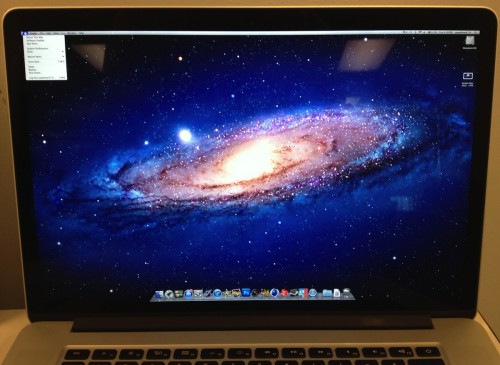
Retina display Macbook and DAWs/plugins

Configure and optimize you computer for Audio.
RELATED
PRODUCTS

Post

chokehold wrote:
whyterabbyt wrote:I run a 2560x1560 smonitor on my DAW at present. Im at a loss to how you consider screen resolution a 'compatibility' issue.
Is that monitor 15"?
27". But then Im sitting further away than I do with a laptop. And I use my 2560x1560 iPad3 closer than I use a laptop.
1440x900 is the native resolution for "standard" PC monitors with a 19" screen at 16:10.
Now imagine 4 of those 19" screens, 2 on top and 2 below, and everything that is visible on them ... is now compressed down into one of them.

That would make a Windows "close window X" unpractically small, one would miss that all the time, and what is now "giant" text at 12px would suddenly become unreadable 6px text.
Unless, of course, you get Win7 to rescale the UI elements. Or use the device closer.
Considering that OSX' window close/minimize/etc. buttons are even smaller than the one in Windows, and that the new MacBooks with the retina display don't actually have one 19" screen, but an even way smaller 15" screen, text and symbols and control elements that look fine and are usable on a non-retina display would become unreadable, mini mini small and hardly "hittable" with the mouse, let alone with a Track Pad.

If you open the GUI of a plugin that's designed to look good on a normal non-retina screen, and which probably looked a little compressed on the last MacBook Pros ... imagine what a pile of pixel junk that would look like.
Hmmm, and here was me thinking the point of the 'display PDF' stylee of Quartz was resolution independence. If what your saying is correct, someone at Apple is doing something wrong.

So yeah, "WTF" alright, in the sense of "are there going to be compatibility issues?".
Has 'compatibility' been redefined to be a synonym for 'legibility' ?

Seriously, though. I get that things might look smaller, if the OS doesnt handle UI resolution independence properly, or the user doesnt move the device closer, but that really isnt a compatibility issue.
Last edited by whyterabbyt on Wed Jun 13, 2012 11:20 am, edited 1 time in total.

Post

Ashe37 wrote:
whyterabbyt wrote:
Tridnod wrote:Another thing is that it does not have a DVD. How will Spectrasonics, Native instruments and sample libraries work that out? I would definitely want one but not 'til these vendors get a solution. Komplete Ultimate is one thing but for owners of Spectrasonics or other NI products on DVD its different.
For anything up to 32Gb (currently), you'll possibly start seeing stuff shipping on USB stick. Autodesk have just switche to doing that for Maya and AutoCAD.
Actually they have been doing it for Maya and 3dsMax for more than a year.
Interesting. I run the Entertainment Creation and Product Design suites on our systems and the 2012 editions still came to us on DVD. The 2013 suites came on USB sticks. The suites are large, though, PDS2012 was about 20 DVDs, so that might be the reason we got it that way, either that or because we're on subscription and thus got them as soon as they were released, before they changed media policy.

Given that we got several copies of each it was a real bugger to discover that the USB sticks are RO, though. Some free 16Gb and 32Gb USB sticks would have been nice.

Post

whyterabbyt wrote:
Ashe37 wrote: Interesting. I run the Entertainment Creation and Product Design suites on our systems and the 2012 editions still came to us on DVD. The 2013 suites came on USB sticks. The suites are large, though, PDS2012 was about 20 DVDs, so that might be the reason we got it that way, either that or because we're on subscription and thus got them as soon as they were released, before they changed media policy.

Given that we got several copies of each it was a real bugger to discover that the USB sticks are RO, though. Some free 16Gb and 32Gb USB sticks would have been nice.
I got 2012 in USB sticks, will probably get 2013 shortly.

Post

Is the consensus that there will be no benefits in terms of screen real-estate then?

Post

Anything that doesn't know how to scale with the DPI will turn into postage stamps.

Post

Ashe37 wrote:Anything that doesn't know how to scale with the DPI will turn into postage stamps.
Looks like its being handled by OSX. The desktop size in pixels is separated from the display size in pixels. You're getting a 1440x900 'screen size' mapped to the 2880x1800 display.

http://www.anandtech.com/show/5996/how- ... es-scaling

Post

Thanks for the link. Just been checking out the more space screenshot on my old mbp. I can read all the text fine but the normal sized black text is a little more uncomfortable - maybe the sharpness of the retina may improve that though. If it looks much like it does on my screen I guess the default is the moat practical for the screen size. If it we 17" i'm sure you could get away with it quite nicely. Shame really. Perhaps something between 1400x900 & 1720x1200 that wasn't an odd size for the screen if that is possible.

Post


Has 'compatibility' been redefined to be a synonym for 'legibility' ?
its perfectly ok to use compatibility in the sense that it refers to the 'compatibility' of the plugins with the compatibility of the screen size and interface. a definition need not be used the proper way to get its point across. after all, the meaning of words change all the time just look at urban dictionary. if enough people use that definition without using it in its proper form then that definition stands to define its meaning :wink:

Post

I'm interested in the Retina display MBP. With 20/20 eyesight (aided by reading glasses) I beieve that the experience of reading and using plug ins properly scaled will enable users on a portable systems to pack a lot of information on the screen. I don't understand the resistance to the improvement in workflow this will offer in a properly setup application, and if anyone can do this kind of setup it wil be people like Urs and co, Adobe, Apple, and so on , so if you use these developers software your likely going to be okay. Other high end software I use like Capture one pro, Meida Pro will also likely be okay. Legacy plugs are going to likely be killed by this though.

I definately want sharper visual output for serious weeks long projects..

Wade
waves break, but somehow it all makes sense.

Post


Post

Ars Technica review of the Retina Macbook pro here.

Peace,
Andy.
... space is the place ...

Post

I actually wrote a beginner's guide to digital imaging and dpi for my clients, yet I'm still astounded at how people don't understand the concepts. This thread is like PTSD LSD Vietnam flashback to the experience of trying to explain pixels, resolution and dpi/ppi.

I've been eagerly anticipating high density displays since long before Apple's retina display. Now I almost regret the technology is here because I have to see all the ignorant "Retina displays are just Apple marketing BS" and "This sucks everything will be too damn small!" commentary all over the Internet.

No, actually, I'm not regretting it. I'll put up with it because I want EVERY display on the planet to be print resolution as standard. Yesterday.

Heh heh :lol: I'm mostly just kidding around here. I know it's an area of specialty and just because a person doesn't get it doesn't mean they're an idiot. I mean, we don't treat end users badly when they're not comfortable with computers, right? :lol:
- dysamoria.com
my music @ SoundCloud

Post

Depends on if the application supports different DPI settings, or the ui is a fixed scale.

Post

Ashe37 wrote:Depends on if the application supports different DPI settings, or the ui is a fixed scale.
Actually, it doesn't much depend at all. If the application is in fixed scaling, it's automatically scaled by the OS on its way to the screen, so it really doesn't matter. It will be the same apparent size as it was without retina. At worst, the bitmaps may look a bit chunky. If text in an app is drawn through the OS API, it's automatically scaled & appropriately sized & sharp. If the text is via a custom renderer (like Google Chrome), it gets up-scaled like all other bitmap data on the way to the screen (& again looks chunky compared to retina resolution). Unless you hack the settings, there's no change in apparent size of content nor amount of screen real estate. The only thing who's size changes is the pixels used to make up images on the final output device. They're smaller and you can use more of them to define images. If your bitmaps and rendering engines don't support the new ppi, it gets doubled (or whatever the actual ratio is). You don't need to support retina/scaling in order to simply remain functional.

Just like you can send a 72-dpi image out to a printer who's native dpi is much greater. The print driver does the up-scaling. It looks bad compared to an image that's at higher dpi but it works. In the case of the retina display, you don't have the option of not scaling the final output (unless you hack it).

If you've been an iPhone user, it's no different from what we've already seen in the change from iPhone 3GS to iPhone 4. Nothing changes size (except the file size of the retina-mode bitmaps, since there're more pixels present).
- dysamoria.com
my music @ SoundCloud

Post Reply

Return to “Computer Setup and System Configuration”