



Registered users can get this massive update from their user account... for free!
Here is the changes list:
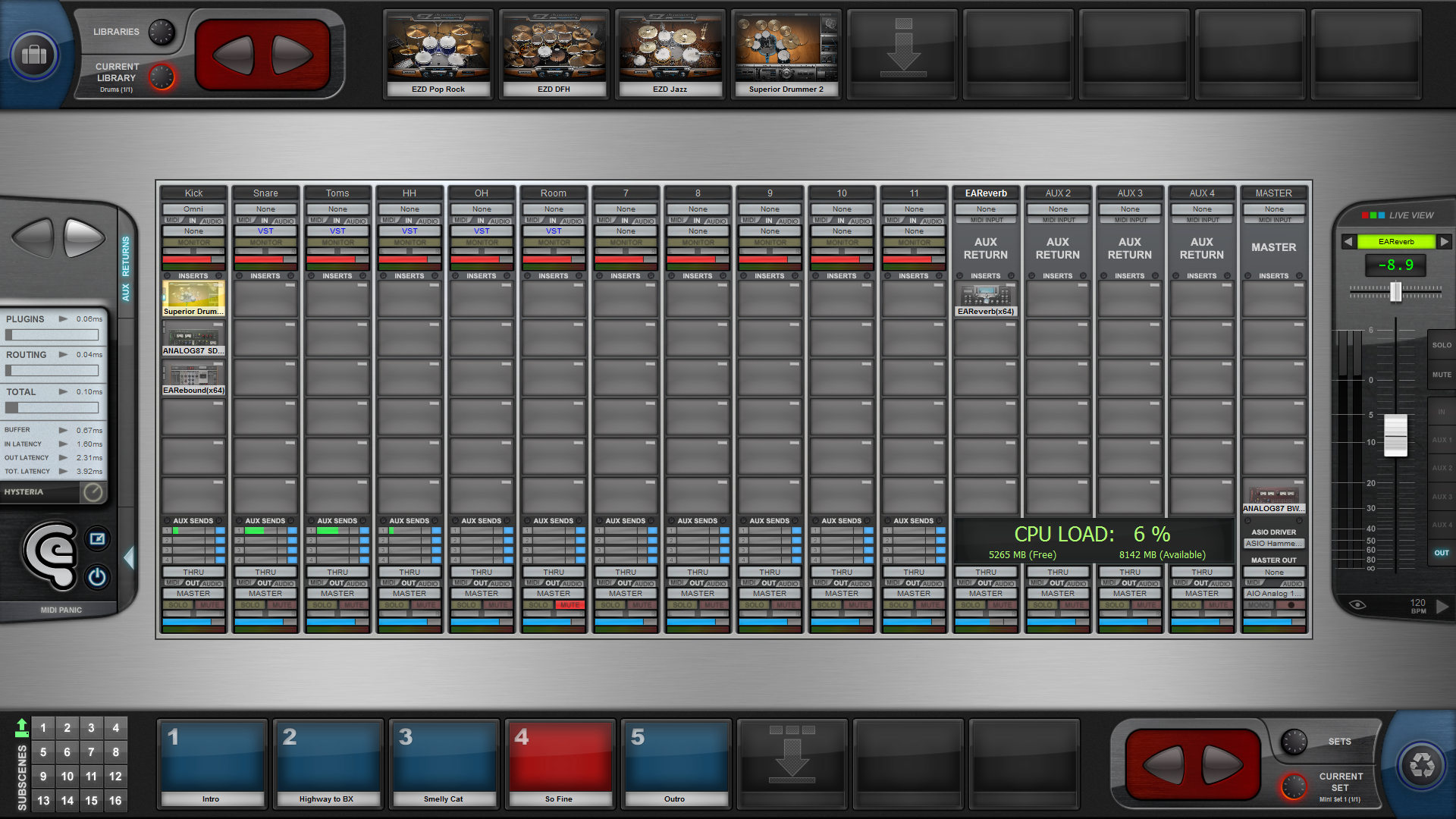
• New "Live View"
You can now switch from the classic console View to a "Live View" providing essential controls to be used once your scenes prepared. Controls in the Live View are highly contrasted and quite large (touchscreen friendly).
The "Live View" can also be used to manage your scenes and sets the easy way. For example, it is possible to move or copy a scene from a set to another (drag n drop), rename it or change its index in the set from an easy dialog.
• Improved user interface
If we look beyond the updated graphics that improve the overall look of the console and the redesigned plug-ins case, some controls have also been added or relocated in order to provide a better workflow. The following details represent a non-exhaustive list of changes.
The automatic layout adaption should work better with small screens (especially when the resolution height is 768).
Should the screen or window width be too small to display the Console View (between 600 and 960 pixels), the Live View will automatically be activated. If you are using a Tablet PC with a screen resolution of 1280x800 (800x1280 in "portrait" mode), it should then be possible to switch from the Console View to the Live View by tilting your device.
Transport controls are now accessible from a "Big Display" panel which includes the LCD emulation. This panel can be hidden and can have a semi-transparent aspect. For your convenience, an extra Play button and a Tempo control have been added to the "Touch Zone".
Side panels can be hidden in order to enlarge the console.
Finally, the background of the console view can be customized and you still have the option to choose between the new console layout and the previous one.
• The interface is now available in three languages : English, French and German.
• Master Record
It is now possible to record the master bus to a WAV file.
• Improved MIDI engine
• "Insert Subscene Lock" option
Inserts can now be selectively locked so their state does not change when a subscene is called. For example, this feature can be used to avoid a sampler to reload its content when switching to another scene while allowing effects to be updated.
The "lock" state of each insert is saved with scenes.
• Various improvements…
- Channel names can be edited (and saved with scenes).
- Improved "MIDI Sync In" option (featuring an offset option).
- New per-plug-in "Hot Update" option: will speed up the scene loading process when some specific plug-ins (samplers/romplers mostly) are involved.
- New per-plug-in "Force MIDI process" option which should help plug-ins that do not explicitly report their MIDI capabilities to work as expected.
- New global "Master Mode" option: can be used to specify whether or not the Master level should be recalled from scenes.
- New global transpose option in the MIDI filter: can be used to quickly set a global transpose value that will be applied to all channels.
- The previous "subscene store" process has been replaced by a more direct and less confusing "Store/Call" mode switch.
- Improved minimizing process and new tray icon.
- Hot Keys can be selectively enabled/disabled and are automatically disabled when BloXpander is minimized.
- New "Expert" options.
- The tempo value is now stored with subscenes.
- New "default" scene option (to be loaded on launch).
• Updated manuals
• Fixed bugs
- Improved "MIDI Plug-ins Recall" feature (avoids a potential crash).
- Improved handling of some specific resizable plug-ins (these plug-ins were not resized correctly).
- Improved inserts drag n drop (copy/move) feature (avoids a potential crash).
- Various minor bug fixes.
... still reading this post? Thank you very much

That said, it will probably take you less time to install the update or the demo version

All the best,
Philippe

 / Great to see the product being updated / installing demo now ...
 I already overwhelmed him with my info and questions
  ), just to say how desprate I got with the other software