
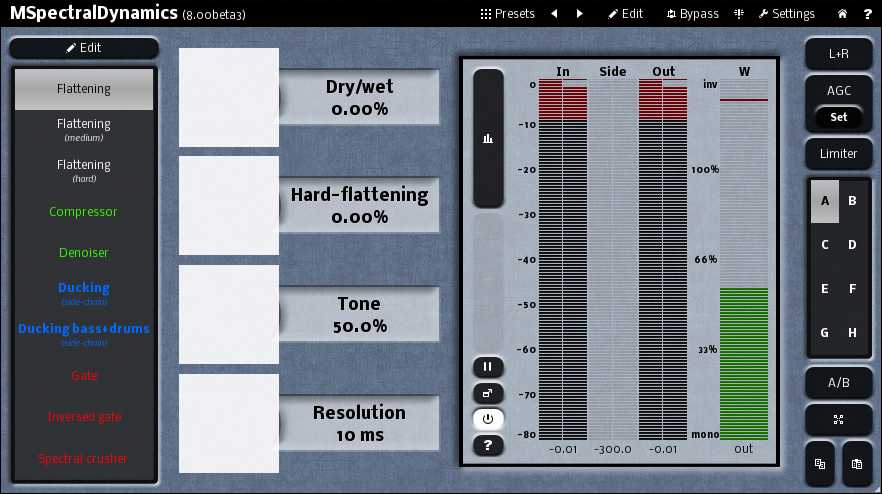
8.00 beta 3 for all MeldaProduction effects has been released!

Official support for: meldaproduction.com
RELATED
PRODUCTS

Post

Just installed beta 3 and if I enable graphics acceleration I see this:

Image

This also happened in the previous beta. This is on a Windows 7 HP Dv7 i5 laptop with switchable graphics. Happens regardless of whether I select 'high performace' or 'power savings' as the graphics card.

Post

Short question @ MeldaProduction:
Aren't the betas compatible anymore with Mac OSX 10.5.8 ?
I downloaded the last 8.00 beta 3 - but NONE of the Plug-Ins work!!
When i select them on the list in my host they crash it. :( :?

Post

SaganTech's screenshot shows the red and green meter zones that nicocadiou was talking about. I think he would like to be able to change the levels at which the colours change.
DarkStar, ... Interesting, if true
Inspired by ...

Post

SaganTech wrote:Just installed beta 3 and if I enable graphics acceleration I see this:

Image

This also happened in the previous beta. This is on a Windows 7 HP Dv7 i5 laptop with switchable graphics. Happens regardless of whether I select 'high performace' or 'power savings' as the graphics card.
Thanks, it has already been fixed, will be available in the final version. It means you have an ancient GPU :D.

DarkStar: Changing the levels? Absolutely not!
Vojtech
MeldaProduction MSoundFactory MDrummer MCompleteBundle The best plugins in the world :D

Post

^^^^
It wasn't me asking for the change :!: ;)
DarkStar, ... Interesting, if true
Inspired by ...

Post

I know! Don't worry :D
Vojtech
MeldaProduction MSoundFactory MDrummer MCompleteBundle The best plugins in the world :D

Post

In Reaper 64-bit when I check out the "Stereo-expansion (3bands)" preset (EDIT: in MMultiBand FreqShifter, and DarkStar helped my figure this one out...) from the first page I see it doesn't matter if I deactivate two of the bands from multiparameter 1. All bands are shifted the same as whichever band I change the frequency of. Using clear & learn to set multiparameter 1 to something else doesn't help either. Are there some hidden settings I've not encountered yet, or is it a flaw? (EDIT: I just needed to deactivate the link button, thanks DarkStar :wink: )

Some requests:

I'd really like to se crossfeedback as an option on MMultiBandFreqShifter, feedback where the right channel feeds into the left and the left into the right. I'm sure some wonderful effects could be had with various width settings. It would be nice to set only one band to exchange the left for the right and the right for the left channel for this sort of effect, perhaps that's allready there and I just haven't gotten the hang of this "input panorama" yet...?
Also global feedback in multibandplugins could be interesting in this plugin and some others, that way if you for instance use two bands and the lowest band is shifted upwards and the highest downwards then as the lower frequencies get higher they'll be shifted downwards by the feedbackloop and vice versa.

A multiplier for delaytime with automation and available as a modulation destination, preferably set in %. Then there can be absolutely smooth modulation of delaytime in plugins with temposynced delays. It would also give timesignatures not available now if using multiplication with a precise "static" value. And making it an option in addition to the current system gives us two ways of modulating timesynced delays for interesting rhythmic effects from one modulator and subtle (or sometimes not so subtle) modulation from another :wink:

I think it would be helpful to have an option to set the envelope follower to follow output, this way one could push for instance the feedback far but let the envelope follower modulate it downwards as soon as any unwanted build in volume sets in. At some settings it'll work fine most of the time but start building up every five minutes or so, turning the feedback down some more it'll build up every nine minutes, turn it down more and you loose the effect you're after etc. Also there are certain rhythmic effects to be had by an envelope follower that follows output volume.


Any chance for an option with separate outputs for each band? There are times when I'd for instance like to EQ or otherwise treat the output of each band separately. An example would be when pushing the settings in a band with protection against aliasing set to off so I know it will alias, then I may like to EQ away just some of the lowest frequencies on for instance band 3 while still allowing band 1 to contain those same freqeuencies.

I'd love it if we could route each component of a modulator separately. For instance the follower in modulator 1 could be routed to the LFO rate in modulator 1 while that LFO is routed to the frequency of a parameter in the FX. Meanwhile the MIDI triggered envelope alters the rate of the random part, that random part is also routed to LFO rate for occasional fluctiations that are in some sense both rhythmic and random at the same time, all of this within one modulator. :D And offcourse that same MIDI triggered envelope could at the same time modulate another FX parameter etc etc. :hyper:
Last edited by Gone soft on Wed Mar 26, 2014 1:31 pm, edited 2 times in total.

Post

Which FX? i was going to suggest disabling the[Link] button on the Bands, but it's working OK here (in MultibandDynamics)
Last edited by DarkStar on Wed Mar 26, 2014 2:19 pm, edited 1 time in total.
DarkStar, ... Interesting, if true
Inspired by ...

Post

DarkStar wrote:Which FX? i was going to suggest disabling the[Link] button on the Bands, but it's working OK here (in MultibanDynamics)
MMultiBandFreqShifter, too tired to even notice I didn't mention which FX.. :dog: Thanks for pointing that out, edited it in now... :oops:

Post

Ok V-GER and thanks DarkStar! ;)

Now to the "requests", I'm afraid I won't be merciful and tell you right now that you will have to wait for MXXX :D. There you'll be able to "process your brain out" :D...

Ok to ellaborate a little:

Crossfeedback would be possible, but it would make the plugin quite inefficient in even normal cases (technical blabla.. :) ). Crossfeedback between bands is even further... But it is quite simple to do that in MXXX.

One thing to point out - feedback is actually quite problematic thing - the plugin must granularize the segments to ensure it is at least as low as the feedback delay. That gets even more complicated when modulating the feedback value. If this is not done, the CPU consumption gets horrible unless the algorithm inside is simple enough and made specifically for the case. Crossfeedback between bands would need to follow the common denominator of all feedbacks making it almost always 1 sample. Hence it would be EXTREMELY inefficient. Well, I could continue with these doomsday ideas :D...

Following output - that's basically same thing - how can you follow something that hasn't happened yet? So you have a feedback of minimum value to make it at least possible. Same scenario... And again, it's possible using MXXX, but unless you control yourself, you may get into a really big trouble with CPU consumption.

Output for each band - I already explained a few times - most hosts don't support plugins with multiple outputs, so that's it. There's one way though - duplicate the track (or send it) and put one instance of the completely same effect on each of the tracks and solo a single band there.

I quite didn't understand the last paragraph about "routing each component" (whatever that means). Anyway I believe it's already possible to modulate a modulator parameters, so theoretically what you want is already there :).
Vojtech
MeldaProduction MSoundFactory MDrummer MCompleteBundle The best plugins in the world :D

Post

MeldaProduction wrote:I'm afraid I won't be merciful and tell you right now that you will have to wait for MXXX :D.
I was "afraid" so. :ud:
MeldaProduction wrote:There you'll be able to "process your brain out" :D...
When can we have it, when when when? :hyper: :D :wheee:

Thanks for explaining (sort of) some of the technicalitites involved. When it comes to preventing feedback buildup I'm sure in MXXX I could also use a compressor in the feedback path, though I'm not sure which'll be most CPU efficient.
MeldaProduction wrote:I quite didn't understand the last paragraph about "routing each component" (whatever that means). Anyway I believe it's already possible to modulate a modulator parameters, so theoretically what you want is already there :).
I mean for instance routing the LFO (or the "Normal" part) in modulator 1 to modulate some parameter, the follower in modulator 1 to modulate some second parameter, the envelope to modulate a third parameter and the random to modulate a fourth parameter while the pitch part could modulate a fifth. I can't seem to do it now, as soon as I click "follower" a parameter that was modulated by the "Normal" LFO now becomes modulated by the follower instead. Clearer? Possible? CPU would shoot through the roof? :scared: :P

Post

Just one colour combo for B****g's birthday
;)

Image

Minimalistic Style, the 4 colours are: <preset InvertColors="0" MainColor0="26292EFF" MainColor1="121118FF" MainColor2="000000FF" MainColor3="FF9600FF"/>
Last edited by DarkStar on Thu May 01, 2014 9:42 am, edited 1 time in total.
DarkStar, ... Interesting, if true
Inspired by ...

Post

IN the MultibandPhaser / Mysterious preset: the frequency band limits are modulated and the bands can overlap:

Image

In this case, how are the frequencies split into bands? And, wouldn't this cause some processing issues?

While investigating this I got a loud blip on the track, which Auto-muted. I wasn't able to reset the Mute until I had disabled the FX.
Last edited by DarkStar on Thu May 01, 2014 9:45 am, edited 1 time in total.
DarkStar, ... Interesting, if true
Inspired by ...

Post

Vojchek, wait until i start with requests and problems... :)
Reality is a Condition due to Lack of Weed!

Post

Vojtech,

Thank you for another great update. I love your work.
:)

Post Reply

Return to “MeldaProduction”