

As usual, this update is free for existing customers and can be downloaded from the same page as the original full version. Enjoy!


Great!satYatunes wrote:Almost done
I think some issues have been reported with this plug-in on Windows, but you may want to try the demo version of our plug-in t check if it works on your system.Visionaudio wrote:Can I use Patchwork or MB-7 to host Antares Auto-Tune_Evo_VST in Pro Tools 11?

Excellent plugin Blue Cat Audio, and excellent skin by @satYatunes.Blue Cat Audio wrote:Looking forward to uploading your updated skins
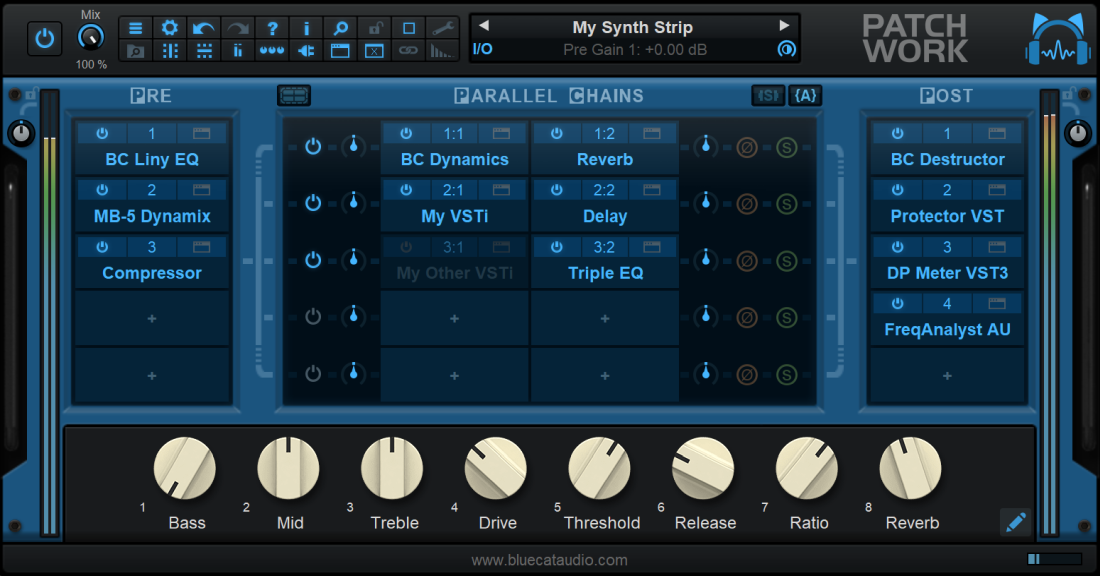
This was already possible in previous versions thanks to MIDI routing (you can crate chains of VST or AU MIDI plug-ins before virtual instruments inside the PatchWork plug-in). MIDI filtering lets you choose which MIDI channel is sent to which ports. So you can for example use different virtual instrument son different MIDI channels inside the PatchWork plug-in (whereas before all events were sent to all instruments).trippled88 wrote:Hi,
Does midi filtering mean that I can now insert midi plugins in pro tools before virtual instruments...?
Can you maybe elaborate? I am not sure I understand both requests. Thanks!trippled88 wrote:Hi,
BTW - When is it planned to have drop down menus? Also adding the ability to drag and change the sends order is kinda crucial.
Yes, I'll write down specifically what I'd like to have implemented hopefully in next updates:Blue Cat Audio wrote:This was already possible in previous versions thanks to MIDI routing (you can crate chains of VST or AU MIDI plug-ins before virtual instruments inside the PatchWork plug-in). MIDI filtering lets you choose which MIDI channel is sent to which ports. So you can for example use different virtual instrument son different MIDI channels inside the PatchWork plug-in (whereas before all events were sent to all instruments).trippled88 wrote:Hi,
Does midi filtering mean that I can now insert midi plugins in pro tools before virtual instruments...?
This is amazing! This truly opens new doors for PT users aside of the AAX issue, big thumbs up for you guys,
so happy to have this.Can you maybe elaborate? I am not sure I understand both requests. Thanks!trippled88 wrote:Hi,
BTW - When is it planned to have drop down menus? Also adding the ability to drag and change the sends order is kinda crucial.
Soo not necessary1. Having a drop down list like you have in PT or any other DAW of your plugins instead of browsing the plugins in a finder window would totally make the whole work flow allot more efficient, would be great to also have a few options to arrange them, by manufacturer for example would be great and very comfortable.
Sounds like unnecessary complexity to me when opening and closing multiple plugin windows.it could maybe be wrapped within the gui interface with the option to expand it to the regular interface
I'm not sure how PT works but in Logic each time I open or close a PW window it opens the plugin windows as well i.e. one click to open everything. I don't see how it would be more convenient or quicker than it already is.2. It would be also really good if for example I want to insert a single plugin to just have the plugin GUI window pop up instead of the additional patchwork interface - not that I have any problem with the patchwork interface but it would be allot more convenient and quick to just have the plugin you've inserted pop up,
Great idea but please don't remove the copy/cut/paste option. It's great for moving one plugin between PW's on different tracks.3. Drag and Drop is under study for moving things around faster. Currently the only option is to copy/cut/paste, but we agree that it could be more convenient with drag & drop.
Submit: News, Plugins, Hosts & Apps | Advertise @ KVR | Developer Account | About KVR / Contact Us | Privacy Statement
© KVR Audio, Inc. 2000-2026