Poly-Ana and L'il Poly-Ana 1.21 are released.

VST, AU, AAX, CLAP, etc. Plugin Virtual Instruments Discussion
RELATED
PRODUCTS
L'il Poly-Ana Poly-Ana

Post

After a 5 month long "Back to Beta" period, consisting of 5 separate updates and intensive testing by ourselves and the community at large, Poly-Ana and her preset player little sister, L'il Poly-Ana are back to full, stable status with the 1.21 release.

The biggest change from 1.191 is support for x64 on OSX VST and AU platforms. And as before, the products also support 32 bit VST and AU on OSX, and 32 and 64 bit (x64) on Windows VST.

Other changes include a new one-time key-file based authorization system (no more asking for new keys when you change or upgrade hardware), full MIDI CC# control of all 210 controls by providing MIDI channel as well as CC# in the MIDI-Learn box (just right-click any control), MIDI Program Change support, Held note memory (particularly useful in the effect version, Poly-AnaFX), and lots more! These updates demonstrate our ongoing commitment to maintaining and future-proofing our products, while continuing to add to their capabilities.

http://www.admiralquality.com/products/Poly-Ana/
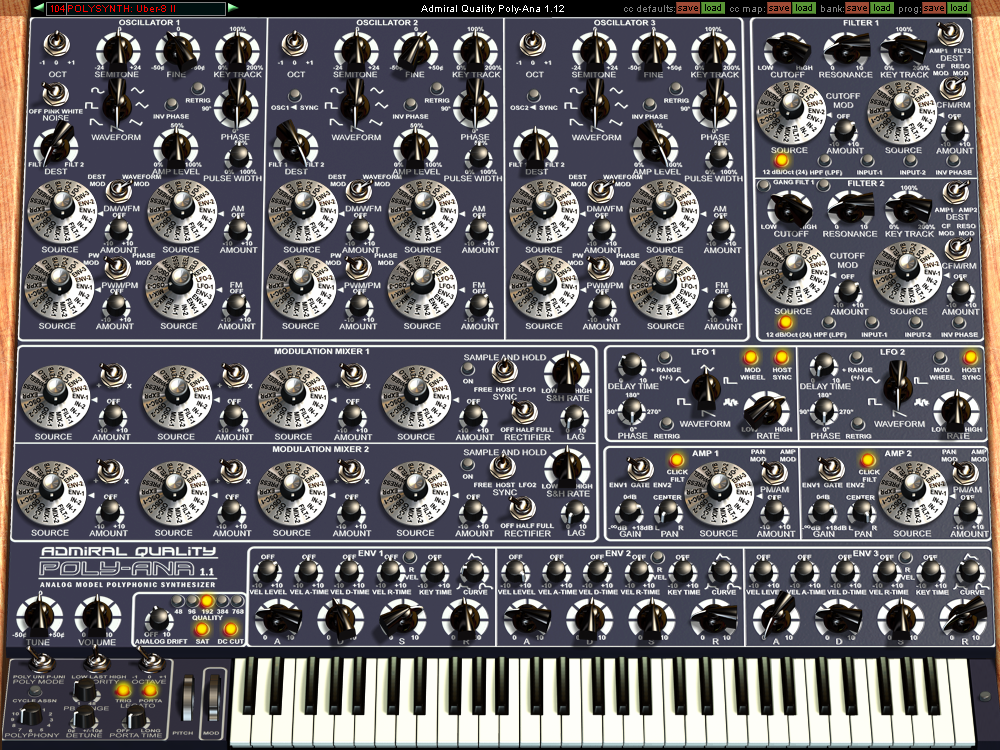
Image

http://www.admiralquality.com/products/LilPoly-Ana/
Image

Poly-Ana is priced at a competitive $179.95 USD and L'il Poly-Ana is $95.95 (with a $10 fee + difference in price upgrade deal of $94.00).

If you haven't tried these synths, or it's been a long time since you have, give them a go now. While mature products that have been out for over 7 years, we've been maintaining and growing them constantly so they're as good sounding and as capable as any new product. (Even more so due to all the testing they've had over the years.) And our new Upgrade Protection policy means your licence key will be good not only through the 1.x series, but through the 2.x series as well! (And we're on the 7th year of the 1.x series. That should give you some idea of how far your purchase will go!)

Some demos...

100% Poly-Ana, even the drums...
https://soundcloud.com/the-unshushable- ... also-dance


Let us know below if you have any questions or comments, and how you like the new update. Cheers everyone and happy holidays!

Last edited by AdmiralQuality on Tue Feb 03, 2015 11:54 pm, edited 3 times in total.

Post

Congrats! :)
Has the release version been updated since beta 5? (i.e. do we need to download the release version?)
I did get a life,once...but it was faulty, so I sent it back.

Post

vic_france wrote:Congrats! :)
Has the release version been updated since beta 5? (i.e. do we need to download the release version?)
Yes.

http://www.admiralquality.com/products/ ... hp#changes

Post

Hi Mike,

How do existing users upgrade (receive their key file)?

Post

Funkybot's Evil Twin wrote:Hi Mike,

How do existing users upgrade (receive their key file)?
Now that this intensive Beta period is over I can take the time to go through the customer database and update everybody. But anyone can email us and we'll send yours right out immediately.

Post

AdmiralQuality wrote:
Funkybot's Evil Twin wrote:Hi Mike,

How do existing users upgrade (receive their key file)?
Now that this intensive Beta period is over I can take the time to go through the customer database and update everybody. But anyone can email us and we'll send yours right out immediately.
Thank you! :clap:
║▌║█║▌│║▌║▌█

Post

By the way, Custom Background files are now working on Mac as well as Windows. And new to 1.21, L'il Poly-Ana now supports Custom Backgrounds as well.

You can get Custom Backgrounds from here, including a Photoshop template for making your own: http://www.admiralquality.com/products/ ... ackgrounds

Poly-AnaBG.png should be 1000x750 pixels. And LilPoly-AnaBG.png should be 409x224 pixels. (You can actually make them different sizes than that and the plug-in will size to match, but if smaller you'll have some controls cut off, and if larger, you'll be wasting screen space. No guarantee that won't cause any bugs either, though I don't believe it will.)

To activate a custom background on Windows, make sure the file is named Poly-AnaBG.png (or LilPoly-AnaBG.png for L’il Poly-Ana) and create the folder C:\Program Files (x86)\Admiral Quality\Poly-Ana\ and place it there. (On 32 bit versions of Windows use the "Program Files" folder instead of "Program Files (x86)". Both the 32 and the 64 bit versions of Poly-Ana will reference this same location.)

To activate a custom background on OSX, make sure the file is named Poly-AnaBG.png, create these folders under your user folder, "/Users/(your_user name)/Library/Application Support/Admiral Quality/Poly-Ana/" and place the file there. Note that some newer versions of OSX hide this folder from you by default. You can reveal it by…

1. In Finder, chose the Go | Go To Folder menu option.
2. In the Go To Folder dialog type ~/Library.
3. Click Go.

Alternately, you can permanently reveal your user Library folder by entering
chflags nohidden ~/Library
into a Terminal window.

(This is also the folder you need to create to place your license key-file in, so this same procedure will work for that as well.)

Enjoy!

Post

Thank you!!! Still one of the better sounding softsynths in my collection. Also when comparing to my real hardware analogs. :tu:

Post

I downloaded the 1.21 file from the site but the Bui still says beta. Did I get the right file? File name says 1.21.

By the way in Bitwig, poly-Ana often doesn't make sound in some presets until I reload it. Then sometimes some presets blow up and go red. Loading it again a couple times made it fine. I loaded from a saved. I twig preset, not sure if the same would happen straight from the vst folder. Can't really report anything more reproducible as I don't know what makes that happen sometimes.

Post

nice sounds but i hate your GUI with a passion

Post

Well, that didn't take too long :(
An outstanding sounding synth. Very happy owner here, thanks Admiral :tu:

Post

vata44 wrote:nice sounds but i hate your GUI with a passion
And again.. :party:
║▌║█║▌│║▌║▌█

Post

Echoes in the Attic wrote:I downloaded the 1.21 file from the site but the Bui still says beta. Did I get the right file? File name says 1.21.

By the way in Bitwig, poly-Ana often doesn't make sound in some presets until I reload it. Then sometimes some presets blow up and go red. Loading it again a couple times made it fine. I loaded from a saved. I twig preset, not sure if the same would happen straight from the vst folder. Can't really report anything more reproducible as I don't know what makes that happen sometimes.
Oh! You're right. (I've been testing the Custom Backgrounds so much I neglected to remember I needed to take that out of the GUI!) Believe what the Parameter Display at the top tells you when it first opens (or what it says in the Options Dialog when you click on the product name). The background is just an image (and all the old Custom Backgrounds have the wrong version number on them as well and I won't be changing them).

Will fix that in the next update. No, it's not Beta anymore. I expect we'll be having another update soon as I'm already aware of a few small issues.

And I'll take a look at it in Bitwig and see if I can reproduce that. Is that in Windows or OSX? (Note that Bitwig is a bit weird as it's Java-based.) Thanks for the report.
Last edited by AdmiralQuality on Sun Dec 14, 2014 2:51 am, edited 2 times in total.

Post

vata44 wrote:nice sounds but i hate your GUI with a passion
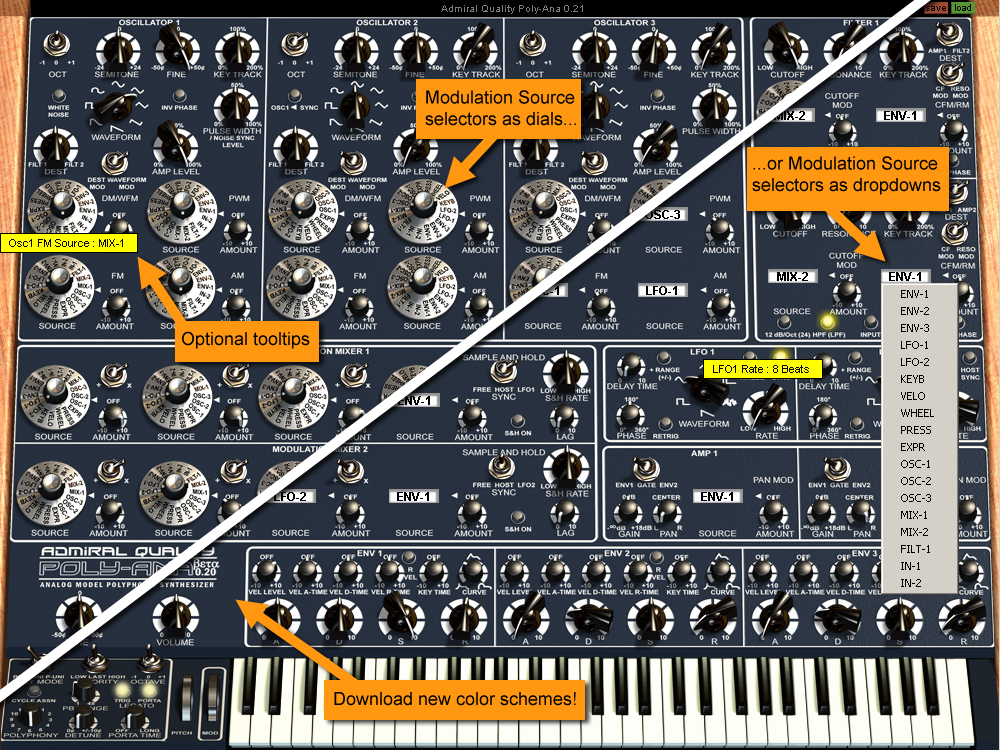
Note that there are some options available that may help. Particularly changing the Mod Source dials to drop-down menus. (Click the product name to bring up the Options Dialog to change these settings.)

Image

Post

Thank you very much for this new version of that great sounding synth.

Post Reply

Return to “Instruments”