
xbitz wrote:a nice sound nice oneRegnas wrote:Bitwig has a maze now?![]()
Bitwig 2.0 discussion -- interface only
- KVRian
- 728 posts since 29 Aug, 2013
• I don't speak English "by default", so... 
• Small Feature Requests for Bitwig.
• Do you want a Step Sequencer device for Bitwig? Click here.
• Small Feature Requests for Bitwig.
• Do you want a Step Sequencer device for Bitwig? Click here.
-
- KVRist
- 250 posts since 16 Jul, 2014
It mostly comes down to the fact V2 is designed around touch support. So the menus and buttons are boxy and they need to have enough space around them to avoid fat finger errors. So some things in V1 do look that little bit nicer than V2.
With beta1 I was a bit worried but since beta2 its really cleaned up a lot. There are many things that are clearer and nicer than before so overall I think V2 is the winner. Im looking forward to starting a project from scratch on that thing once we have the final release.
http://Freshby6.com
Bitwig since 1.0
Bitwig since 1.0
-
- KVRist
- 250 posts since 16 Jul, 2014
It mostly comes down to the fact V2 is designed around touch support. So the menus and buttons are boxy and they need to have enough space around them to avoid fat finger errors. So some things in V1 do look that little bit nicer than V2.
With beta1 I was a bit worried but since beta2 its really cleaned up a lot. There are many things that are clearer and nicer than before so overall I think V2 is the winner. Im looking forward to starting a project from scratch on that thing once we have the final release.
http://Freshby6.com
Bitwig since 1.0
Bitwig since 1.0
- KVRist
- 480 posts since 18 Jan, 2017
But that's why we have tablet mode in screen layouts? Why not make all those boxy big buttons only in tablet screen layout?
I'm a little bit disappointed that everything now look a bit bigger and takes more screen space...
-
- KVRist
- 250 posts since 16 Jul, 2014
Touch is not just for tablets anymore. It looks like they have taken the decision to support touch on all screens, not just in the simplified tablet mode. For example check out the video of people using touch support on large monitors.
I wont be using it with touch any time soon, those big touch screens are way to expensive! It makes sense for them to build it in now though. I dont see this level of touch integration on any other DAW and maybe in the future it will be more wide spread. It does seem to give Bitwig that more tactile "instrument" feel. Maybe one day we will all ditch the Maschine controllers and just use a massive touch screen.
http://Freshby6.com
Bitwig since 1.0
Bitwig since 1.0
- KVRAF
- 26950 posts since 3 Feb, 2005 from in the wilds
Calling it tablets is just semantics. So call it touch screen... I also feel a bit disappointed that all the screen options are now optimized for touch.craigtumps wrote:Touch is not just for tablets anymore. It looks like they have taken the decision to support touch on all screens, not just in the simplified tablet mode. For example check out the video of people using touch support on large monitors.
I wont be using it with touch any time soon, those big touch screens are way to expensive! It makes sense for them to build it in now though. I dont see this level of touch integration on any other DAW and maybe in the future it will be more wide spread. It does seem to give Bitwig that more tactile "instrument" feel. Maybe one day we will all ditch the Maschine controllers and just use a massive touch screen.
I have yet to use a touch screen that gave me a more tactile instrument feel. They always feel clumsy and imprecise. Precise adjustment of values is a constant annoyance. I also wont be using touch any time soon... but not because of cost, but because I find it slower and less functional than what I do now.
Perhaps Bitwig will release a GUI NOT optimized for touch.
oh, and if you are going to make big buttons, make big text in the button so it is easy to read!
-
- KVRist
- 250 posts since 16 Jul, 2014
Not simply semantics because the tablet touch layout is simplified and a different layout for small touch screens (tablets). So they made the full gui touch compatible for large touch screen monitors.
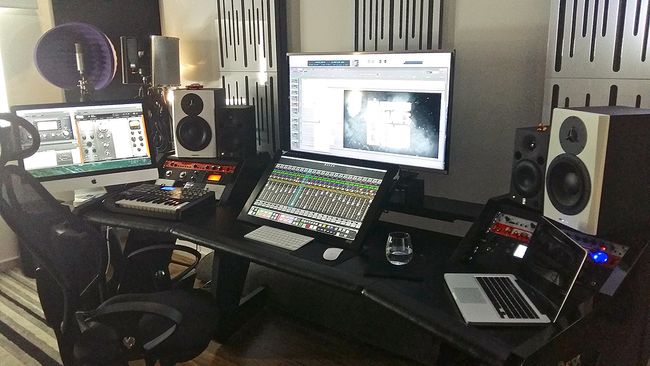
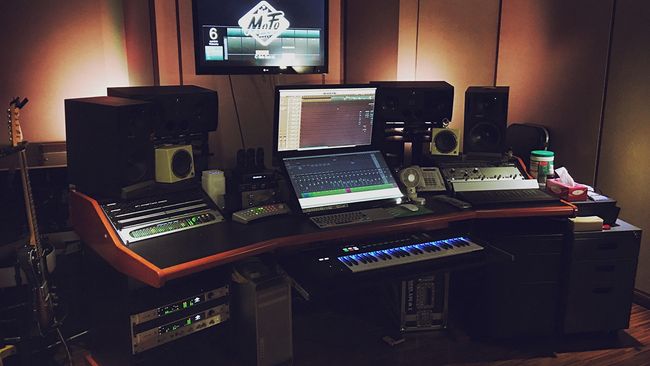
There are many of them coming out now so I would say it makes sense. I was browsing some studios on MusicRadar and notice touchscreens are starting to pop up a lot in peoples setups.
Take a look at this for example. Slate Raven MTi touch panel.

I actually prefer the old menu buttons too but it would be more work for them to have both I suppose. It looks like they are going full steam ahead with touch compatibility.
There are many of them coming out now so I would say it makes sense. I was browsing some studios on MusicRadar and notice touchscreens are starting to pop up a lot in peoples setups.
Take a look at this for example. Slate Raven MTi touch panel.

I actually prefer the old menu buttons too but it would be more work for them to have both I suppose. It looks like they are going full steam ahead with touch compatibility.
http://Freshby6.com
Bitwig since 1.0
Bitwig since 1.0
-
- KVRist
- 250 posts since 16 Jul, 2014
Here's another one for good luck.
I suppose one advantage to touch screens is less space taken up by different controllers and no worries about mapping. And when a new version of the software comes out you don't need to worry if the controller work.
Ok so its not as nice as pressing actual buttons.. but it gives you more screen display space AND a controller surface in one.
Im convincing myself here lol

I suppose one advantage to touch screens is less space taken up by different controllers and no worries about mapping. And when a new version of the software comes out you don't need to worry if the controller work.
Ok so its not as nice as pressing actual buttons.. but it gives you more screen display space AND a controller surface in one.
Im convincing myself here lol
http://Freshby6.com
Bitwig since 1.0
Bitwig since 1.0
-
- KVRAF
- Topic Starter
- 2140 posts since 16 Jan, 2013 from USA
To be honest, I think the mouse is one of the most brilliant inventions in the computer world. Take away the mouse and keyboard and use a touchscreen exclusively and extensively for ten minutes. Tell me how your arms and shoulders feel.
- KVRAF
- 26950 posts since 3 Feb, 2005 from in the wilds
Sometimes something new comes along which is just better... touch screens are not that.jonljacobi wrote:To be honest, I think the mouse is one of the most brilliant inventions in the computer world. Take away the mouse and keyboard and use a touchscreen exclusively and extensively for ten minutes. Tell me how your arms and shoulders feel.
I have excellent finger dexterity. Top of the class.
Except for drawing with the Apple Pencil (which is excellent), my iPad Pro sucks as a GUI compared to my laptop. I can do everything much faster and with more precision on the MBP. On the touch screen selecting text sucks, copy/paste sucks, typing sucks, turning knobs sucks... and leaving them stopped at a specific value sucks... lifting the finger often moves stuff accidentally...
The touch screen requires far too much visual attention because there is no tactile way to know where you are on the screen... with a real knobby interface, once I know it, my hands just start going to the knob I want without having to look... that means my attention and focus can be on the music. With touch screen, not only do I have to look to make sure the knob is 'grabbed', but I have to keep looking because you can lose it and I do not know how much the value is changing.
And for the cost of a large high resolution touch screen, I could buy a quality knobby control surface which I would far rather have.
-
- KVRAF
- Topic Starter
- 2140 posts since 16 Jan, 2013 from USA
I don't mind touch, though I don't want the weight on a laptop. Touchsreens are great in POS systems and tablets where you don't need to to a lot of crap or use it a lot. And I have used my iPad as a controller--for a while. But I rarely if ever use it otherwise.
The first one touch PC I reviewed taught me to appreciate just how strenuous it can be. When I see Iron Man or other movies with them busy in holographic design, I laugh. Can you imagine doing that for 8 hours???
-
- KVRAF
- 1551 posts since 14 Feb, 2010
I really need to get used to the fact that when your pointer is on a clip it goes to select mode and when on the upper region of clip it goes back to pointer again. I think it go in handy when used to it. But for now, im not as fast as i used to be. Time will tell.
- KVRist
- 32 posts since 17 Mar, 2015
Just got the beta too. What strikes the most is how most of the new buttons and menus are really big and aimed more for touch screens. I use a large 42" full hd display, and many of the new buttons look really big. I understand if one uses a retina display or some other high res display, it could be a smaller problem, but I would have liked to see another zoom out level from the standard 100 %, like 80 % or so. Now you can go only up from 100 % to zoom in.
AMD Ryzen 1700X @ 3750 MHz, 16 GB ram, RME Raydat, Win 10 Pro, Bitwig Studio 2.0
F5D @ Soundcloud: MFB Dominion 1 - Chariots, Prophet 12 Canada (BOC), DSI Prophet 12, DSI Prophet '08
-
- KVRAF
- Topic Starter
- 2140 posts since 16 Jan, 2013 from USA
Am I nuts, or is the text in the menus larger than the text in the tracks, etc.?
