
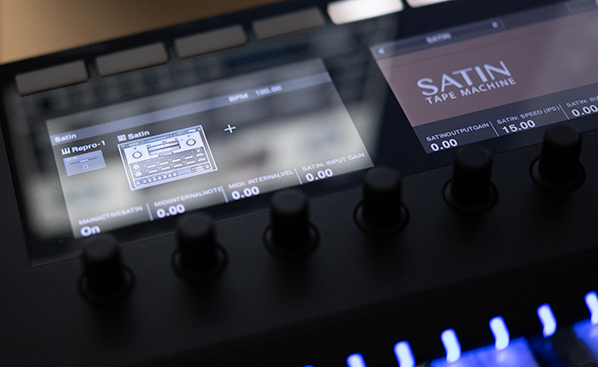
Satin 1.3.1 (NKS FX & more)

Official support for: u-he.com
Post Reply New Topic
RELATED
PRODUCTS

Post

Satin 1.3.1

Image

Here's a pretty substantial update to Satin:

https://u-he.com/products/satin/

We've added our tagged preset browser and support for NI's new NKS FX format. We've also reworked Satin's UHX encoder for more accuracy.

The update is free for all users of Satin, simply download from our website & install.

Enjoy,

- Urs & team

Changelog for Satin 1.3.1 (revision 7414)

Bug fixes:
  • Mac only - possible crash in Cubase when selecting presets
  • Win only - vst3 wasn’t remembering preset name in main display
  • Win only - instance parameters not recalled correctly in some hosts
  • Long preset names could overflow browser window
  • some minor bugfixes and improvements
New features and improvements:
  • New preset browser
  • nks fx compatibility
  • MacOS High Sierra compatibility
  • Plug-in format & OS info shown next to revision number
  • Init preset can be loaded from main display
  • Increased maximum number of skins from 10 to 20
  • Mouse-over shows parameter values in main display
  • Improved handling of 14bit midi cc assignment
  • Added utf-8 support for user names (registration)
  • Windows installer now certified
  • Improved uhx Compander behaviour, added legacy mode for backwards compatibility
Note: To prevent crashes after you update, please make sure that you install into the same locations in which the previous version was installed to. Make sure to update all the plugin formats you had previously installed.

Post

Thanks.
rsp
sound sculptist

Post

Looks good for tweaking tape drive on ganged decks. Native Instruments Kontrol 2 keyboards feel good.
Intel Core2 Quad CPU + 4 GIG RAM

Post

Yikes! This is badly blowing up on my system (High Sierra 10.13.4). When it doesn't crash my DAW (REAPER 5.90) completely, it shows up as 1.3.0 with a red bar and a bunch of ghost text on the left-hand side that looks like the preset menu "bleeding" through the interface. I have tried reinstalling, clearing the plugin cache, and reloading all plugs, but it doesn't seem to matter.

I've also tried loading it up in Acon Acoustica, but I get the same thing: either the bleed through and the wrong version number, or a fatal error.

The minor updates to Zebra and Diva appear to work fine.

Post

Well that doesn't sound right. Do a complete uninstall (remove Satin's .data folder and remove the DLL - but copy your presets elsewhere beforehand of course!) then reinstall from scratch.

It works just fine here in latest Reaper.

Post

sramsay wrote:Yikes! This is badly blowing up on my system (High Sierra 10.13.4).
Don't worry, it's not as bad as you think.

We had posted a warning about this in the first post of the last public beta thread:
http://www.kvraudio.com/forum/viewtopic ... 1&t=505263

No idea why we didn't post the warning in this thread, sorry.

It's just that due to the new preset browser, it is extremely important that you update all the plugin formats you had previously installed.

You might either not have selected the right plugin formats during installation, or you still have a copy of the previous version of the plugin in a non-standard folder, and your host tries to load this old version instead of the new, updated version.
Please check in which locations your host looks for plugins, then delete all the Satin plugins you find in those locations. Then reinstall Satin, selecting all the plugin formats you want to use.

And since you are on High Sierra, it might also be a good idea to reboot your Mac after the installation (in case you are using the AU version of the plugin).

If you continue to have trouble with this, please contact our support, so we can solve this together.
That QA guy from planet u-he.

Post

You might either not have selected the right plugin formats during installation, or you still have a copy of the previous version of the plugin in a non-standard folder, and your host tries to load this old version instead of the new, updated version.
Please check in which locations your host looks for plugins, then delete all the Satin plugins you find in those locations. Then reinstall Satin, selecting all the plugin formats you want to use.
This was it. Old versions (in particular, the AU version) lying around. Deleting those fixed the problem completely.

Thanks to one and all!

Post Reply

Return to “u-he”