

Full Size Image
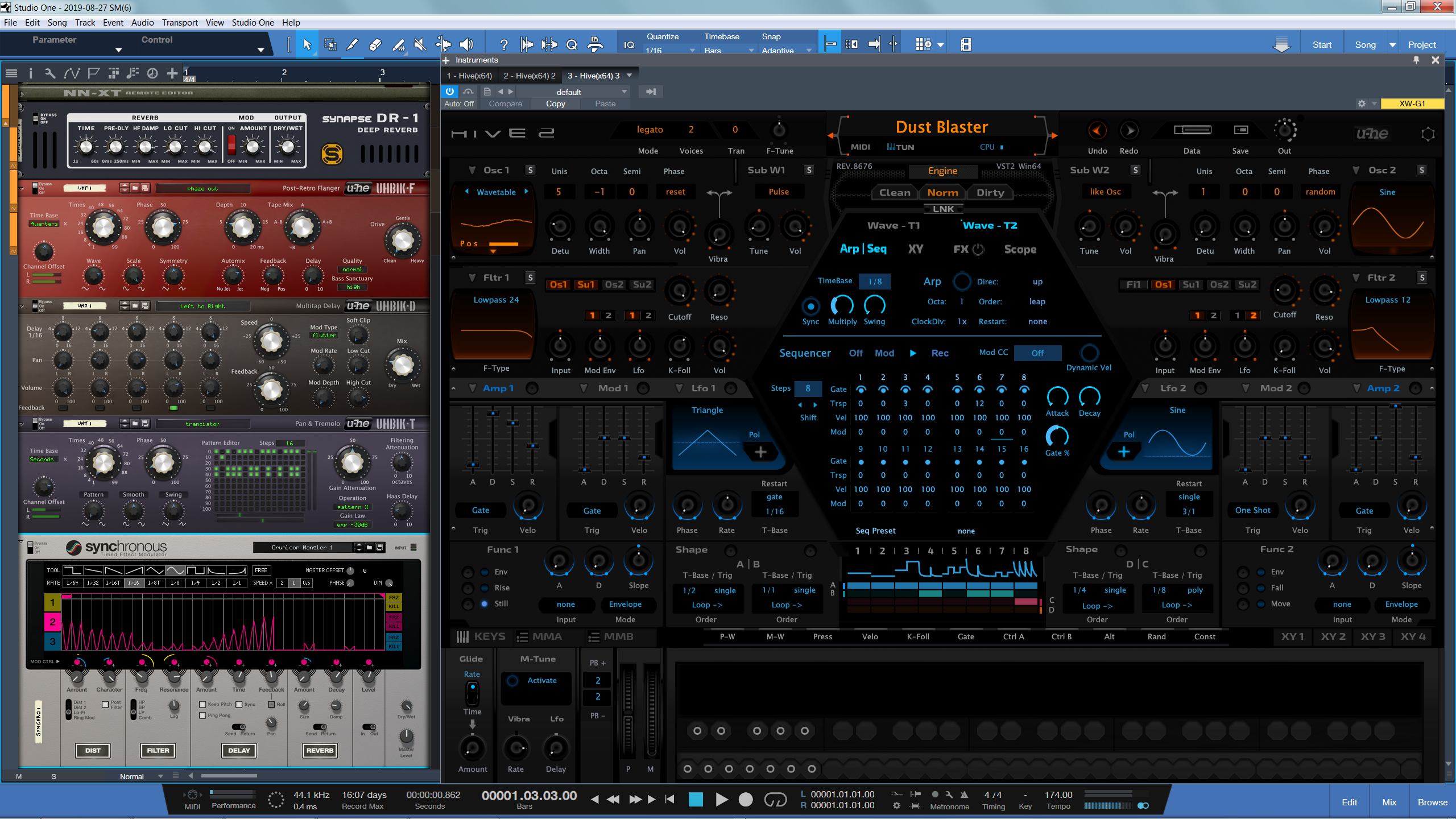
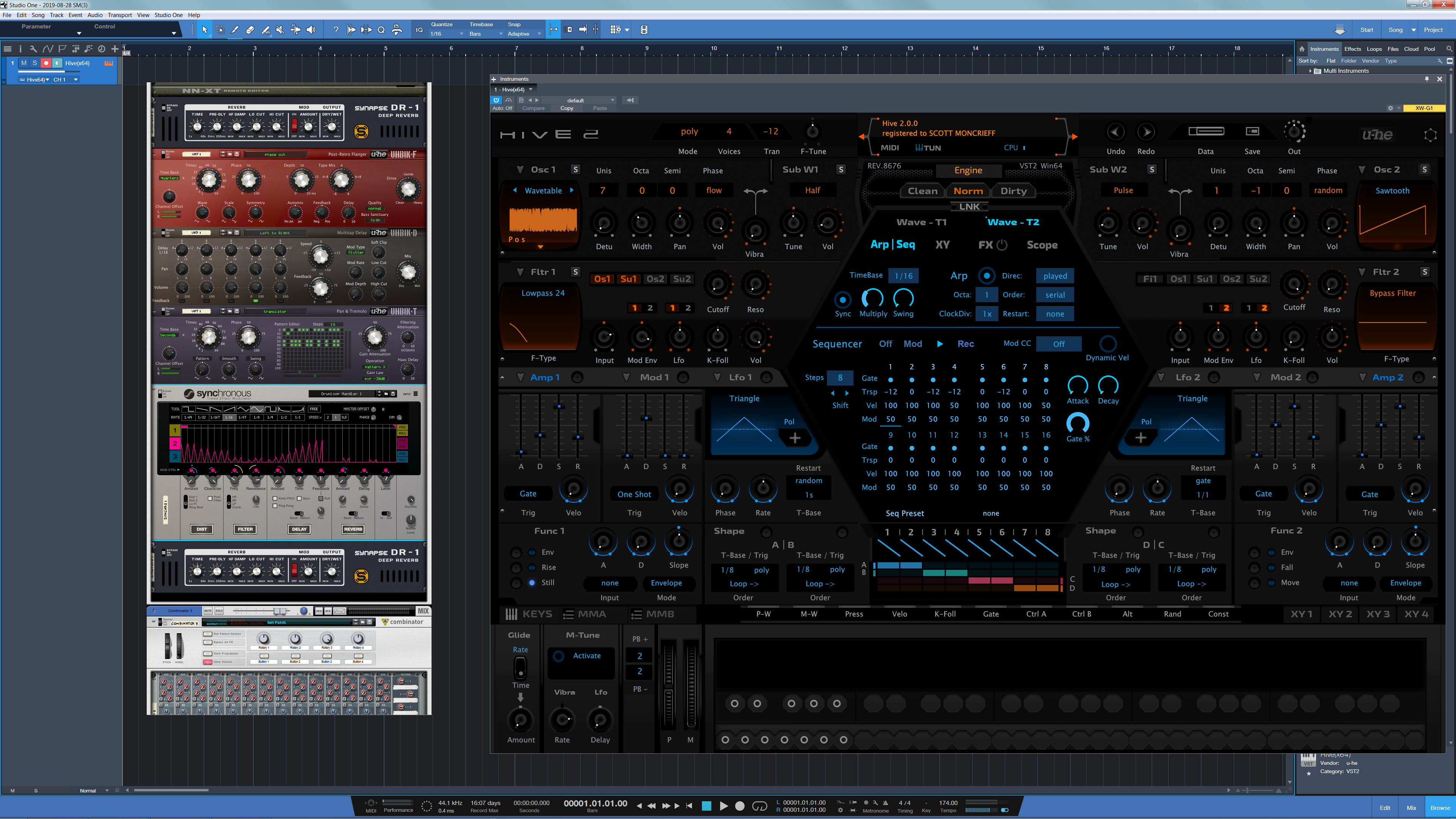
Its an argument no one will win with me, because my 50 year old eyes that need both reading and driving glasses sees the proof right in front of me daily about 3' away with no glasses at all. When I went native 4k Reason on a 40" screen, it looks its best by miles, and workflow smoother than any setup prior.THE INTRANCER wrote: Wed Aug 28, 2019 12:25 am Yup, Reason is amazing at 4K, it's almost invisible, compared to what VST instruments are able to provide..
Reason Rack at 4K Comparison


The Reason GUI now scales based off of the Windows DPI value? The whole GUI will resize based off that value?antic604 wrote: Wed Aug 28, 2019 4:35 am What a hideous Hive2 skin...
And BTW, Reason follows Windows scaling factor, so actually it is only so small when you have the scaling set at 100% which means you need to sit very close, because all the other elements would be tiny as well, like the S1 in the background. Nice try
4K on a 40" screen is 110 PPI, which is about the same pixel density as a 20" display at 1920x1080. Speaking about resolutions is a bit pointless, since it all comes down to pixel density. Since GUI elements are a fixed number of pixels in size, a smaller screen with a lower resolution will produce a "bigger" image than a larger screen with a higher resolution.Psuper wrote: Wed Aug 28, 2019 2:48 am Its an argument no one will win with me, because my 50 year old eyes that need both reading and driving glasses sees the proof right in front of me daily about 3' away with no glasses at all. When I went native 4k Reason on a 40" screen, it looks its best by miles, and workflow smoother than any setup prior.
Yes, that is already the case in v10 and probably earlier but I've started with v10 so can't say for sure.VitaminD wrote: Wed Aug 28, 2019 4:39 amThe Reason GUI now scales based off of the Windows DPI value? The whole GUI will resize based off that value?
It is all about gear porn. Where of course bigger is better. The 'mine is bigger than yours' thing.
AdvancedFollower wrote: Wed Aug 28, 2019 10:09 am Speaking about resolutions is a bit pointless, since it all comes down to pixel density.
Precisely, hence my point:AdvancedFollower wrote: Wed Aug 28, 2019 10:09 am4K on a 40" screen is 110 PPI, which is about the same pixel density as a 20" display at 1920x1080. Speaking about resolutions is a bit pointless, since it all comes down to pixel density. Since GUI elements are a fixed number of pixels in size, a smaller screen with a lower resolution will produce a "bigger" image than a larger screen with a higher resolution.Psuper wrote: Wed Aug 28, 2019 2:48 am Its an argument no one will win with me, because my 50 year old eyes that need both reading and driving glasses sees the proof right in front of me daily about 3' away with no glasses at all. When I went native 4k Reason on a 40" screen, it looks its best by miles, and workflow smoother than any setup prior.
Comparing the Reason rack to the size of other DAWs and plug-ins makes sense, since this gives people a common reference point.
Psuper wrote:
If someone cares enough to have Reason on a 4k screen (or in my case I planned out my entire DAW experience overall), then they need the right hardware for the job. Or they should focus on those other VSTs/DAWS/apps that do, or don't go 4k on a 20" screen, or get used to it, or by all means keep imploring props to vectorize, resize, or whatever.
Regardless, I spent years imploring Props with resizing on their old forums when it looked like a giant pludge and you could barely see more than 1 device in a rack on 800x600 screen, playing musical windows and constantly mousing around and scrolling what a nightmare - only took 15 years and 4k to come out to make it a genuinely comfortable experience.
So ya not perfect for you guys I get it. But I got it long ago, and decided to plan accordingly.
I did give this a try (spent the 3+ hours downloading the trial and testing various dpi scaling values in Windows 10). I will say, you are correct. The GUI does scale... to some degree.antic604 wrote: Wed Aug 28, 2019 11:00 amYes, that is already the case in v10 and probably earlier but I've started with v10 so can't say for sure.VitaminD wrote: Wed Aug 28, 2019 4:39 amThe Reason GUI now scales based off of the Windows DPI value? The whole GUI will resize based off that value?
Obviously, because the GUI is low res it will be pixelated (at say 200% scaling it's 2x2 pixels) and/or blurry (at e.g. 125%, 150% or 175%), but it will be of proper, usable size.
Submit: News, Plugins, Hosts & Apps | Advertise @ KVR | Developer Account | About KVR / Contact Us | Privacy Statement
© KVR Audio, Inc. 2000-2026
