Waves V12 is here, now with resizable GUIs

VST, AU, AAX, CLAP, etc. Plugin Virtual Effects Discussion
Post Reply New Topic
RELATED
PRODUCTS
Abbey Road Plugin Collection$229.00Buy

Post

leeleema wrote: Tue Oct 20, 2020 1:15 pm Watch the Guitar is the voice of common sense and reason. KVR needs far more of this :D

Image

Are you safe?
"For now… a bit like a fish on the floor"
https://tidal.com/artist/33798849

Post

mcbpete wrote: Tue Oct 20, 2020 10:08 am Their updates have definitely come a long way:

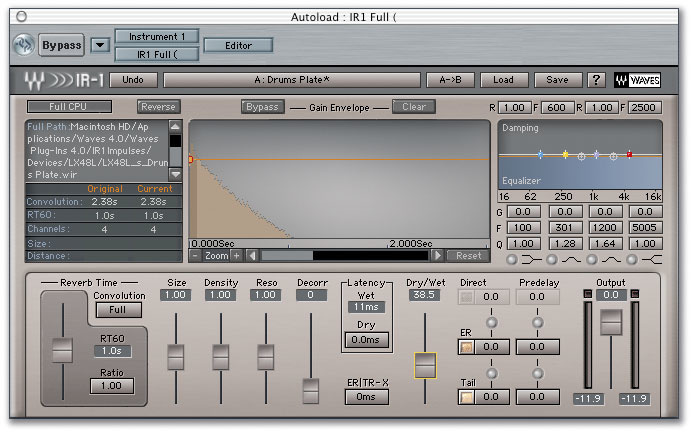
Here's IR1 in 2004:

Image

And here's IR1 in 2020:

Image

Completely unrecognisable ;)
The version from 2004 is Waves V5. There have been 7 versions in between them and now.

That means, for all the changes that you are seeing between these versions, they asked users to pay 7 times for upgrades.

Post

One more specific example and I'm leaving this subject alone because we all know where we stand.

I bought CLA Mixhub on Aug 2019, that was 14 months ago.

Waves is now denying me these basic bug fixes:
V12 - Fixed in CLA MixHub:

Bug occasionally causing Setup A/B not to affect the plugin inserted in the Insert slot.
Bug causing the On/Off and Expand buttons to disappear from the insert slot when the insert slot location is moved.
When used as VST3: Bug causing the Dynamics and Insert sections’ On/Off button state not to be saved with the session.
When used in Reason: Bug causing some plugins not to load in the Insert slot.
When used in Bitwig: Bug causing Bitwig interface to momentarily freezes when presets are loaded.
Long instantiation time in Premiere.

Post

12 months = 1 year
This is the same method MJ used when he was working on Anthony Marinelli's Thriller.

Post

jochicago wrote: Tue Oct 20, 2020 8:17 pm One more specific example and I'm leaving this subject alone because we all know where we stand.

I bought CLA Mixhub on Aug 2019, that was 14 months ago.

Waves is now denying me these basic bug fixes:
V12 - Fixed in CLA MixHub:

Bug occasionally causing Setup A/B not to affect the plugin inserted in the Insert slot.
Bug causing the On/Off and Expand buttons to disappear from the insert slot when the insert slot location is moved.
When used as VST3: Bug causing the Dynamics and Insert sections’ On/Off button state not to be saved with the session.
When used in Reason: Bug causing some plugins not to load in the Insert slot.
When used in Bitwig: Bug causing Bitwig interface to momentarily freezes when presets are loaded.
Long instantiation time in Premiere.
Are the bugs caused by the OS and DAW increments?
Or existing bugs within CLA MixHub?

Post

So, I just updated the Waves plugins that I got during the last year to the version 12... now the project I was working up to yesterdaay on with the version 11 -in Reaper-, can´t load those plugins... :dog:

Is there a way to make reaper recognise the new V12 where I was using the V11 of the same plugin?

(For some reason, I was working on VST3 but the Waves installer seems to not to have installed any VST3, but onlyy VST versions of the Waves V12).

Post

For previous Waves upgrades I needed to clear cache and rescan plugins for REAPER sessions to correctly load the new version with previously-saved settings

Post

Honestly it looks like a simple image upscale using bilinear filtering.

If i was a company and want it to look less "blurry" id try out neural upscaling or something to keep it sharp.

I'll have to test this out..
:borg:

Post

Or you know, make new renders from the originals.
I mean, retina/HiDPI has been out for 8 years, are they honestly still making low-res renders with no hires originals?
Image

Post

I imagine given a year a couple of interns could knock up vectorised versions of every UI on every Waves plugin so hats off to Waves for their blurry stretchy bitmap solution.

Are you safe?
"For now… a bit like a fish on the floor"
https://tidal.com/artist/33798849

Post

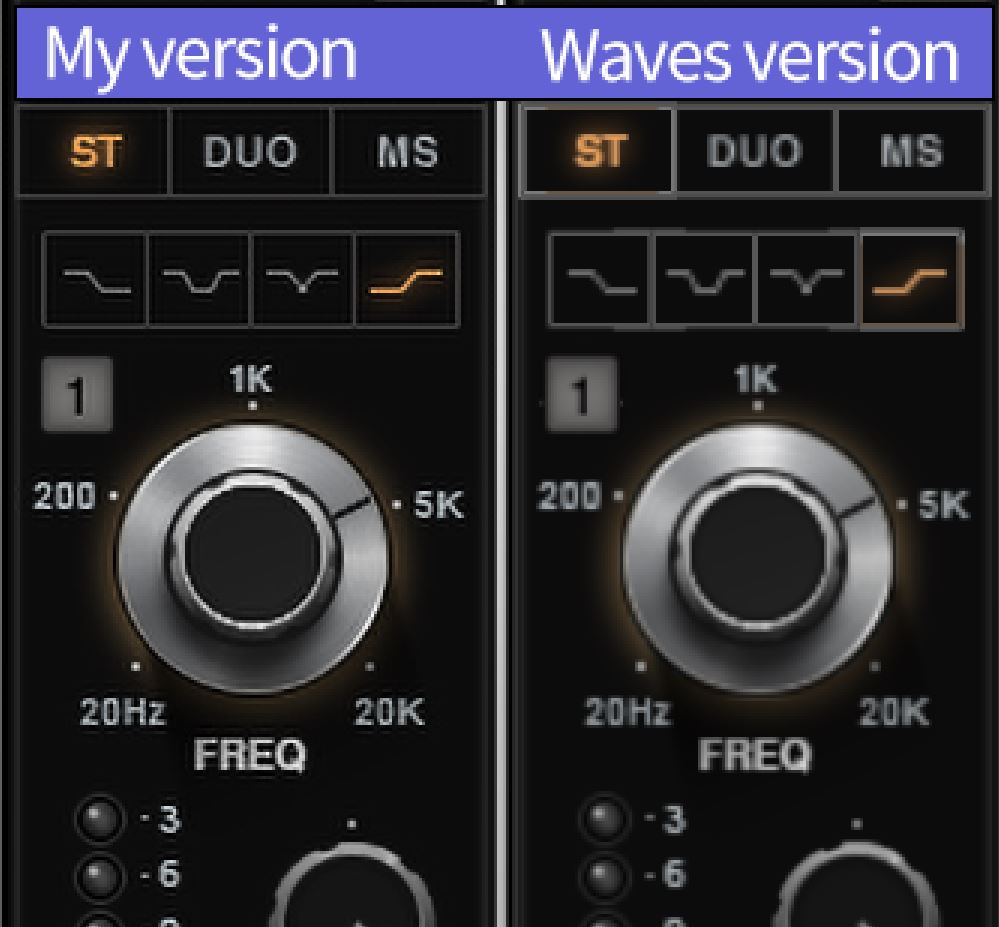
Just for fun, I took a snapshot of Scheps Omni Channel at 100% size and upscaled it to 150% in Photoshop (using Preserve Details 2.0 algorithm)

Here it is side-by-side with Waves' own embarrassingly blurry 150% upscale:
Image
 
Last edited by tk32 on Tue Oct 20, 2020 10:58 pm, edited 1 time in total.

Post

imrae wrote: Tue Oct 20, 2020 10:03 pm For previous Waves upgrades I needed to clear cache and rescan plugins for REAPER sessions to correctly load the new version with previously-saved settings
I just tried, so far no luck...

Edit: It has finally worked, thanks a lot!!

Post

tk32 wrote: Tue Oct 20, 2020 10:47 pm Just for fun, I took a snapshot of Scheps Omni Channel at 100% size and upscaled it to 150% in Photoshop (using Preserve Details 2.0 algorithm)

Here it is side-by-side with Waves' own embarrassingly blurry 150% upscale:
 
It would look a lot better scaled with this: https://topazlabs.com/gigapixel-ai/

Also the best part of this update is that every plugin is now VST3 and goes under the same WavesShell.

Post

So, I updated all the plugins already under WUP to V12 (because why not? It is also needed if you want to sell your plugins, so it is recommended to upgrade for free for all possible plugins). I had to do a full plugin scan with verify (as usual with Waves plugins) in FL Studio for the V12 versions to show up.

When I loaded them, I was utterly disappointed. The two highlighted features (scalable GUI and new preset browser) are simply not worth brothering.

One my 2K display, 100% size is normally fine, but I usually tend to like plugins at about 125% of their GUI. However, even at 125%, the pixelation of Waves V12 plugins is so obvious that I wouldn't really bother upgrading my non-WUP plugins right now. It looks plain bad.

Secondly, the preset browser is in the "Load" menu, which means you need to click and open it first in a separate window after which it allows you to search (and load presets faster). But I seriously don't see any use/need of this.

If GUI was the ONLY new highlight (along with any bug fixes) and they had implemented a vectorized one, I would have upgraded my Gold + RenMaxx bundle to Platinum ($85 right now) during the special bundle upgrade sales (typically 80% off).

So, my conclusion of this whole scenario is:

1. Update all your existing plugins already under WUP to V12 if you want. Try with one plugin first. I did a quick test project where I had a V11 plugin loaded with some settings. I updated it to V12 and opened the project. The plugin loaded fine and with correct settings. This is in FL Studio latest version.

2. Don't update any other plugins to V12 unless there is a real issue or you have cheap upgrade options that you can go for. I personally would wait for special bundle upgrade sales which normally offer up to 80% discount.

3. If you are on Windows 10, I think V11 will be perfectly fine for a long time. I personally haven't seen any bugs on my PC.

Post

Waves are really missing the boat here at a time where customers are really unhappy with having to pay for the updates. I’m not bothered about the UI aspect personally, but it should be in Waves interest to provide good free scaling UI updates to all customers regardless.

Plugin Alliance has gone up in my expectations over the last 12 months and I’m really trying to push my need for using a few of the Waves plugins to other companies like PA/FF. There’s still a few plugins I can’t live without, but out of the 100+ plugins I have on the Waves menu in Logic, I probably only use 5 max.

What’s worse is the scrolling down the menu syndrome we all experience to find something (yes I should put them in my favourites). One of my reasons for ditching UAD a few years back (how many plugins installed??).

Dear Waves Marketing, let me provide you with some free marketing advise, you should update your slogan in 2020 to “Waves - Money for old rope”.

Post Reply

Return to “Effects”