


I guess you didn't save it? See the manual or watch the Generic Flexi tutorials.syabro wrote: Mon Oct 26, 2020 11:23 am Yay! Works great, thanks!
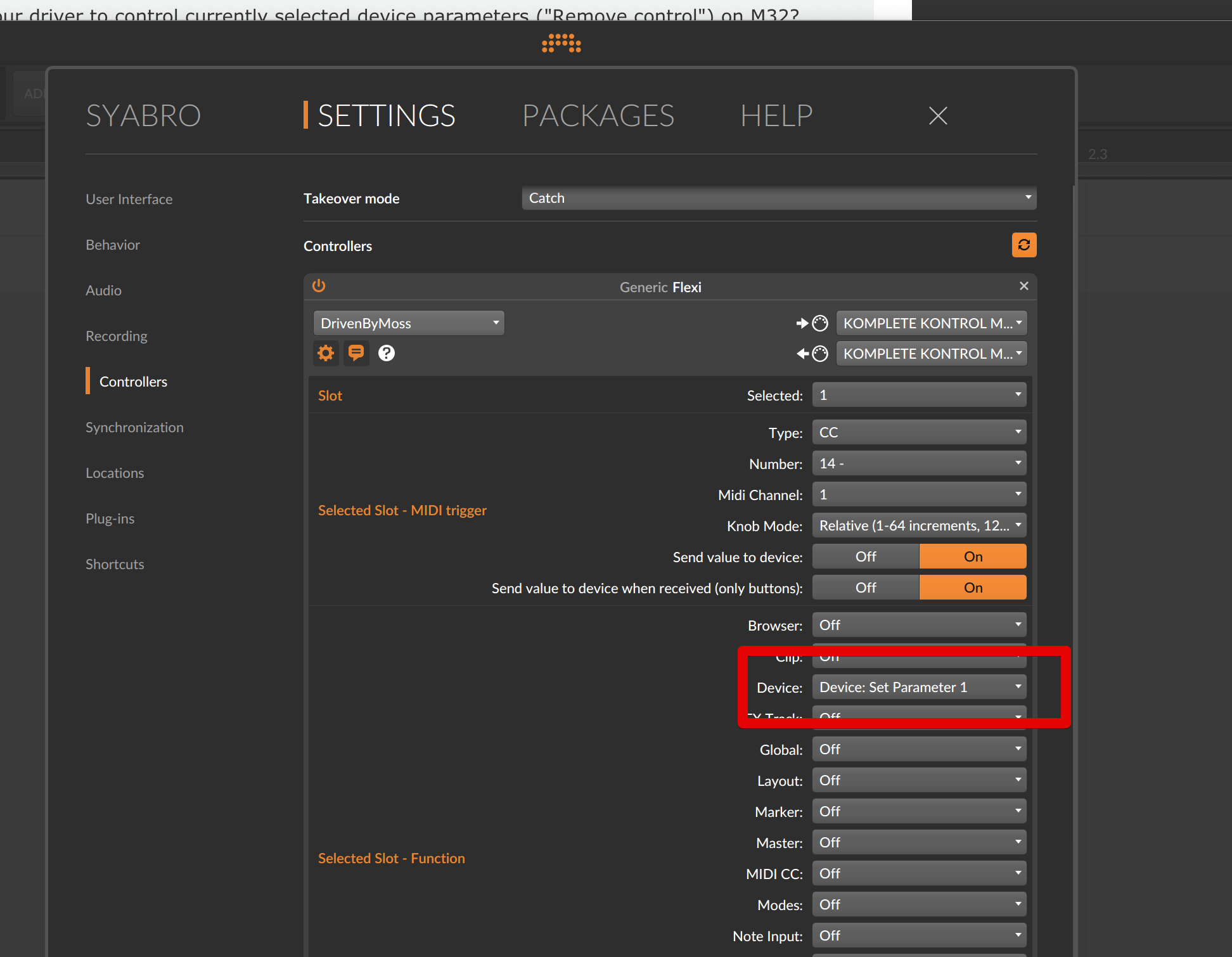
But if I close the Bitwig it selected Function's device becomes "off"
Any ideas why?
DrivenByMoss: Bitwig extension for many hardware controllers (version 26.6.2)
-

- KVRAF
- Topic Starter
- 4883 posts since 13 May, 2004
-
- KVRer
- 10 posts since 13 Jul, 2018
Moss, actually I was expecting the same behavior as in Bitwig - you don't have to "save" anything, since there is no "save" button anywhere. Ok, will check the manual. Also Type/Number is actually saved so it's kinda weird UX if you ask me 
-

- KVRAF
- 9546 posts since 6 Jan, 2017 from Outer Space
Bitwig can only save what it knows about. It can‘t know how you set up Flexi...
If Bitwig would hire Moss and integrate it into the main application it could be made possible... Actually they should do that... Moss is responsible for a lot of sales. Not only Bitwig sales - I bought an Akai Fire because of his scripts...
If Bitwig would hire Moss and integrate it into the main application it could be made possible... Actually they should do that... Moss is responsible for a lot of sales. Not only Bitwig sales - I bought an Akai Fire because of his scripts...
-
- KVRer
- 10 posts since 13 Jul, 2018
I'm not saying bitwig should do it. I mean Bitwig has behavior X. So plugins should have the same behavior.
So why not just save by default on change? Instead of pressing "Export" every time?
So why not just save by default on change? Instead of pressing "Export" every time?
-
- KVRAF
- 9546 posts since 6 Jan, 2017 from Outer Space
I wanted to point out that Moss cannot do it, as that has to be done by Bitwig. He isn't coding Bitwig itself, just scripts for Bitwig. He also can't fix Bitwig bugs for the same reason... He is not a Bitwig employee, just a private hero...syabro wrote: Mon Oct 26, 2020 2:23 pm I mean Bitwig has behavior X. So plugins should have the same behavior.
So why not just save by default on change? Instead of pressing "Export" every time?

-
- KVRAF
- Topic Starter
- 4883 posts since 13 May, 2004
That's how it worked before, which meant to have all 200 slots visible all the time and scroll 5 minutes till you reach the additional settings. Watch the first Generic Flexi video.syabro wrote: Mon Oct 26, 2020 2:23 pm I'm not saying bitwig should do it. I mean Bitwig has behavior X. So plugins should have the same behavior.
So why not just save by default on change? Instead of pressing "Export" every time?
-
- KVRer
- 29 posts since 4 Nov, 2005
Moss,
Thank you for your earlier response. I have since installed the demo of 3.2.8 to give the latest version of the Driven By Moss script a try.
Am I correct that the script is *not* intended to control Bitwig devices AND instances of Komplete Kontrol in the same Bitwig project? Should I be able to do so without any issues? I am able to control Bitwig very well from the s25, but once I load an instance of Komplete Kontrol, the s25 starts displaying the wrong information (Komplete Kontrol information when I am on a track with Bitwig Sampler, for instance) and the browser key launches both the Bitwig AND Komplete Kontrol browsers regardless of whether I am on a track that has a Bitwig instrument or an instance of Komplete Kontrol. Those are just two problems.
Thanks in advance for any help you can provide, even if the advice is that it is not advisable to try and control Bitwig devices and Komplete Kontrol in the same Project.
Thank you for your earlier response. I have since installed the demo of 3.2.8 to give the latest version of the Driven By Moss script a try.
Am I correct that the script is *not* intended to control Bitwig devices AND instances of Komplete Kontrol in the same Bitwig project? Should I be able to do so without any issues? I am able to control Bitwig very well from the s25, but once I load an instance of Komplete Kontrol, the s25 starts displaying the wrong information (Komplete Kontrol information when I am on a track with Bitwig Sampler, for instance) and the browser key launches both the Bitwig AND Komplete Kontrol browsers regardless of whether I am on a track that has a Bitwig instrument or an instance of Komplete Kontrol. Those are just two problems.
Thanks in advance for any help you can provide, even if the advice is that it is not advisable to try and control Bitwig devices and Komplete Kontrol in the same Project.
-
- KVRAF
- Topic Starter
- 4883 posts since 13 May, 2004
The Kontrol Mk1 extension uses low level USB access and therefore cannot be used with the Komplete plugin. Advantage is to have all the info in the displays and Linux support. If you need the Komplete support use the Bitwig stock script but has only a very limited feature set.papertiger wrote: Mon Oct 26, 2020 4:43 pm Moss,
Thank you for your earlier response. I have since installed the demo of 3.2.8 to give the latest version of the Driven By Moss script a try.
Am I correct that the script is *not* intended to control Bitwig devices AND instances of Komplete Kontrol in the same Bitwig project? Should I be able to do so without any issues? I am able to control Bitwig very well from the s25, but once I load an instance of Komplete Kontrol, the s25 starts displaying the wrong information (Komplete Kontrol information when I am on a track with Bitwig Sampler, for instance) and the browser key launches both the Bitwig AND Komplete Kontrol browsers regardless of whether I am on a track that has a Bitwig instrument or an instance of Komplete Kontrol. Those are just two problems.
Thanks in advance for any help you can provide, even if the advice is that it is not advisable to try and control Bitwig devices and Komplete Kontrol in the same Project.
-
- KVRer
- 10 posts since 13 Jul, 2018
> That's how it worked before, which meant to have all 200 slots visible all the time and scroll 5 minutes till you reach the additional settings. Watch the first Generic Flexi video.
How so? Sorry, but I don't see connection between autosave and 200 slots.
Now I select a file and press export. Can it be done automatically somewhere in ~/Library/Application Data/?
How so? Sorry, but I don't see connection between autosave and 200 slots.
Now I select a file and press export. Can it be done automatically somewhere in ~/Library/Application Data/?
-
- KVRer
- 29 posts since 4 Nov, 2005
The answer I didn't want to hear, but the answer I was looking for, Moss. Thank you very much. And, of course, thanks again for your work. We are lucky to have your script.moss wrote: Mon Oct 26, 2020 5:35 pm The Kontrol Mk1 extension uses low level USB access and therefore cannot be used with the Komplete plugin. Advantage is to have all the info in the displays and Linux support. If you need the Komplete support use the Bitwig stock script but has only a very limited feature set.
-
- KVRian
- 784 posts since 29 Mar, 2016
HI sir
Can you please explain how pinning devices (tracks) on the fire work with your script? I tried using user mode 2 and assigning a control but did not see any difference with pinning the device vs unpinning
Can you please explain how pinning devices (tracks) on the fire work with your script? I tried using user mode 2 and assigning a control but did not see any difference with pinning the device vs unpinning
-
- KVRAF
- Topic Starter
- 4883 posts since 13 May, 2004
User Mode 2 is for user parameters which are not related in any way to the cursor / pinned device.melodyz wrote: Tue Oct 27, 2020 7:44 pm HI sir
Can you please explain how pinning devices (tracks) on the fire work with your script? I tried using user mode 2 and assigning a control but did not see any difference with pinning the device vs unpinning
Use User Mode 1, which controls the cursor device which can be pinned.
-
- KVRian
- 784 posts since 29 Mar, 2016
Thanks I guess Im not familiar with what pinning does can someone please explain?moss wrote: Tue Oct 27, 2020 9:23 pmUser Mode 2 is for user parameters which are not related in any way to the cursor / pinned device.melodyz wrote: Tue Oct 27, 2020 7:44 pm HI sir
Can you please explain how pinning devices (tracks) on the fire work with your script? I tried using user mode 2 and assigning a control but did not see any difference with pinning the device vs unpinning
Use User Mode 1, which controls the cursor device which can be pinned.