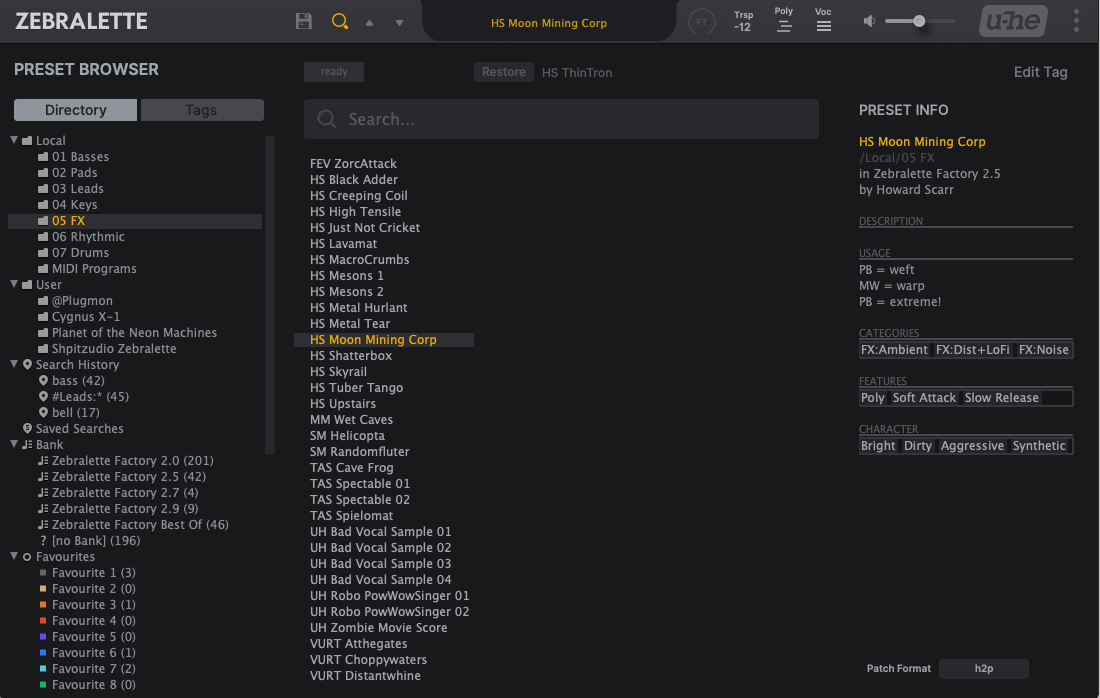
"Neumann" GUI for Zebra²/Zebralette

Official support for: u-he.com
Post Reply New Topic
RELATED
PRODUCTS

Post

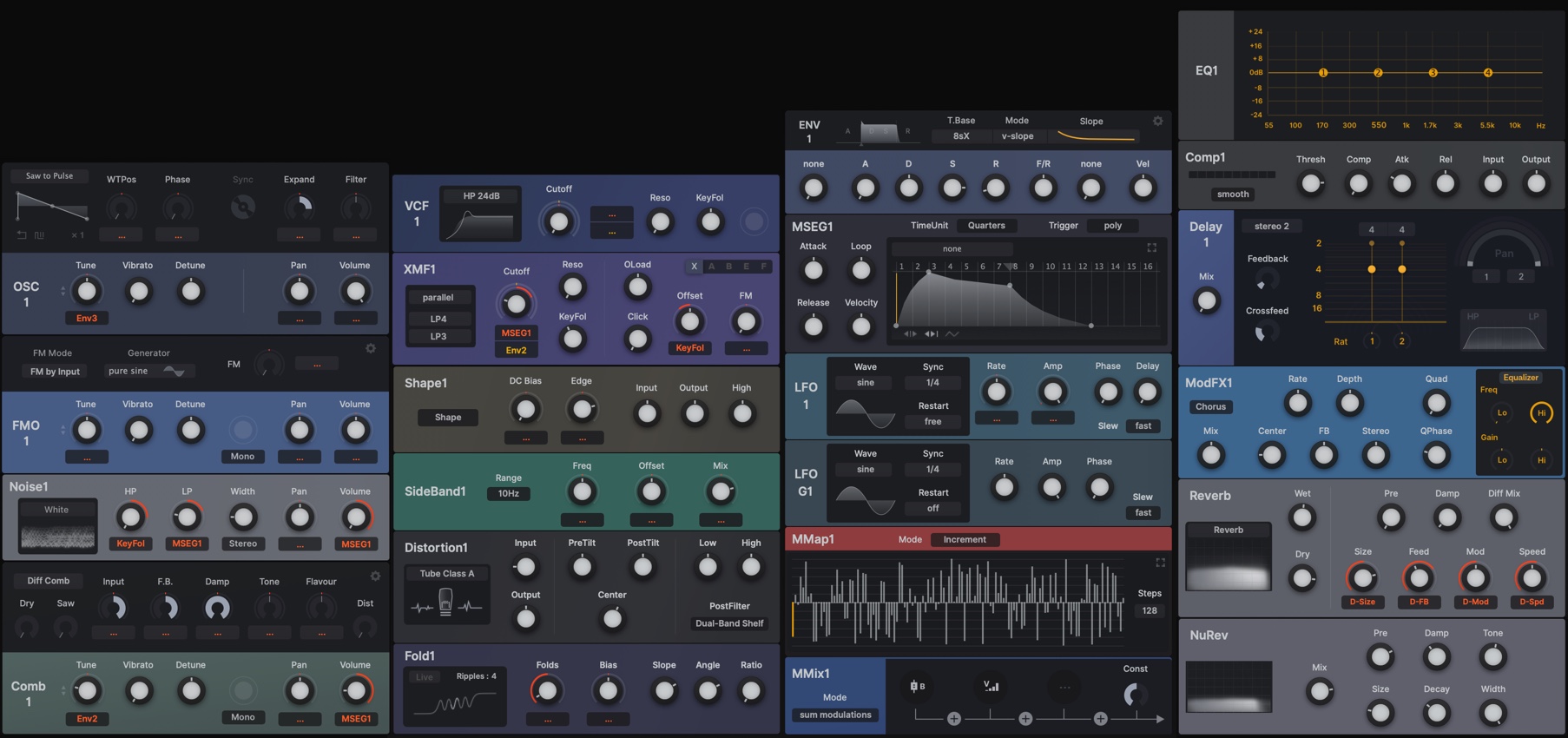
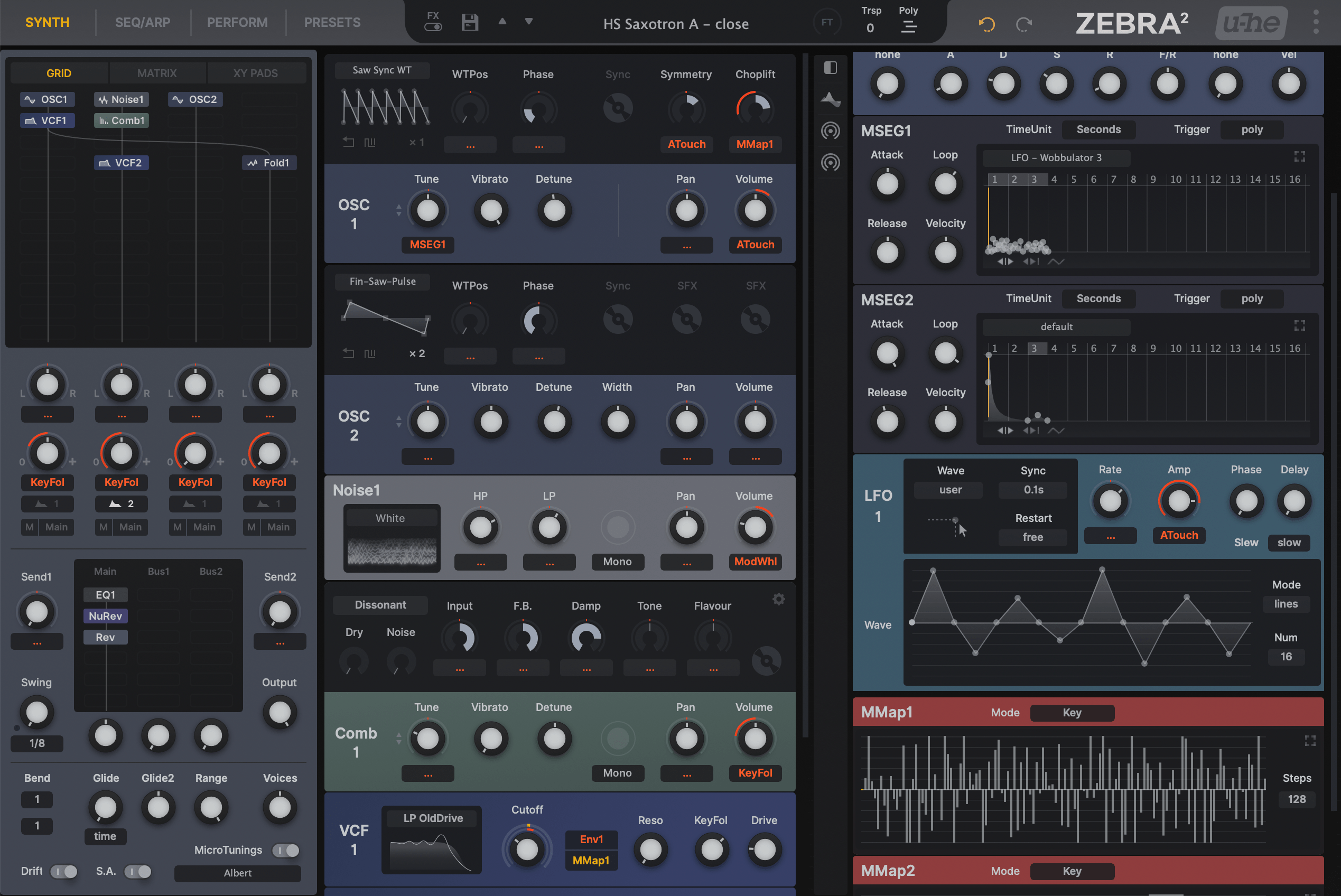
plugmon wrote: Tue Jun 02, 2020 5:31 am Neumann is updated to v1.5 and colored modules are introduced (as an option)!

Image

Image

You have to manually replace image files included in the new package.

It does look good and work well, so I'm wondering this could be the default one, while monotone version kept as the second choice.
Probably the only one (and I am not a customer yet), but the Preset browser can use a bit colour to me too.
rsp
sound sculptist

Post

Looks great to me. I'd make it the default too! Might have to pick this one up now.

Post

Yes! There goes my wallet again.

Post

plugmon wrote: Tue Jun 02, 2020 5:31 am It does look good and work well, so I'm wondering this could be the default one, while monotone version kept as the second choice.
+1 for the coloured version as default :tu:

Post

The coloured could very well be the default one imo, it doesn't detract anything from the original look, if anything it pops up a bit more and makes the interface strenghts even more obvious.
Perhaps I'll manually tone down some of the coloured pngs just a tiny bit and maybe change the hue of some to shades of red to look like the mockup I've posted some time ago just to match my taste, which would definitely be easier to do now that the coloured pngs are more saturated.
Thanks for the amazing update Yuta!

Post

audiot wrote: Sat Jun 06, 2020 12:09 pm
plugmon wrote: Tue Jun 02, 2020 5:31 am It does look good and work well, so I'm wondering this could be the default one, while monotone version kept as the second choice.
+1 for the coloured version as default :tu:
+2
Brzzzzzzt.

Post

elnn wrote: Mon Jun 08, 2020 8:57 am
audiot wrote: Sat Jun 06, 2020 12:09 pm
plugmon wrote: Tue Jun 02, 2020 5:31 am It does look good and work well, so I'm wondering this could be the default one, while monotone version kept as the second choice.
+1 for the coloured version as default :tu:
+2
+3 :)

Post

Uh-Oh, why did this thread stop? I'm hoping Neumann is just so stable now that I must purchase it :D

So I did. My question is that I see two versions. I own Zebra HZ but I also have and use the regular Zebra 2.

I am assuming I should install the newer fonts/theme into the Zebra2 folders, and the older ones named HZ into ZebraHZ, and that I can load the two synths at once (which I have been doing a lot while I try and understand the difference between them.)

Post

moonchunk wrote: Sat Oct 17, 2020 11:04 pm ...load the two synths at once (which I have been doing a lot while I try and understand the difference between them.)
The differences are listed on page 5 of the new ZebraHZ user guide (page 3 of the old The Dark Zebra user guide). BTW thanks for the cool Zebra2 review :tu:

Post

I have dowloaded the latest version, hoping that the invisible vertical scrollbar in the preset browser would be fixed, but i still cant see the vertical scrollbar. Scrolling works, but it's a bit of a guessing game where the bar position is, and this often results in unwanted jumps within the list. Could you please fix this Mr. Plugmon?

Post

audiot wrote: Wed Oct 21, 2020 11:39 am I have dowloaded the latest version, hoping that the invisible vertical scrollbar in the preset browser would be fixed, but i still cant see the vertical scrollbar. Scrolling works, but it's a bit of a guessing game where the bar position is, and this often results in unwanted jumps within the list. Could you please fix this Mr. Plugmon?
I noticed this as well. A bit confusing - I was wondering if it was DAW-specific since FL Studio's wrapper can cause weird differences between plugins I guess.

Post

audiot wrote: Wed Oct 21, 2020 11:39 am I have dowloaded the latest version, hoping that the invisible vertical scrollbar in the preset browser would be fixed, but i still cant see the vertical scrollbar. Scrolling works, but it's a bit of a guessing game where the bar position is, and this often results in unwanted jumps within the list. Could you please fix this Mr. Plugmon?
I noticed this as well. A bit confusing - I was wondering if it was DAW-specific since FL Studio's wrapper can cause weird differences between plugins in it vs in other DAWs I guess. (Now that I think of it, maybe Reaper has a different display as well...)

Post

moonchunk wrote: Mon Oct 26, 2020 1:08 am
audiot wrote: Wed Oct 21, 2020 11:39 am I have dowloaded the latest version, hoping that the invisible vertical scrollbar in the preset browser would be fixed, but i still cant see the vertical scrollbar. Scrolling works, but it's a bit of a guessing game where the bar position is, and this often results in unwanted jumps within the list. Could you please fix this Mr. Plugmon?
I noticed this as well. A bit confusing - I was wondering if it was DAW-specific since FL Studio's wrapper can cause weird differences between plugins in it vs in other DAWs I guess. (Now that I think of it, maybe Reaper has a different display as well...)

I'm using Cubase. I doubt that it's DAW specific, but some of his skins are crashing my DAW for whatever reason (Tyrell: always, ACE: sometimes).

z2.jpg
You do not have the required permissions to view the files attached to this post.

Post

Well, he's a sharp dev. Hopefully he'll have a fix soon.

Post

audiot wrote: Wed Oct 21, 2020 11:39 am I have dowloaded the latest version, hoping that the invisible vertical scrollbar in the preset browser would be fixed, but i still cant see the vertical scrollbar. Scrolling works, but it's a bit of a guessing game where the bar position is, and this often results in unwanted jumps within the list. Could you please fix this Mr. Plugmon?
Thanks for the bug report. It's now fixed (v1.5.3).

From this version, the colored one is choosen as the default, while mono version kept as an option.
Also, it now supports Zebralette's new tag browser.

Image
ImageMONA, the new skin for DIVA is released! | Follow me on Twitter.

Post Reply

Return to “u-he”