


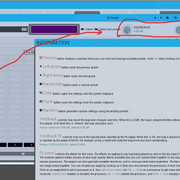
No... is there a version with feedback working? Where can I find it?bojanboyss wrote: Sat May 23, 2020 5:56 pm As for Feedback part only, have you tried latest beta? (click on image for full size)
MSuperLooper Wishes
-

- KVRAF
- 18470 posts since 26 Jun, 2006 from San Francisco Bay Area
Zerocrossing Media
4th Law of Robotics: When turning evil, display a red indicator light. ~[ ●_● ]~
4th Law of Robotics: When turning evil, display a red indicator light. ~[ ●_● ]~
-

- KVRian
- 1451 posts since 4 Oct, 2012 from Utah
14.07 was just released: https://www.meldaproduction.com/changes/#changes-14.07
Software portfolio
M.N.I.E - soon to be my musical portfolio
Hey, I'm Eurydice(Izzy for short) - she/her
M.N.I.E - soon to be my musical portfolio
Hey, I'm Eurydice(Izzy for short) - she/her
-
- KVRAF
- 18470 posts since 26 Jun, 2006 from San Francisco Bay Area
Wow, this thing really is a ball of bugs, isn't it? I can't get it to work correctly at all. I think it's going to be good when it's finished, but man... it currently is a mess. I don't even know where to start.
Zerocrossing Media
4th Law of Robotics: When turning evil, display a red indicator light. ~[ ●_● ]~
4th Law of Robotics: When turning evil, display a red indicator light. ~[ ●_● ]~
-
 MeldaProduction MeldaProduction https://www.kvraudio.com/forum/memberlist.php?mode=viewprofile&u=176122
 - KVRAF
- 14339 posts since 15 Mar, 2008 from Czech republic
Please get the 14.07, and when something is wrong, please let me know via info@meldaproduction.comzerocrossing wrote: Sun May 31, 2020 11:48 pm Wow, this thing really is a ball of bugs, isn't it? I can't get it to work correctly at all. I think it's going to be good when it's finished, but man... it currently is a mess. I don't even know where to start.

-
- KVRist
- 432 posts since 2 Feb, 2005 from Brighton
Sorry, a bit late to the party here but I've just discovered this thread and would like to add a huge +1 to the request for Replace modes. There was a particular function in Mobius called "Sustain Replace", which would replace the material in an existing loop with whatever you were recording in, for as long as you held down the pedal calling the function. I used to have a lot of fun recording a guitar loop and then splicing bits of random fret noise into the loop by rhythmically tapping on my Sustain Replace pedal in the next pass.zerocrossing wrote: Sat May 23, 2020 5:00 pm What I’d love to see...
Loop copy. Being able to create a loop, then copy it to a new loop track where it can be subjected to the above gradual replacement would be sweet. I guess it would be fine if it could be copied to the same loop track but different loop number. Either way...
Replace modes. Have a look at the functions of the Echoplex Digital Pro for inspiration. Möbius implements this too. Imagine you’re playing over a loop and all of the sudden you initiate a replace mode that turns a record mode on that replaces every other 16th (or any note division) with what ever new material is being fed into it. Manual mode would be good too. Great for glitchy fun.
-
- KVRist
- 432 posts since 2 Feb, 2005 from Brighton
Oh, and I've just remembered Multiply functions as well. Apologies if this is turning into a "make MSuperLooper do what Mobius used to" thread, but Multiply was great. I can't remember all the details, but "Sustain Multiply" was a really cool feature that would truncate a loop to a length determined by the amount of time you held down a given key (similar to Sustain Replace, but with a different outcome). You could use it to create ever shorter versions of a loop, right down to tiny little glitchy loops of sound. Very cool.
*Edit* I tell a lie, it was called Sustain Unrounded Multiply, and amazingly, the documentation for it and many other functions is still online: http://www.circularlabs.com/doc/v2/refe ... 20Multiply
*Edit* I tell a lie, it was called Sustain Unrounded Multiply, and amazingly, the documentation for it and many other functions is still online: http://www.circularlabs.com/doc/v2/refe ... 20Multiply
-
MeldaProduction MeldaProduction https://www.kvraudio.com/forum/memberlist.php?mode=viewprofile&u=176122
- KVRAF
- 14339 posts since 15 Mar, 2008 from Czech republic
Well, I don't think "Sustain Multiply" would be a good idea (too many problems regarding the synchronization), but the "Sustain replace" sounds good.
-
- KVRist
- 432 posts since 2 Feb, 2005 from Brighton
Thank you for responding, and I'm very excited that you would consider the option of adding a Replace mode to MSuperLooperMeldaProduction wrote: Mon Sep 28, 2020 6:44 pm Well, I don't think "Sustain Multiply" would be a good idea (too many problems regarding the synchronization), but the "Sustain replace" sounds good.

I've just posted another little video, with a demonstration of Replace/Multiply functions in this thread (about 10 mins into video).
-
- KVRer
- 11 posts since 25 Nov, 2013 from New York, NY
A replace function has been added as of the newest beta!!! 
I am loving MSuperLooper! It has a ton of potential to take over as my main looping rig.
It would be great to have these:
1. Multiply/divide x2 and /2
2. Responsiveness to tempo changes (in host or internal)- with option to timestretch at constant pitch or varispeed-style with changing pitch (a per-loop option maybe?)
3. The ability to shrink the vertical thickness of each track's display. A vertical zoom would be awesome in seeing more tracks on the screen at the same time. Even at the smallest theme zoom setting, I find myself wishing I could have more visibility of all my loops.
Keep up the good work! I am just playing with the demo right now but will be purchasing this ASAP. It has me really excited to have something like Mobius but with modern features and active development again.
I am loving MSuperLooper! It has a ton of potential to take over as my main looping rig.
It would be great to have these:
1. Multiply/divide x2 and /2
2. Responsiveness to tempo changes (in host or internal)- with option to timestretch at constant pitch or varispeed-style with changing pitch (a per-loop option maybe?)
3. The ability to shrink the vertical thickness of each track's display. A vertical zoom would be awesome in seeing more tracks on the screen at the same time. Even at the smallest theme zoom setting, I find myself wishing I could have more visibility of all my loops.
Keep up the good work! I am just playing with the demo right now but will be purchasing this ASAP. It has me really excited to have something like Mobius but with modern features and active development again.
-

- KVRian
- 710 posts since 7 May, 2002 from Phoenix, Arizona, USA
Melda keeps impressing me with his great updates in general!
+1 to your suggestions.
As for visibility of more tracks, I've been able to get 10 with 60% zoom, Neon Dark Theme, 1920x1080 screen resolution, Reaper.

+1 to your suggestions.
As for visibility of more tracks, I've been able to get 10 with 60% zoom, Neon Dark Theme, 1920x1080 screen resolution, Reaper.
-
- KVRist
- 432 posts since 2 Feb, 2005 from Brighton
Replace is in already?! Wow, I don't usually keep up with the betas but I'll be checking that out today for sure_jon wrote: Fri Nov 13, 2020 10:51 pm A replace function has been added as of the newest beta!!!
I am loving MSuperLooper! It has a ton of potential to take over as my main looping rig.
It would be great to have these....
I'd just like to echo all your other comments and suggestions, completely agree on all fronts. By the way, did you know you can briefly 'trick' MSL into displaying the tracks at a smaller height? If you use the A/B function on the interface and reduce the amount of tracks on the 'B' state before shrinking down to the smallest size and then switching back to 'A', it keeps the interface at the same height with the tracks squished in. I assume this is just a small graphical glitch as the tracks immediately snap back to their usual minimum as soon as you hit play on the transport. That's a poor explanation, so here's a gif to demonstrate:

I'd love to actually be able to get the tracks down to that height.
PS - are you the same Jon who's been commenting on my YouTube videos? If so thanks, as it's usually very quiet and lonely over there!
-
- KVRer
- 11 posts since 25 Nov, 2013 from New York, NY
Yes that's meBennyG wrote: Sun Nov 15, 2020 12:42 pm PS - are you the same Jon who's been commenting on my YouTube videos? If so thanks, as it's usually very quiet and lonely over there!

-
- KVRist
- 432 posts since 2 Feb, 2005 from Brighton
I downloaded 14.12 yesterday and have been playing around a bit with Replace. A few comments, if I may:
- It's quite difficult at the moment to do any replacing without causing a lot of unwanted clicks - could we perhaps have a crossfade control for Replace? Or have the current crossfade knob affect it? (this is the bit where you tell me that's already the case
 )
)
- It would be great if you were able to Replace into a track other than the one which is currently selected. So at the moment, I have a guitar loop going on Track 1 and I'm playing another part on Track 2 (not recording). I'd like to be able to splice little bits of what I'm playing into Track 1, without leaving Track 2.
So could it be possible in the MIDI Settings window to add a target parameter for Replace within each track to make it work this way? So you'd go: "Select target parameter > Track x > Replace", rather than calling it as a global function?
Alternatively, I have been able to get quite close to this using a multiparameter in Switch mode to call:and then binding this to a pedal on my MIDI controller as an On/Off button. When I'm playing on Track 2, I can hold down the pedal to perform the Replace into Track 1, with selection then jumping back to Track 2 on pedal release. However it only seems to work once, with every subsequent press leaving selection stuck on Track 2 (unless I go back to the multiparameter edit window and toggle the invert option). Not sure if user error or a bug - I can always post another video to demonstrate if you like?Code: Select all
Track 1 - Select
Replace
Track 2 - Select (invert) (use first parameter's range)
-
- KVRAF
- 18470 posts since 26 Jun, 2006 from San Francisco Bay Area
This has become my main audio looper. So nice to have a good looping tool again that’s 64 bit native.
Zerocrossing Media
4th Law of Robotics: When turning evil, display a red indicator light. ~[ ●_● ]~
4th Law of Robotics: When turning evil, display a red indicator light. ~[ ●_● ]~
-
- KVRist
- 111 posts since 26 Aug, 2017
I bought this when it came out, hoping it would replace Mobius but the lack of multitrack doomed that idea. But I see now it has 16 ins and 16 outs so trying it out again.
Two must haves though:
1) Be able to see all tracks on the screen at once.
2) Mix and match sync and not-synced, and multiples of bars, across all tracks.
Would also really like to have 32 tracks. Am about to start experimenting with using two instances of Mobius to get to 32 tracks.
Anyway, glad to see development is continuing and a lot of improvement has been made since this came out, look forward to seeing where this goes!
Two must haves though:
1) Be able to see all tracks on the screen at once.
2) Mix and match sync and not-synced, and multiples of bars, across all tracks.
Would also really like to have 32 tracks. Am about to start experimenting with using two instances of Mobius to get to 32 tracks.
Anyway, glad to see development is continuing and a lot of improvement has been made since this came out, look forward to seeing where this goes!
youtube.com/@manymanyhaha/live