


Plugins always on top
-

- KVRer
- 16 posts since 27 Nov, 2020
Is there a way to make it so the plugin windows aren't always on top of other windows?
-
- KVRian
- 524 posts since 16 Mar, 2017
Even more annoyingly, on the Mac, if a plugin window is open you can't hide the application without first closing it. Tracktion keeps unhiding itself immediately when you try to hide it while a plugin window is open.
-
- KVRist
- 162 posts since 20 Jul, 2009
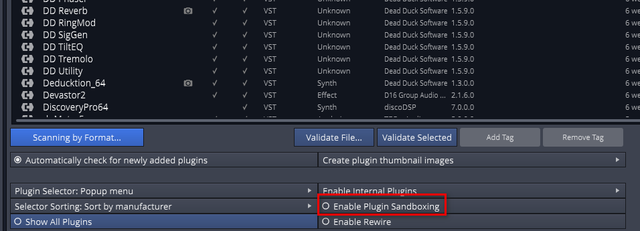
Try turning off plugin sandboxing under settings > plugins. I've found that gets around the annoying windows staying on top and makes them then act more like normal windows.gpkcaminha wrote: Thu Dec 31, 2020 1:34 pm Is there a way to make it so the plugin windows aren't always on top of other windows?
-

- KVRAF
- 4891 posts since 3 Jan, 2003 from Vancouver
Another way to do it is keep sandboxing on generally but turn it off for the plugins. Sounds strange, but some plugins might need sandboxing and this allows you to do that. It's the most security with the fewest sticky windows.
Surely there must be consensus by now...
-
- KVRer
- Topic Starter
- 16 posts since 27 Nov, 2020
Yeah turning off sandboxing worked for me. Unfortunate that I have to do that though, but hopefully the plugins I use the most and need to minimize are more stable...