

Hive 2.1 Izmo skin by Plugmon
- KVRAF
- 3385 posts since 25 Apr, 2011
-
- KVRian
- 834 posts since 7 Dec, 2018 from Saint-Petersburg
I already posted it in Hive 2 beta topic but I shall move my thoughts because I really like how this skin functionally designed. It can become Hive from my dreams 
First of all - colors. I can understand when designer wants to make something different from project to project but there are solid reasons why "darker" synths loved by musicians. They don't make the eyes suffer. Second, there are almost no contrasts in Izmo. I think you need to split modules using colors and maybe something like different textures. It is worth mentioning that everything is good with contrasts and textures in the classic Hive skin. Third, blurry everything...
Please, don't forget that no matter how beautiful a synthesizer is looking, first of all, it should be usable for quick intuitive work and be eye-scan friendly. I'm not always looking at the synth interface straight. More often, I look at it from the side while I play the keyboard and using another free hand for tweaking. That's why contrast so important (but you know it, of course).
As I said, Izmo is very well designed and removes many annoying Hive restrictions and allows to work more fluently. Good job, be blessed!
First of all - colors. I can understand when designer wants to make something different from project to project but there are solid reasons why "darker" synths loved by musicians. They don't make the eyes suffer. Second, there are almost no contrasts in Izmo. I think you need to split modules using colors and maybe something like different textures. It is worth mentioning that everything is good with contrasts and textures in the classic Hive skin. Third, blurry everything...
Please, don't forget that no matter how beautiful a synthesizer is looking, first of all, it should be usable for quick intuitive work and be eye-scan friendly. I'm not always looking at the synth interface straight. More often, I look at it from the side while I play the keyboard and using another free hand for tweaking. That's why contrast so important (but you know it, of course).
As I said, Izmo is very well designed and removes many annoying Hive restrictions and allows to work more fluently. Good job, be blessed!
-
Funkybot's Evil Twin Funkybot's Evil Twin https://www.kvraudio.com/forum/memberlist.php?mode=viewprofile&u=116627
- KVRAF
- 12441 posts since 16 Aug, 2006
-
- KVRian
- 772 posts since 16 Jan, 2019 from deep inside
Does anyone know why we can't see the modulation movement on the amount UI? Why is it static instead of showing how much is being modulated? Perhaps if the orange line was just desaturated showing the amount?
Something like this:
Speaking of which... could we get different colors for each modulator, instead of all being orange?
Something like this:
Speaking of which... could we get different colors for each modulator, instead of all being orange?
You do not have the required permissions to view the files attached to this post.
-
- KVRian
- 772 posts since 16 Jan, 2019 from deep inside
As for Izmo, i really love the Eclipse UI, but Izmo is totally confusing and nearly unusable with so many major controls barely discernable. Icons that don't appear to be anything important are actually the only way to access significant parts of the UI. Like the little square brackets next to Sequencer or how long it took to find my Presets.
I could get used to it, of course, but it just feels too flat overall and there's no hierarchy with everything just sitting at the same level.
-
- KVRian
- 772 posts since 16 Jan, 2019 from deep inside
A small bug:
- drag a mod onto the Distort Mix
- try to change the mod amount by clicking the circle and dragging
result: the amount can't be changed because the distortion type will change instead of mod amount.
- drag a mod onto the Distort Mix
- try to change the mod amount by clicking the circle and dragging
result: the amount can't be changed because the distortion type will change instead of mod amount.
- KVRist
- 395 posts since 3 Mar, 2015 from Japan
This is because the FX type menu and the knob are too close to each other. must be fixed, thanks.psynical wrote: Mon Jan 25, 2021 10:28 pm A small bug:
- drag a mod onto the Distort Mix
- try to change the mod amount by clicking the circle and dragging
result: the amount can't be changed because the distortion type will change instead of mod amount.
- KVRist
- 395 posts since 3 Mar, 2015 from Japan
This is a big factor. A UI never looks the same between different backgrounds.pierb wrote: Mon Jan 25, 2021 5:16 pm I'm guessing most people will be dark UI users that suddenly see something a bit too bright which will obviously be supper annoying.
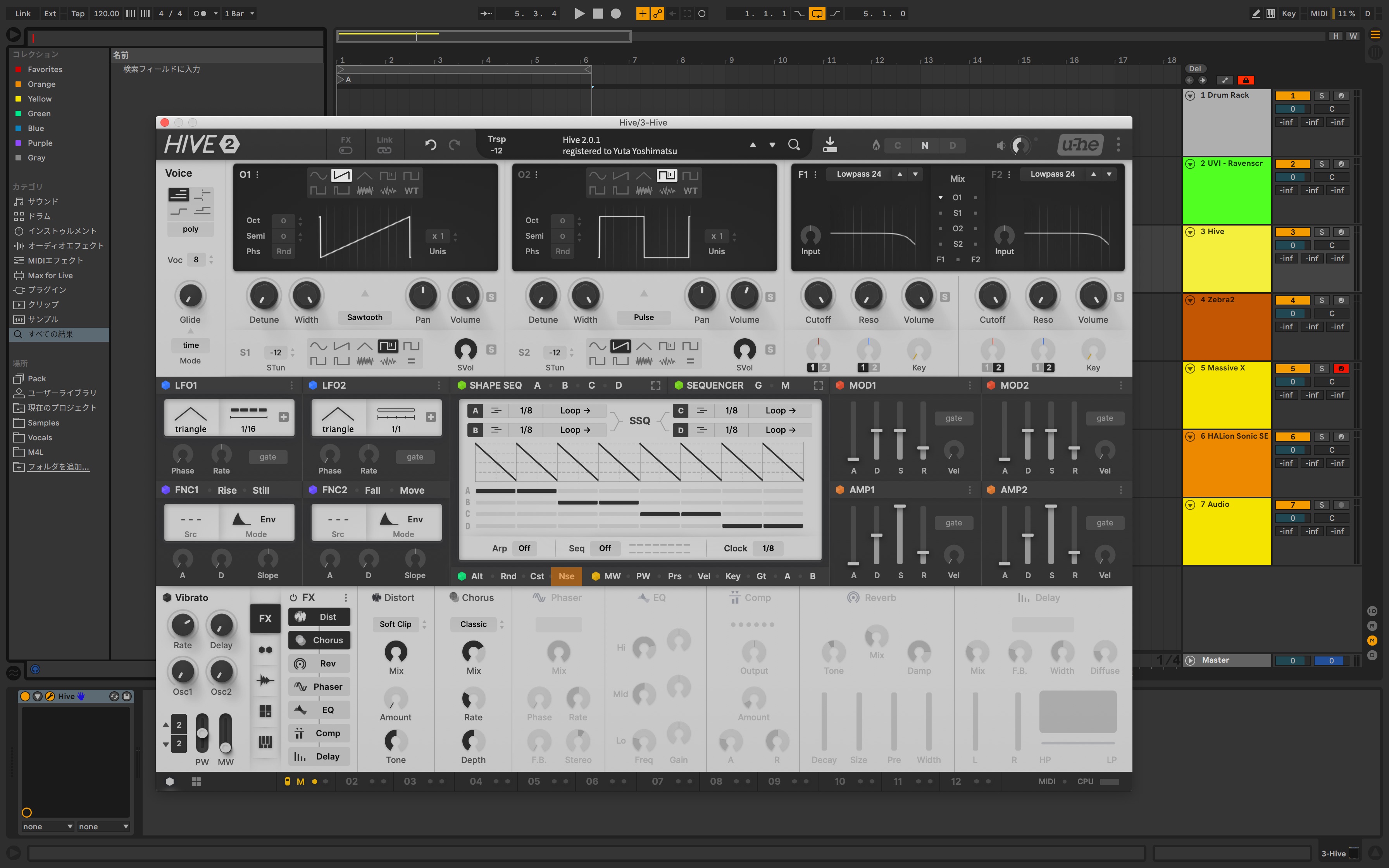
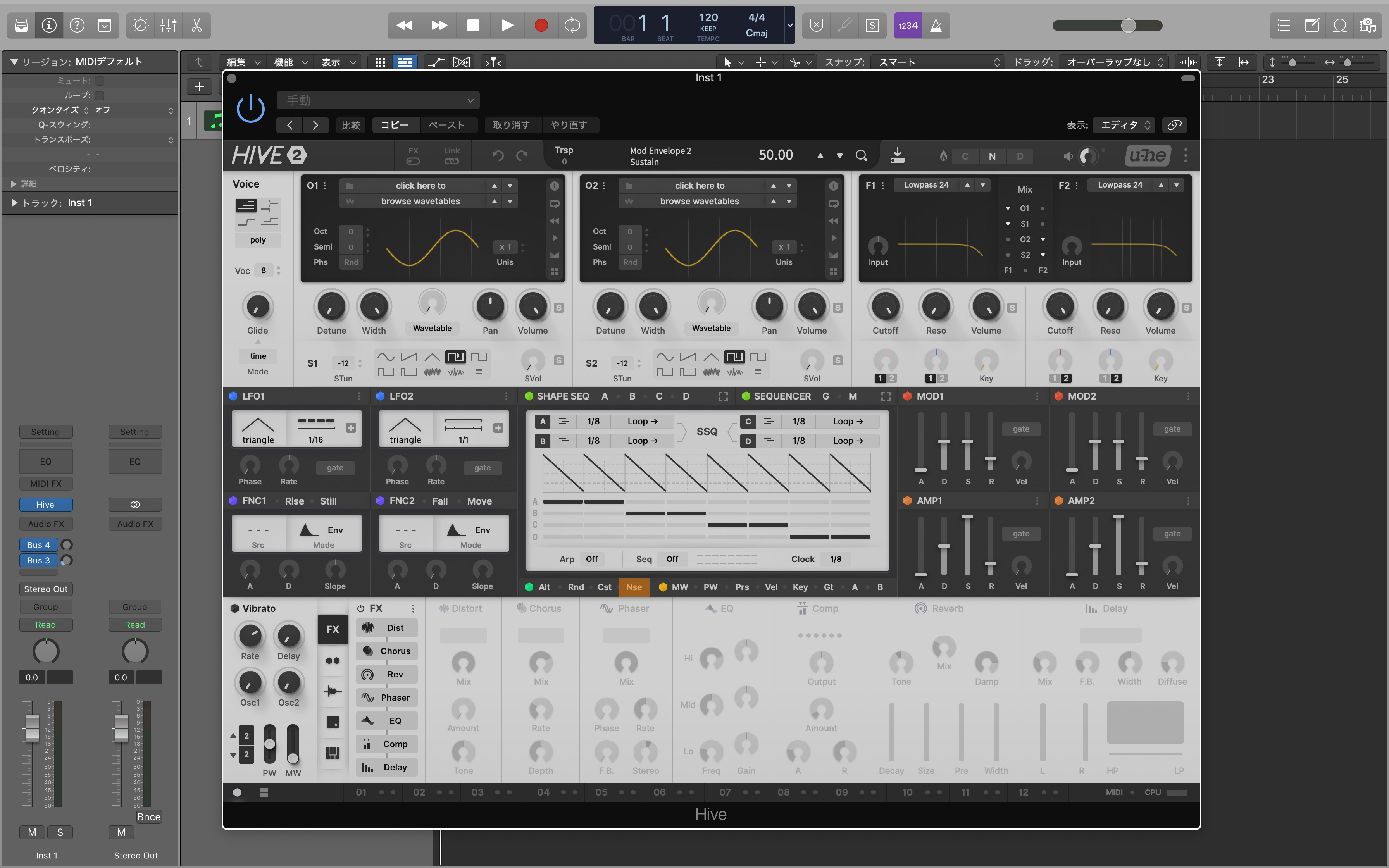
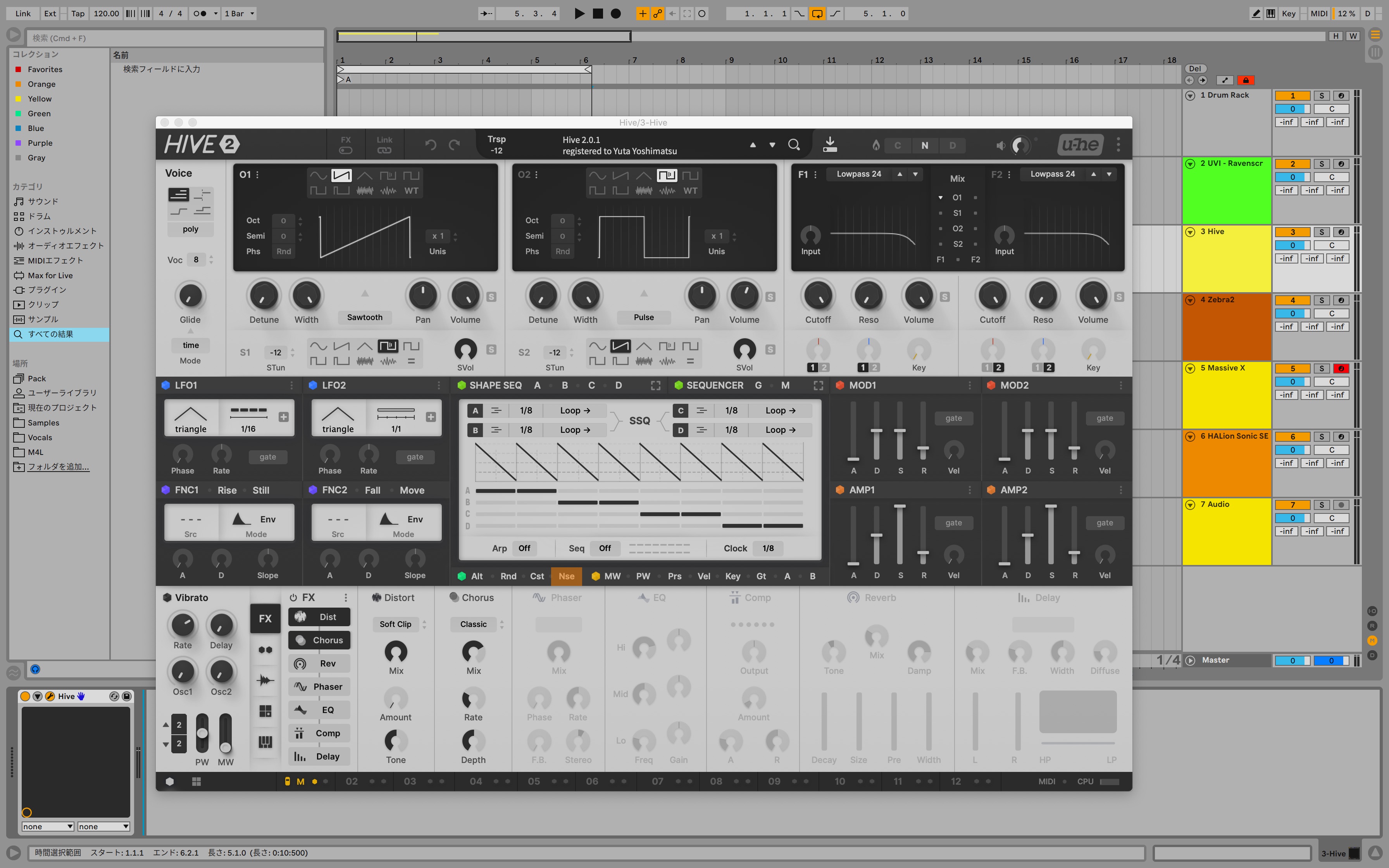
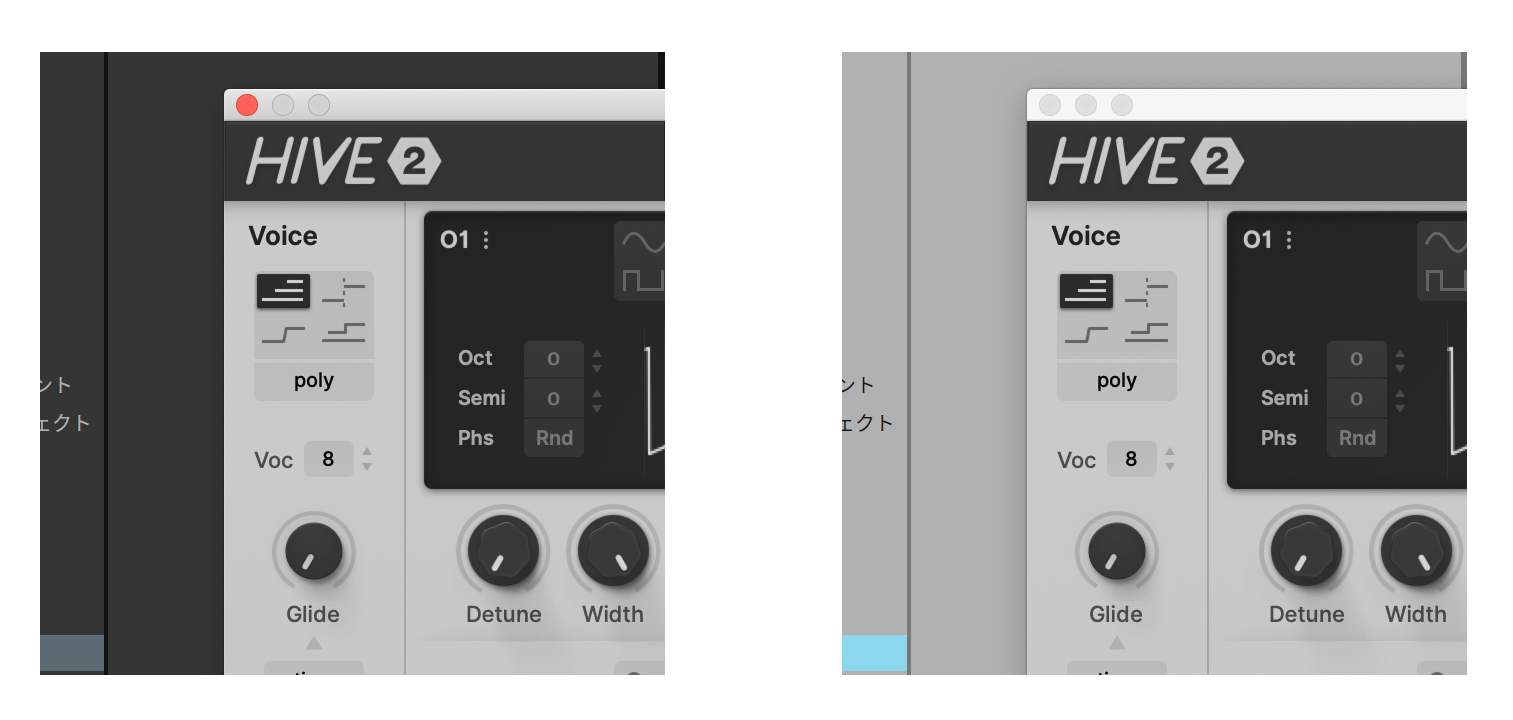
mmm...It's like optical illusion experiment.

- KVRist
- 395 posts since 3 Mar, 2015 from Japan
After IZMO's release, something must be done to Eclipse product, too.anoise wrote: Tue Jan 26, 2021 10:46 am Will there be an updated Eclipse for Hive 2.1 or is Izmo replacing it?
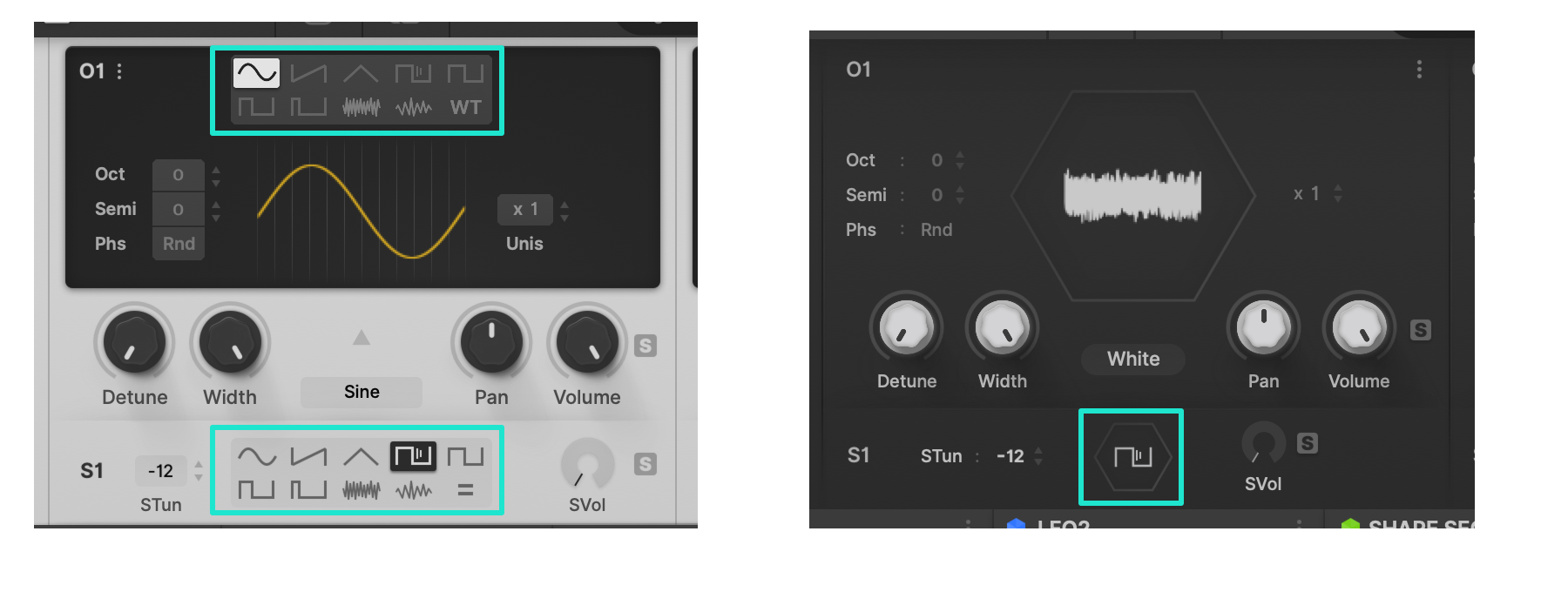
Putting light/dark discussion aside, I'm curious about the opinions for "waveform selector".

With this selector --
Pros : It takes just 1 click to select waveforms.
Cons : For main OSC, having 2 menus to select waveforms, one of which is hidden in WT mode, is rather perplexing. Displaying many icons, it may look cluttered.
Without this selector --
Pros : Looks simple. Works simple.
Cons : You need 2 clicks every time you switch waveforms.
As to icons/labels matters, perhaps it is linguistic backgrounds that affects the liking more or less. I'm not native to Latin characters and feel easier to icons rather than letters. It could be reverse, or one may feel icons to be redundant(in voicemode, FX chain) if native to alphabets.
Last edited by plugmon on Tue Jan 26, 2021 11:45 am, edited 3 times in total.
-
- KVRAF
- 2685 posts since 14 Jul, 2005 from Australia
I agree that the single click is ideal, but personally feel that it's better to not have that available if it will not always be visible (i.e. when wavetables are being used). I must admit that I really like that hexagon style because it is like a little tease on the original Hive design, but honestly both designs look great (assuming they would both use a dark theme).plugmon wrote: Tue Jan 26, 2021 11:17 amAfter IZMO's release, something must be done to Eclipse product, too.anoise wrote: Tue Jan 26, 2021 10:46 am Will there be an updated Eclipse for Hive 2.1 or is Izmo replacing it?
Putting light/dark discussion aside, I'm curious about the opinions for "waveform selector".
With this selector --
Pros : It takes just 1 click to select waveforms.
Cons : For main OSC, having 2 menus to select waveforms, one of which is hidden in WT mode, is rather perplexing. Displaying many icons, it may look cluttered.
Without this selector --
Pros : Looks simple. Works simple.
Cons : You need 2 clicks every time you switch waveforms.
As to icons/labels matters, perhaps it is linguistic backgrounds that affects the liking more or less.
I really hope that any of my feedback didn't come off too negative. I think you are an incredible designer, and honestly I was seriously looking at buying Eclipse just the other week but then found this Hive 2.1 release and thought I'd wait to see what it's going to offer. I'm so grateful for everything you're doing!
Keep up the great work and thank you so much for engaging with us and taking on suggestions so openly.
- KVRAF
- 3385 posts since 25 Apr, 2011
- KVRist
- 195 posts since 14 Dec, 2013
As many people already said:
- UI layout - 10/10
- Color theme - bad
Switch back from Izmo to original skin felt like huge relief for my eyes
One more thing: Izmo skin feels very laggy compared to original skin. The scope is like 5 fps even on eco mode and interacting with shape seq feels much less responsive.
- UI layout - 10/10
- Color theme - bad
Switch back from Izmo to original skin felt like huge relief for my eyes
One more thing: Izmo skin feels very laggy compared to original skin. The scope is like 5 fps even on eco mode and interacting with shape seq feels much less responsive.

