Ableton Live 11

Audio Plugin Hosts and other audio software applications discussion
Post Reply New Topic
RELATED
PRODUCTS
Live

Post

ReleaseCandidate wrote: Tue Feb 09, 2021 9:18 amIn Centercode, go to the 'Beta Releases' there you find the latest beta download and all others.
Nice! Thanks! Didn't think of that and since I was only accepted few days ago I've not checked older posts :dog:

On it! :hyper:
Music tech enthusiast
DAW, VST & hardware hoarder
My "music": https://soundcloud.com/antic604

Post

Just joined the beta - so exciting!

Post

I wanted to ask how people are using mouse wheels with Live?

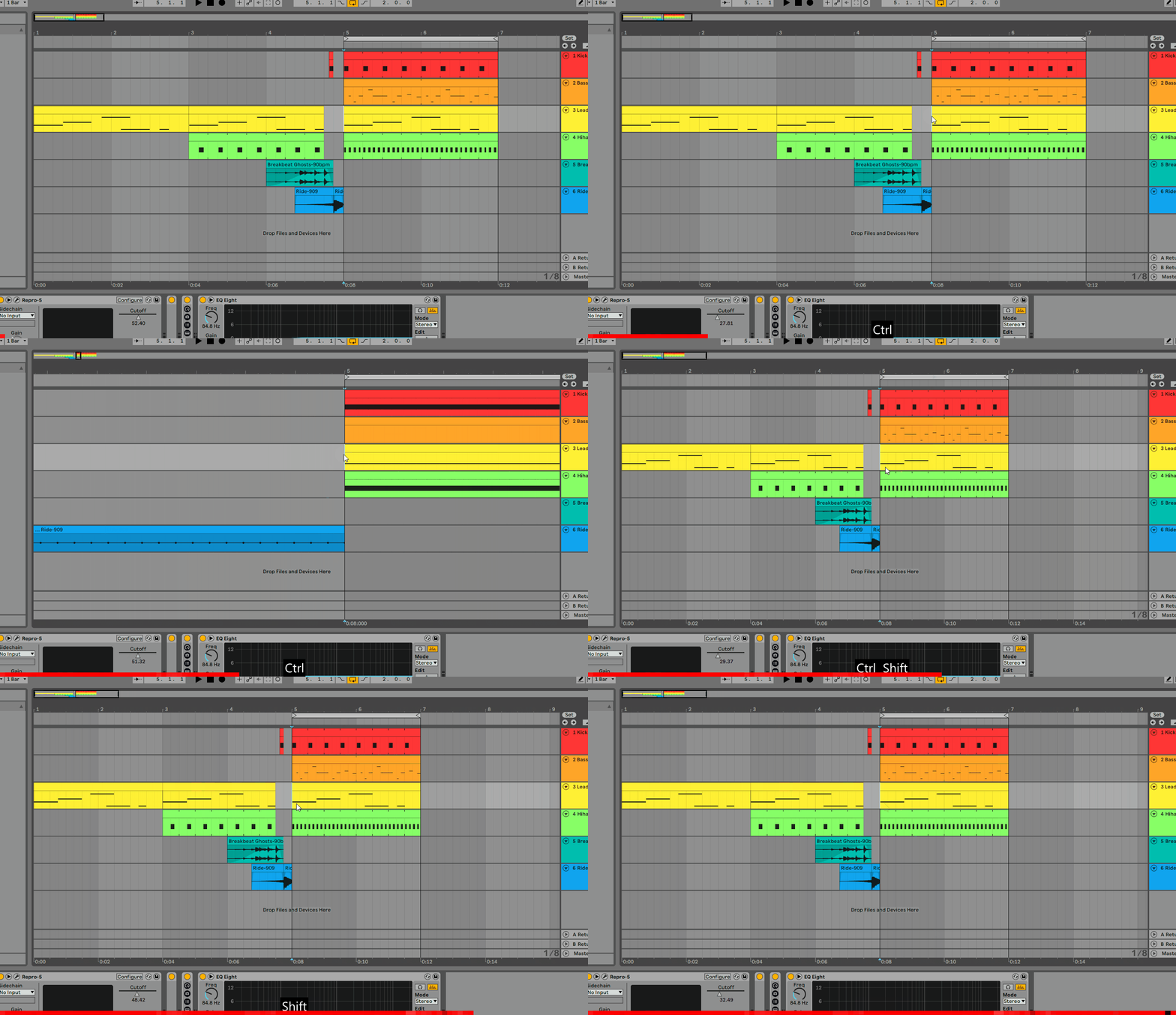
Ctrl+up/down zooms in/out and Shift+up/down scrolls horizontally. But the sensitivity is completely off - with Shift, I need to do 5+ full turns to scroll screen-worth of content, but with Ctrl the smallest movement jumps in/out by several bars.

What's up with that? Has it always been like this? Or is it my mouse (which works fine in Bitwig or Studio One)?

Here's one full movement with Ctrl and then with Shift:

Image


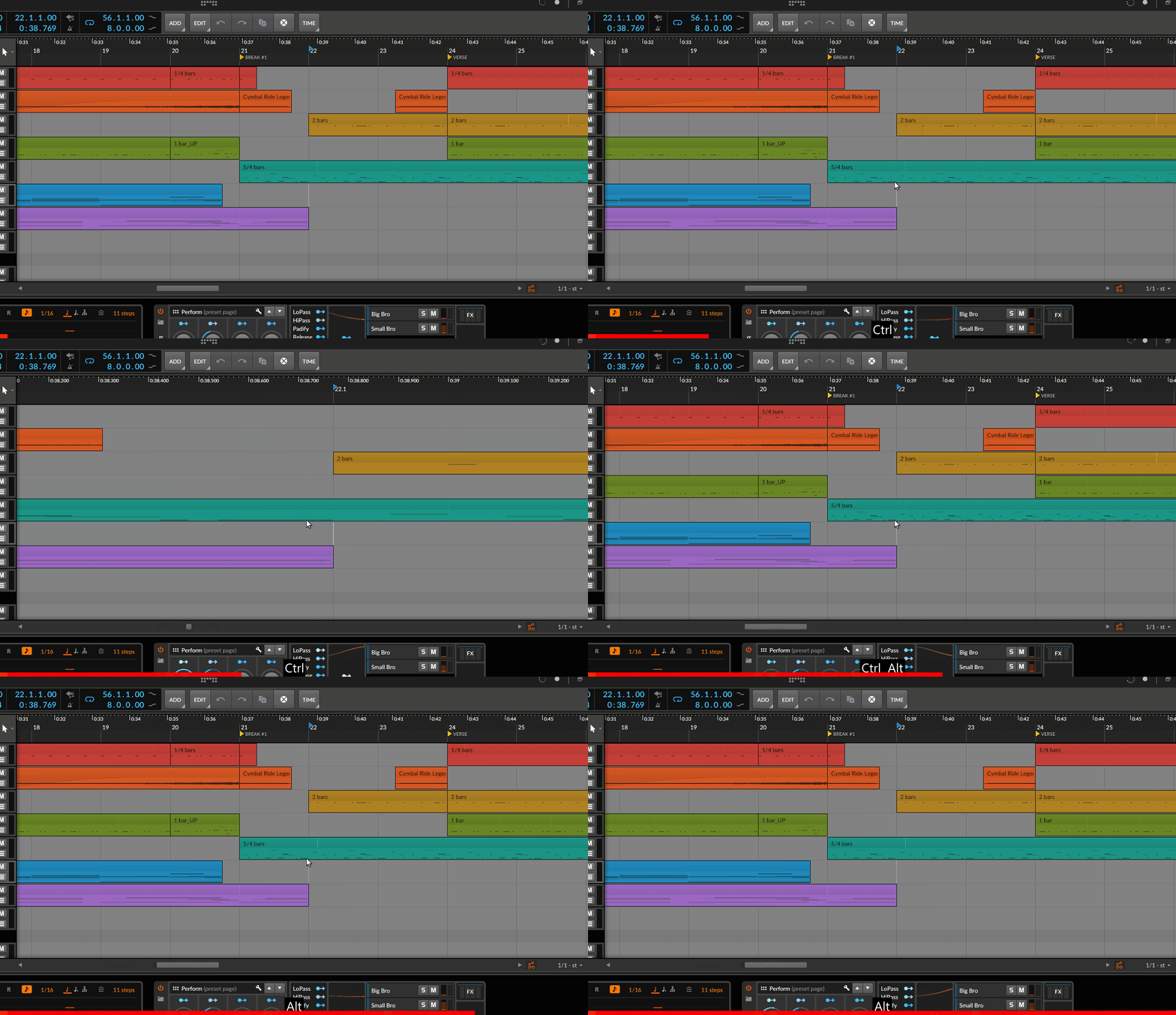
Same 8-bar screen in Bitwig, with the same movement:

Image
Music tech enthusiast
DAW, VST & hardware hoarder
My "music": https://soundcloud.com/antic604

Post

@Antic604, it works correctly on macOS (CMD+Scroll and Alt+Scroll via magic mouse).

Anyone else experiencing a similar issue on Windows?

Post

elxsound wrote: Tue Feb 09, 2021 6:19 pm @Antic604, it works correctly on macOS (CMD+Scroll and Alt+Scroll via magic mouse).

Anyone else experiencing a similar issue on Windows?
Thanks! Also posted on the beta forum.
Music tech enthusiast
DAW, VST & hardware hoarder
My "music": https://soundcloud.com/antic604

Post

Same here. The zoom seems a little aggressive. Bitwig's is better, which I find strange because one of my huge issues with Bitwig is the balance between scroll and zoom when you drag on the timeline. I find it impossible to do either exclusively.

Post

Actually, CTRL+wheel is pretty darn aggressive in Live 10 as well. So it's nothing new. It doesn't seem to match the shift+wheel well at all. I never use CTRL+wheel, but this may be why. ;-)

Post

ReleaseCandidate wrote: Tue Feb 09, 2021 9:04 am
antic604 wrote: Tue Feb 09, 2021 8:50 am Are those new devices like PitchLoop89, Vector FM/Grain/Delay, Emit, TreeTone, Bouncy Notes in yet?

Or are they coming only with the final release?
Yes, quite some time ago.
Last packs where the Spitfire ones.
I can't find them in the beta I just installed

Post

aMUSEd wrote: Tue Feb 09, 2021 11:21 pm
ReleaseCandidate wrote: Tue Feb 09, 2021 9:04 am
antic604 wrote: Tue Feb 09, 2021 8:50 am Are those new devices like PitchLoop89, Vector FM/Grain/Delay, Emit, TreeTone, Bouncy Notes in yet?

Or are they coming only with the final release?
Yes, quite some time ago.
Last packs where the Spitfire ones.
I can't find them in the beta I just installed
viewtopic.php?p=8026632#p8026632
Music tech enthusiast
DAW, VST & hardware hoarder
My "music": https://soundcloud.com/antic604

Post

Hi guys. A quick one and it's a honest one. Not attempt for trolling. Seriously.

How come Live 11 beta is so big and long for a few new devices and few new basic tricks under the table?

What am I missing there? I mean it's not like new devices were not released during Live 10. Ok they were 3rd party devices, but I have yet to see someone is running thousands of beta users just to release new FX.

That being said are there big structural changes, drastic performance improvements or what?

I saw couple of videos but they were all focused on devices and few new tricks in the sequencer. I am finding it hard to believe that so many resources is used to test those new functions and few devices.

Which is why I am thinking that perhaps under the table there are big changes, maybe some not even announced and this long and big beta is testing field for that.

Post

kmonkey wrote: Wed Feb 10, 2021 5:54 am...Which is why I am thinking that perhaps under the table there are big changes, maybe some not even announced and this long and big beta is testing field for that.
I think the reason is simpler - they wanted for the people to be excited and pre-order / buy license way before it was ready. A lot of the new devices and content was only added in last weeks and if you read the release notes it's mostly spit & polish. I'm not sure they've materially - not cosmetically! - adjusted any of the headline v11 features during those 3 months? They actually have not even touched seemingly simple thing like adding a button or at least an icon for tracks that have comping lanes.

Still, it's one of the more exciting DAW upgrades in recent years, so I don't really care :)
Music tech enthusiast
DAW, VST & hardware hoarder
My "music": https://soundcloud.com/antic604

Post

antic604 wrote: Wed Feb 10, 2021 7:53 am
kmonkey wrote: Wed Feb 10, 2021 5:54 am...Which is why I am thinking that perhaps under the table there are big changes, maybe some not even announced and this long and big beta is testing field for that.
I think the reason is simpler - they wanted for the people to be excited and pre-order / buy license way before it was ready. A lot of the new devices and content was only added in last weeks and if you read the release notes it's mostly spit & polish. I'm not sure they've materially - not cosmetically! - adjusted any of the headline v11 features during those 3 months? They actually have not even touched seemingly simple thing like adding a button or at least an icon for tracks that have comping lanes.

Still, it's one of the more exciting DAW upgrades in recent years, so I don't really care :)
I'm quite long on the beta now and as far as I can tell the focus is atm to iron out bugs and to stabilize the cpu handling (spikes and stuff). The added an option to deactivate the cpu overload indicator. That's not much but they done it. Also on my side the cpu spikes are gone. So there is hope that before release we get a show lanes button or an indicator that lanes are in a track could be also as simple as color coding
rabbit in a hole

Post

A bit OT but I just wanted to post how impressed I am about the way Ableton have handled the UK Brexit/VAT thing. I am VAT registered so was able to pre-order at a price excluding VAT. Now we have left the EU you can't do that, so in reality I should be charged the VAT (and then start the processing of claiming it back in the UK)

..Anyway, Ableton just set me (and I assume a load of people) this email...

''Due to the United Kingdom’s departure from the European Union, VAT-free orders
for UK customers are no longer possible in our web-shop, so we have had to cancel
this order.

However, since the VAT-free price was already confirmed with you, we would offer
the upgrade at the same price''


Which is above and beyond so :party: :tu:
X32 Desk, i9 PC, S88MK3, S1, BWS, Live + PUSH 3, Osmose, RedShift 6 Pro3, Tempera, Syntakt, Digitone II, OP1-F, OPXY, Eurorack, TD27 Drums, Guitars, Basses, Amps and of course lots of pedals!

Post

SLiC wrote: Fri Feb 05, 2021 3:26 pm rocking my finger backwards and forwards to get vibrato very natural (I find myself doing it on all keyboards even if it has no effect)
Glad I'm not the only one :D I don't have a guitar background, but it just feels right!
Always Read the Manual!

Post

elxsound wrote: Tue Feb 09, 2021 6:19 pm @Antic604, it works correctly on macOS (CMD+Scroll and Alt+Scroll via magic mouse).

Anyone else experiencing a similar issue on Windows?
Yes! Vertical mousewheeling is comically over the top on Windows 10!
Always Read the Manual!

Post Reply

Return to “Hosts & Applications (Sequencers, DAWs, Audio Editors, etc.)”