

thanks. Tested, but it seems to give me the same options i have in the MIDI editor, meaning no direct sysex file function, just manual entry (or copy/pasted information)
It's not that important for me anyway, but of course this might be useful for someone else.
The most Easy-on-the-eyes Reaper theme
-
- KVRist
- 108 posts since 14 Jan, 2020
the ctrl+alt+drag render is mostly useful for dragging and dropping audio/midi into plugins straight from the arrangement window.FapFilter wrote: Wed Sep 08, 2021 2:57 pmdoesn't seem to work for me, although the new clip says render.
But generally it still seems to be a straight copy: a MIDI clip stays a MIDI clip and audio files are also still identical copies without any FX applied.
there's a few ways you might get a happier quickly-render-fx-onto-stuff workflow depending on what sort of thing you're after
1. pick what you want in the render dialog (you might find the 'add rendered items to new tracks' checkbox at the bottom helpful), save as a preset (top right) so you don't have to do it ever again, apply and then just use the 'render project using the most recent settings, auto-close dialog' action over and over again. render presets are insanely useful because they also save naming templates / wildcards.
2. check out the 'apply take/track fx to item' action, it'll render an item + fx into a new take. funnily enough I hate the take system for recording takes, but if you like to resample things and mangle audio this feature is great. since tracks are tracks and items are items in REAPER, if you do this with a VSTi on a track + a midi clip you get an item containing the original midi take AND the rendered audio+fx take, so non-destructive. if you're mostly rendering track fx you could e.g. make a custom action combining this with 'bypass fx on selected/last touched track' for convenience.
3. there's some 'render selected area of tracks to stem tracks' type actions in the action list for quickly rendering a time selection of whatever selected tracks and muting the originals.
-
- KVRAF
- 1524 posts since 29 Oct, 2015 from Jupiter 8
That's what i've been using it for, at least for audio. Might try if this is also working on some of my plugins for MIDIthe ctrl+alt+drag render is mostly useful for dragging and dropping audio/midi into plugins straight from the arrangement window.
Will try the latter again, thanks, but it still seems a bit more complicated than something like just ctrl + m on selected stuff
The GAS is always greener on the other side!
-
- KVRist
- 77 posts since 8 Feb, 2007 from Milwaukee, WI
-
- KVRist
- 48 posts since 4 Dec, 2008
it’s gotten much better in fairness. Back in v4 it was arduously dull, pre v3 it was disquietingly fugly. The new default is decent.FapFilter wrote: Wed Sep 08, 2021 3:36 pm And regarding it's “drab“ look: except for the “big white box“ and some of it's native plugins (like the EQ) which indeed can be an eyesore, i generally think it looks pretty nice and not really worse than Cubase or Logic.
useful skin:
“Smooth” - an improved mod of the default. Someone mentioned it up thread. The best I’ve found, by a long way
-
- KVRist
- 259 posts since 11 Dec, 2018
What about this? (haven't used it, but it may be what you're looking for)FapFilter wrote: Wed Sep 08, 2021 4:14 pm the ctrl+alt+drag render is mostly useful for dragging and dropping audio/midi into plugins Will try the latter again, thanks, but it still seems a bit more complicated than something like just ctrl + m on selected stuff
https://forum.cockos.com/showthread.php?t=237319
-
- KVRAF
- 1524 posts since 29 Oct, 2015 from Jupiter 8
thanks, that might do it, but i'm stupidly a bit reluctant to install scripts.
I actually don't even have the slightest clue how to do this, but in my opinion such an ultra simplistic feature other DAWs had for decades should long be an absolute standard feature in any DAW.
Not sure, but i think i once read that Reaper originally was inspired by Vegas?
I've never used Vegas myself, but i was always under the impression that Vegas more or less was Acid + video editing capabilities, and at least Acid did have this feature for ages (if not forever)
I actually don't even have the slightest clue how to do this, but in my opinion such an ultra simplistic feature other DAWs had for decades should long be an absolute standard feature in any DAW.
Not sure, but i think i once read that Reaper originally was inspired by Vegas?
I've never used Vegas myself, but i was always under the impression that Vegas more or less was Acid + video editing capabilities, and at least Acid did have this feature for ages (if not forever)
The GAS is always greener on the other side!
-
- KVRAF
- 3496 posts since 30 Dec, 2014

KVR S1-Thread | The Intrancersonic-Design Source > Program Resource | Studio One Resource | Music Gallery | 2D / 3D Sci-fi Art | GUI Projects | Animations | Photography | Film Docs | 80's Cartoons | Games | Music Hardware |
-

- KVRAF
- 19829 posts since 16 Sep, 2001 from Las Vegas,USA
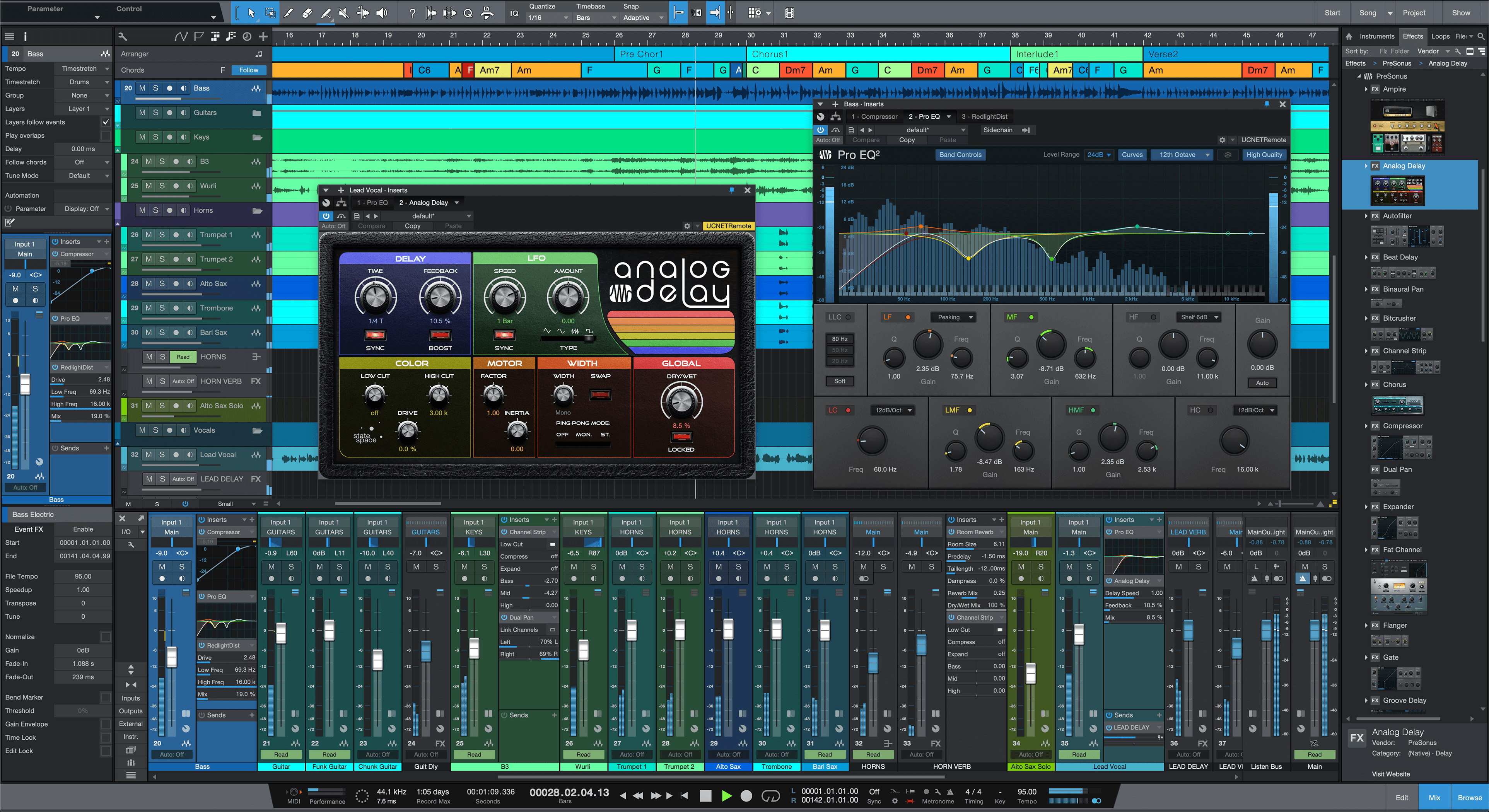
To me "easy on the eyes" does not equal "every color in the rainbow". 
Do people really color their projects like that?
Do people really color their projects like that?
None are so hopelessly enslaved as those who falsely believe they are free. Johann Wolfgang von Goethe
-
Funkybot's Evil Twin Funkybot's Evil Twin https://www.kvraudio.com/forum/memberlist.php?mode=viewprofile&u=116627
- KVRAF
- 12470 posts since 16 Aug, 2006
I use iLogic 3.x which I've made some custom icons for.

-
- KVRAF
- 7315 posts since 7 Mar, 2003
I use Reaper a lot.
I also hate the way it looks and feels.
A lot.
Like... a lot.
I would kill my first born for a complete GUI re-write from the ground up. But it doesn't look like we're gonna get it!
Cubase is the nicest looking DAW for my eyes, followed by Studio One and Logic Pro X.
I also hate the way it looks and feels.
A lot.
Like... a lot.
I would kill my first born for a complete GUI re-write from the ground up. But it doesn't look like we're gonna get it!
Cubase is the nicest looking DAW for my eyes, followed by Studio One and Logic Pro X.
My Youtube Channel - Wires Dream Disasters
-

- KVRAF
- 24415 posts since 7 Jan, 2009 from Croatia
There are actions:FapFilter wrote: Wed Sep 08, 2021 1:57 pmIf i was able to find out how to transpose MIDI clips up and down per semitone with something like ctrl +/- and quick bouncing of the current selection to a new audio clip that appears on a new track like i could do in Acid or Sonar i don't think that i't really need much else at all to be PERFECTLY happy with it
Item Properties: Pitch item down one semitone
Item Properties: Pitch item up one semitone
There are variants for cents and octaves too.
Bind them to whatever. Do note these are "on the fly" transpose actions, they don't physically move notes in MIDI items around. And they also work on audio items too! SWS extensions have explicit actions to transpose selected MIDI items by semitone or an octave. You should have SWS installed - everyone should

Quick bouncing of selection: "Track: Render selected area of tracks to stereo stem tracks (and mute originals)". You might not need the (and mute originals) part, I guess that could be sorted out with a custom action somehow. This of course renders with all FX applied. If you just need a quick copy of a time selection on a new track, doesn't Ctrl+drag of item within the time selection do that for you?.
Regarding .syx files - AFAIK Reaper doesn't read them directly, but you can convert them to .mid: https://www.bwalk.com.au/MidiUtil/FileConvert.html
Last edited by EvilDragon on Wed Sep 08, 2021 7:43 pm, edited 4 times in total.
-
- KVRist
- 259 posts since 11 Dec, 2018
I agree. When I need to bounce MIDI, I usually render in place as a new take, but that does it on the same track.FapFilter wrote: Wed Sep 08, 2021 6:43 pm thanks, that might do it, but i'm stupidly a bit reluctant to install scripts.
I actually don't even have the slightest clue how to do this, but in my opinion such an ultra simplistic feature other DAWs had for decades should long be an absolute standard feature in any DAW.
Not sure, but i think i once read that Reaper originally was inspired by Vegas?
I've never used Vegas myself, but i was always under the impression that Vegas more or less was Acid + video editing capabilities, and at least Acid did have this feature for ages (if not forever)
You install scripts via Reapack: https://reaperblog.net/2016/06/how-to-u ... or-reaper/
Here are some cool ones if you decide to try them out.
MIDI: https://www.kawa.works/reascript-midi-section/
ReEQ: https://forum.cockos.com/showthread.php?t=213501
Filther, nostalgizer and many more: https://github.com/JoepVanlier/JSFX
Sorry for the offtopic
-
- KVRAF
- 1524 posts since 29 Oct, 2015 from Jupiter 8
Thanks!There are actions:
Item Properties: Pitch item down one semitone
Item Properties: Pitch item up one semitone
There are variants for cents and octaves too.
Bind them to whatever. Do note these are "on the fly" transpose actions, they don't physically move notes in MIDI items around. And they also work on audio items too! SWS extensions have explicit actions to transpose selected MIDI items by semitone or an octave. You should have SWS installed - everyone should
haven't found these back when i was looking for these features and ever since had to open the item properties and manually enter the value.
Now that you mention it, the action names even make complete sense, as they basically are, where you would find them when clicking around (as with all the other stuff too, but as i mentioned, for whatever reason i didn't find them when i was starting out in Reaper 2 years ago

thank you also!You install scripts via Reapack: https://reaperblog.net/2016/06/how-to-u ... or-reaper/
Here are some cool ones if you decide to try them out.
MIDI: https://www.kawa.works/reascript-midi-section/
ReEQ: https://forum.cockos.com/showthread.php?t=213501
Filther, nostalgizer and many more: https://github.com/JoepVanlier/JSFX
Sorry for the offtopic
who knows, maybe i will start collecting scripts like a lunatic from now on
 , but i actually don't need that much more at all, other than my little “issues“ i mentioned before and even with those, i somehow survived until today
ReEQ sure is impressive, but i have Pro-Q, so i don't really need it.
I remember there was some script for fluidly stretching / compressing automation lane data on the fly with the mouse.
That could be a bit interesting, but again, not a complete must have for me either.
The GAS is always greener on the other side!
-
- KVRian
- 1404 posts since 17 Oct, 2018
There is never a time when I open Reaper and think "hey that's easy on the eyes" because once you open a plugin or a menu, or even the preferences you are back to Windows 95 level of GUI.
Last edited by apoclypse on Wed Sep 08, 2021 8:36 pm, edited 1 time in total.
Studio One // Bitwig // Logic Pro // Ableton // Reason // FLStudio // MPC // Force // Maschine