



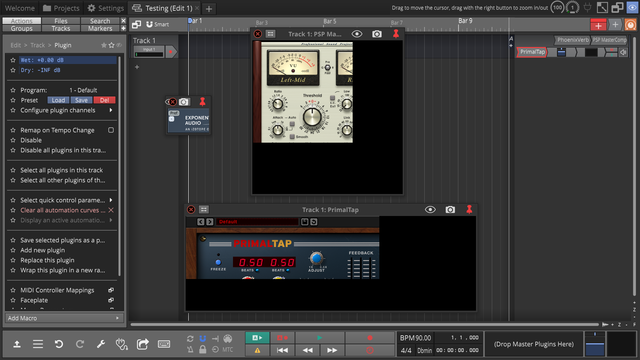
This wasn't an issue in 11.5.17 and happens in both Windows 10 & 11.
A partial list of other plugin manufactures that don't display correctly:
- Tracktion DAW Essentials (plugins appear very small)
- AIR
- Applied Acoustics Systems
- Audiothing
- Boz
- Brainworx
- Cockos
- Exponential Audio
- Hornet
- Kilohearts
- PSP
- Soundtoys
- Spitfire Audio
I'm surprised something like this slipped with so many plugins having an issue. Is anyone else experiencing this?
