


Hello,
I wanted to move to vst3 for all plugins I'm using (Win10, 64bit, FL Studio latest version).
I have no problems with my VST3 (Hive, Podolski, ThornCM, TripleCheese, TyrellN6, ZebraCM) but when I try to install Zebralette and try to put Zebra2.vst3 on channel, FL Studio says, that it's an effect, I have to put it in my effect chain and won't open it. When I put it as an effect, I can choose which plugin I want to open (Zebra, Zebralette,...) but of course it does not produce any sound - because it's instrument - not effect.
So I installed only vst2 version. This one works fine for me, because it is separate .dll file.
Anyone else have the same problem?
Thanks for reading and excuse my English.
yzcoruhT
Zebra/Zebralette vst3 issue
-

- KVRian
- 598 posts since 1 Jan, 2021
-
- KVRian
- 814 posts since 18 May, 2007 from Berlin
AFAIK (I'm almost but not entirely sure at this point) this is an FL Studio problem. Plugins that install with several sub products (like Zebra2 with its Zebrify and Zebralette etc.) are not recognized as synths by FL Studio, it will categorize them as effect plugins.
-
tasmaniandevil tasmaniandevil https://www.kvraudio.com/forum/memberlist.php?mode=viewprofile&u=62450
- KVRAF
- 2171 posts since 22 Mar, 2005 from a planet called u-he
This used to be a problem with older FL Studio versions (as TUC already explained), but I haven't seen the issue in a while.
I was hopeful that FL Studio could correctly detect such plugins by now.
Maybe try a rescan of the Zebra2 VST3 plugin.
I was hopeful that FL Studio could correctly detect such plugins by now.
Maybe try a rescan of the Zebra2 VST3 plugin.
That QA guy from planet u-he.
-
- KVRian
- Topic Starter
- 598 posts since 1 Jan, 2021
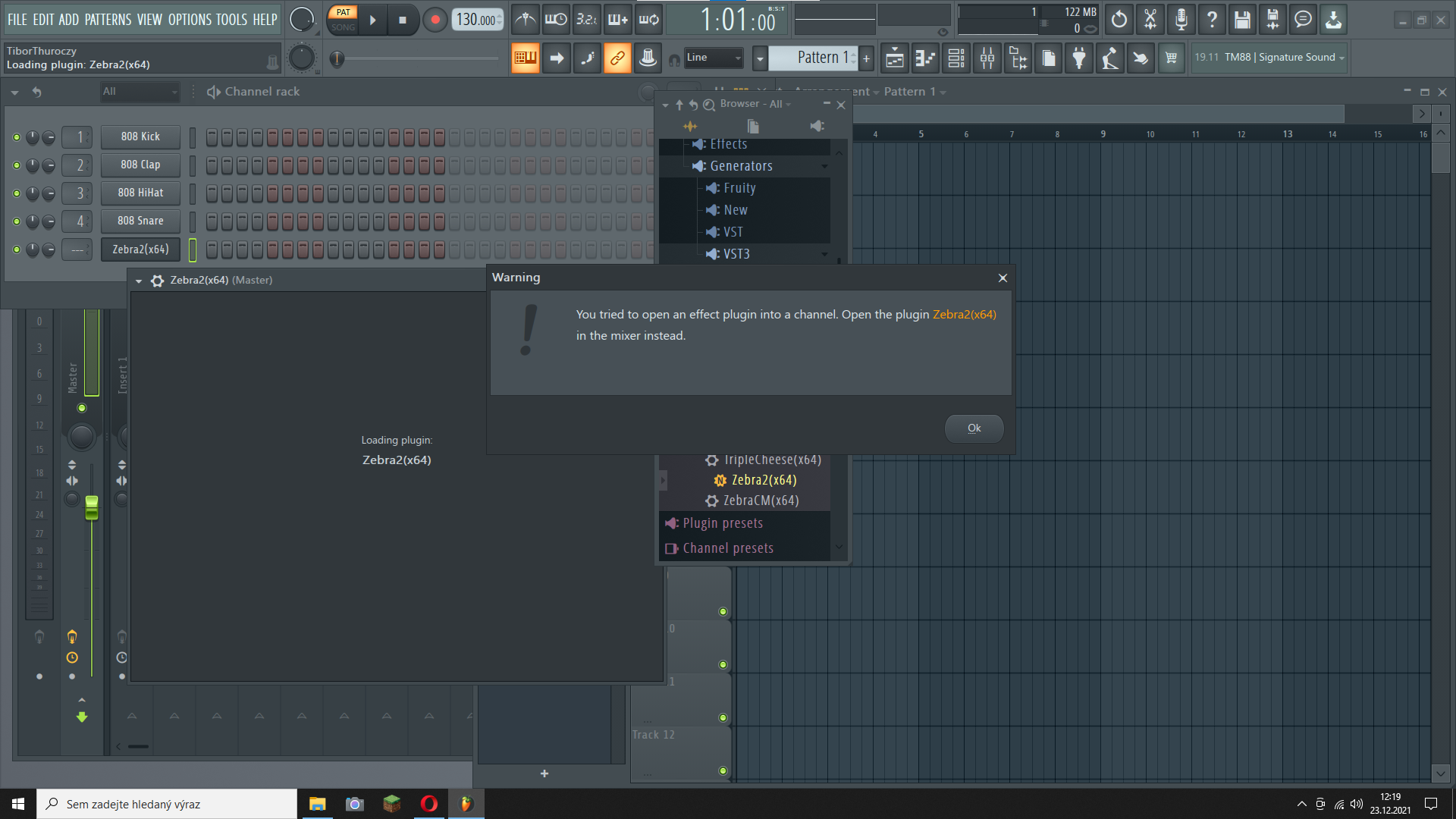
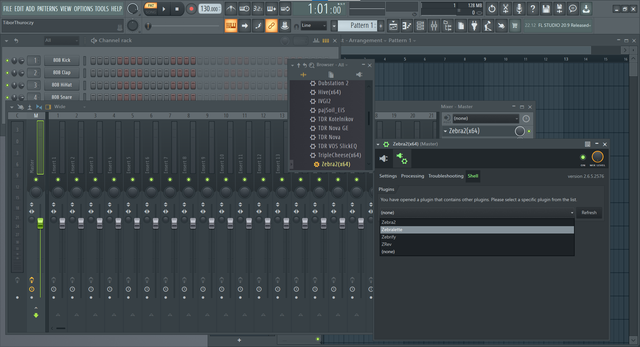
Thanks for answers. Still the same problem, also on my son's PC. I'll try to solve it/find a help on Image-Line forum.
-
- KVRian
- Topic Starter
- 598 posts since 1 Jan, 2021
-
tasmaniandevil tasmaniandevil https://www.kvraudio.com/forum/memberlist.php?mode=viewprofile&u=62450
- KVRAF
- 2171 posts since 22 Mar, 2005 from a planet called u-he
Wonderful, didn't know about this solution yet.
For users who do not have access to the FL Studio forum, the solution to this problem is to activate the "verify plugins" option in the plugin manager.
Without this option FL Studio cannot detect the different plugins that all live inside the single Zebra2 VST3 plugin.
For users who do not have access to the FL Studio forum, the solution to this problem is to activate the "verify plugins" option in the plugin manager.
Without this option FL Studio cannot detect the different plugins that all live inside the single Zebra2 VST3 plugin.
That QA guy from planet u-he.
-
- KVRian
- 814 posts since 18 May, 2007 from Berlin
Would you look at that, interesting!