What drives you crazy in Bitwig?

Official support for: bitwig.com
Post Reply New Topic
RELATED
PRODUCTS

Post

VVRV wrote: Mon Feb 07, 2022 10:02 pm
Biscotto wrote: Mon Feb 07, 2022 9:38 pm It does, but not in Pencil mode.
Touching vs Drawing
In Pointer mode it will remember the length of the last note you “draw” or “touch”
In Pencil mode it will remember the last note you “draw” but not the last you “touch”
Well, that doesn't change anything in its inconvenience. And in case of Draw Tool it's also inconsistent :ud: An option to deactivate this behavious altogether would be useful.
You prefer the default length of the current Grid value in the midi editor (which it does the first time)?
But then you are stuck with that if you need to draw several notes of different length while the Pencil goes back to the default each time....
What do you propose?
Reason - Reaktor

Post

Biscotto wrote: Mon Feb 07, 2022 10:45 pm
VVRV wrote: Mon Feb 07, 2022 10:02 pm
Biscotto wrote: Mon Feb 07, 2022 9:38 pm It does, but not in Pencil mode.
Touching vs Drawing
In Pointer mode it will remember the length of the last note you “draw” or “touch”
In Pencil mode it will remember the last note you “draw” but not the last you “touch”
Well, that doesn't change anything in its inconvenience. And in case of Draw Tool it's also inconsistent :ud: An option to deactivate this behavious altogether would be useful.
You prefer the default length of the current Grid value in the midi editor (which it does the first time)?
But then you are stuck with that if you need to draw several notes of different length while the Pencil goes back to the default each time....
What do you propose?
Right! Exactly that. Click to draw a note of default grid length, click and drag to draw a longer note. An example of such behaviour is Piano Roll in Reason, where I can freely draw notes of any length at any point. In Bitwig's Note Editor after drawing a long note and before I'll be able to draw several shorter notes I HAVE TO shorten another automatically placed long note.

Post

VVRV wrote: Tue Feb 08, 2022 8:23 am...In Bitwig's Note Editor after drawing a long note and before I'll be able to draw several shorter notes I HAVE TO shorten another automatically placed long note.
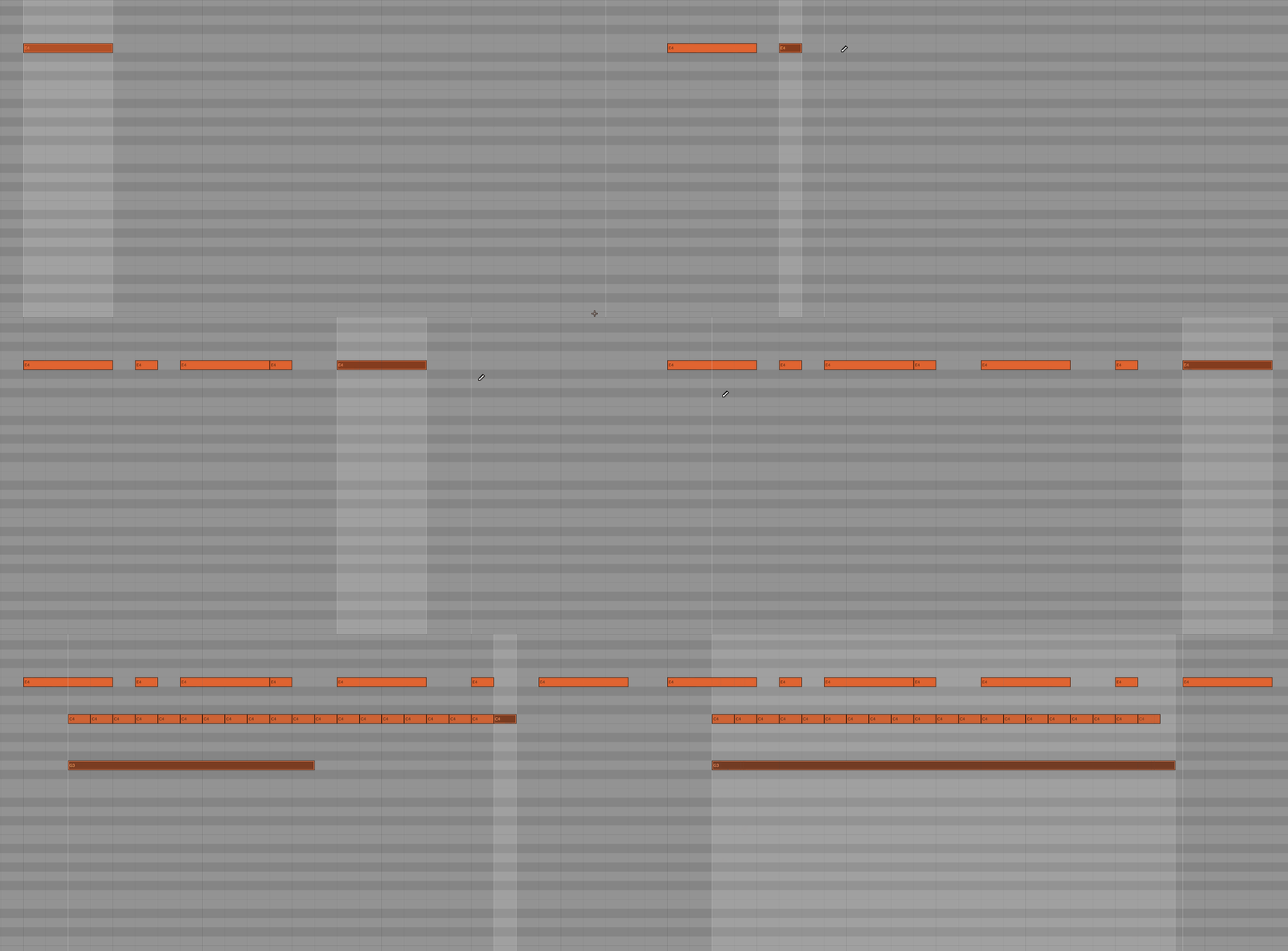
Sure, but you can do this already at the point of drawing the note - just don't release the 2nd click and move back:

Image
Music tech enthusiast
DAW, VST & hardware hoarder
My "music": https://soundcloud.com/antic604

Post

antic604 wrote: Tue Feb 08, 2022 8:31 am
VVRV wrote: Tue Feb 08, 2022 8:23 am...In Bitwig's Note Editor after drawing a long note and before I'll be able to draw several shorter notes I HAVE TO shorten another automatically placed long note.
Sure, but you can do this already at the point of drawing the note - just don't release the 2nd click and move back:

Image
Yeah, I know that. And this simple detail ruins the flow completely. It looks fast in examples, but slows down the process severely in reality. Just try to draw the exact same part in Bitwig and Reason. I don't mean that Reason is a better DAW, but it will be lightning fast there without all those 'backtracking' moves :) Again, simple but significant detail. Not everyone is a fan of FL Studio-like approach to MIDI editor :)

Post

VVRV wrote: Tue Feb 08, 2022 8:47 amYeah, I know that. And this simple detail ruins the flow completely. It looks fast in examples, but slows down the process severely in reality. Just try to draw the exact same part in Bitwig and Reason. I don't mean that Reason is a better DAW, but it will be lightning fast there without all those 'backtracking' moves :) Again, simple but significant detail. Not everyone is a fan of FL Studio-like approach to MIDI editor :)
Fair enough. Although in Reason it drives me crazy that you can't resize notes with keyboard and that if you want to resize it with a mouse, then you first have to click on it for the handles to appear, then click and drag on the handles...

So on balance, although Bitwig's piano roll is faaaaaar from perfect, it's better than Reason's :)
Music tech enthusiast
DAW, VST & hardware hoarder
My "music": https://soundcloud.com/antic604

Post

VVRV wrote: Tue Feb 08, 2022 8:47 am [quoteNot everyone is a fan of FL Studio-like approach to MIDI editor :)
FL Studio offers both approaches. By default it remembers the last clicked note's length, but using a modifier key you can draw a note of dynamic length starting from the current grid size. Best of both worlds IMO.

Post

VVRV wrote: Tue Feb 08, 2022 8:47 am
antic604 wrote: Tue Feb 08, 2022 8:31 am
VVRV wrote: Tue Feb 08, 2022 8:23 am...In Bitwig's Note Editor after drawing a long note and before I'll be able to draw several shorter notes I HAVE TO shorten another automatically placed long note.
Sure, but you can do this already at the point of drawing the note - just don't release the 2nd click and move back:

Image
Yeah, I know that. And this simple detail ruins the flow completely. It looks fast in examples, but slows down the process severely in reality. Just try to draw the exact same part in Bitwig and Reason. I don't mean that Reason is a better DAW, but it will be lightning fast there without all those 'backtracking' moves :) Again, simple but significant detail. Not everyone is a fan of FL Studio-like approach to MIDI editor :)
Another thing that's f*cking annoying. I used to use the shortcut that doubles or halves notes a lot, also holding alt will make the Note as long as the current Grid setting. But if you just pencil in another note, it's still the size before halving/doubling/alt-quant - so you always have to drag it to another size to change the pencil... who would want that :ud:

Post

VVRV wrote: Tue Feb 08, 2022 8:23 am
Biscotto wrote: Mon Feb 07, 2022 10:45 pm
VVRV wrote: Mon Feb 07, 2022 10:02 pm
Biscotto wrote: Mon Feb 07, 2022 9:38 pm It does, but not in Pencil mode.
Touching vs Drawing
In Pointer mode it will remember the length of the last note you “draw” or “touch”
In Pencil mode it will remember the last note you “draw” but not the last you “touch”
Well, that doesn't change anything in its inconvenience. And in case of Draw Tool it's also inconsistent :ud: An option to deactivate this behavious altogether would be useful.
You prefer the default length of the current Grid value in the midi editor (which it does the first time)?
But then you are stuck with that if you need to draw several notes of different length while the Pencil goes back to the default each time....
What do you propose?
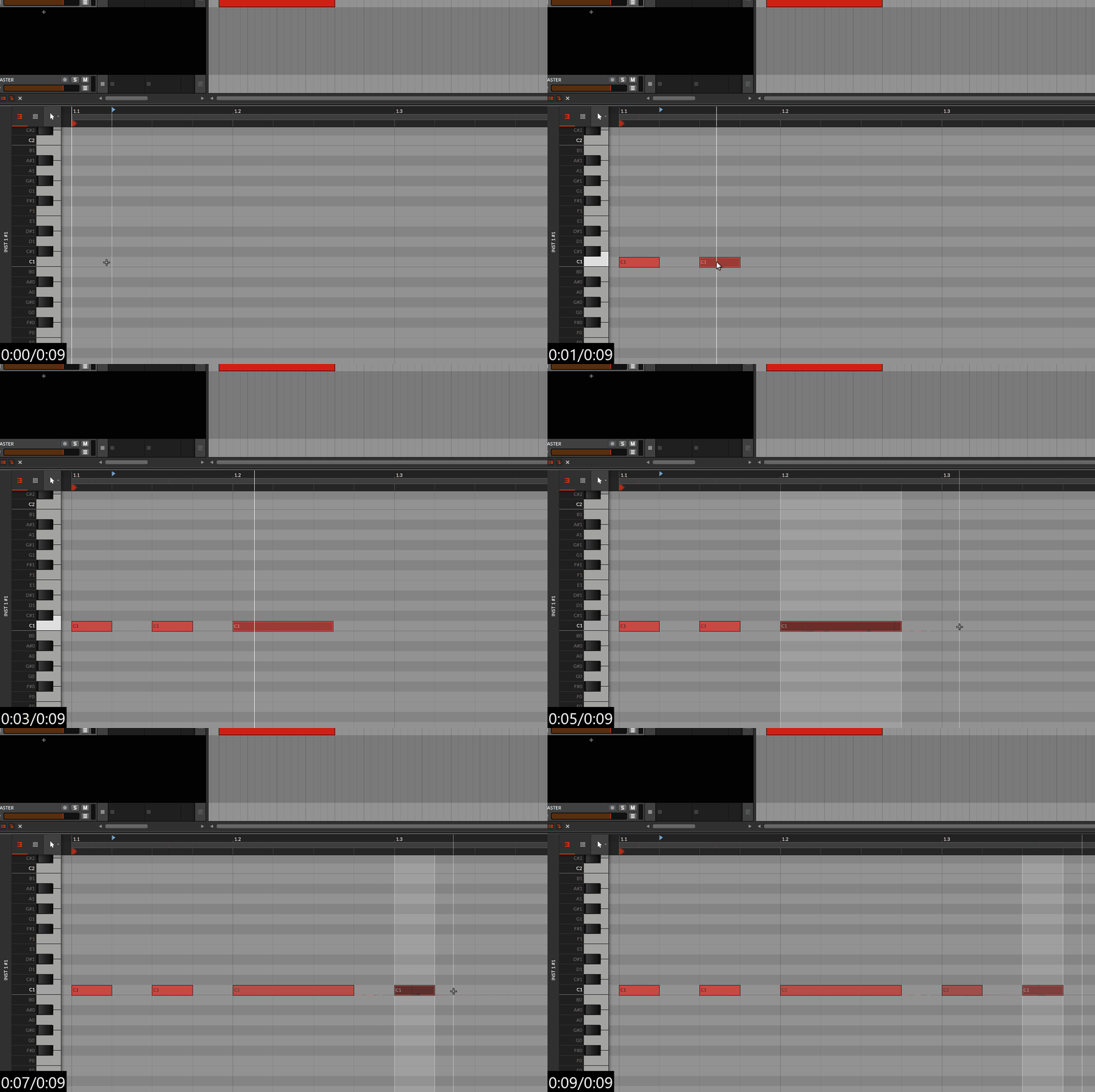
Right! Exactly that. Click to draw a note of default grid length, click and drag to draw a longer note. An example of such behaviour is Piano Roll in Reason, where I can freely draw notes of any length at any point. In Bitwig's Note Editor after drawing a long note and before I'll be able to draw several shorter notes I HAVE TO shorten another automatically placed long note.
Ok.
I’m fine with current behavior but a Preference option (yes/no) could be introduced as I’m sure you are not the only one preferring a “Consistent” Grid default length.

In the meantime use Alt+Pencil to enter a Constant grid size note.
Reason - Reaktor

Post

antic604 wrote: Tue Feb 08, 2022 8:31 am
VVRV wrote: Tue Feb 08, 2022 8:23 am...In Bitwig's Note Editor after drawing a long note and before I'll be able to draw several shorter notes I HAVE TO shorten another automatically placed long note.
Sure, but you can do this already at the point of drawing the note - just don't release the 2nd click and move back:

Image
3+alt+click = pattern drawing note lengths are grid length based
Image
or have I missed something?
"Where we're workarounding, we don't NEED features." - powermat

Post

xbitz wrote: Tue Feb 08, 2022 4:24 pm or have I missed something?
Yes. My previous post above :hihi:
Reason - Reaktor

Post

oops :D
"Where we're workarounding, we don't NEED features." - powermat

Post

Okay, so we are locked between two options:
1. To always start a new note with previous note length, but be able to change it on-the-fly (without ALT);
2. To always start a new note with current grid length, but lose the ability to change it on-the-fly (with ALT).

What I am talking about is a simple option to make Note Editor NEVER remember last note's length, but instead always start with current grid length AND have the ability to change it before releasing a mouse button. And IIRC, it was the case in Bitwig previously. They've changed it somewhere during 2.x cycle for some reason without any way to toggle this off.

Post

Bitwig reminds the note length of the last selected note. So draw a 16th note, then a 4th note, then select the 16th note and draw a new note, it will be a 16th note.

Post

I also think that the eraser tool should be improved - it should just delete notes instantly without highlighting them before releasing the mouse button, also eraser sometimes doesn't work for super short notes.

Post

Things I miss from Ableton:
- Tuner
- Select a range in automation lane, click and drag top middle to lower value for that section. (bitwig alternative: make 4 points, drag them into 'U" shape, try to make the bottom line parallel but fail.)
- Drum buss (one stop "make drums sound awesome" plugin)
- Change height for multiple channels at once
- Customizing colors of UI
- The "oops, capture the MIDI I just played" thing
- Simpler/sampler: Dynamically see and change how many slices it makes from a sample
- Auto-warping and "warp from here"

That's all I can come up with. Considering I own both and only have been using Bitwig lately, clearly these are outweighed easily by Bitwig's many other advantages for me.

Post Reply

Return to “Bitwig”