


I'll never understand the Bitwig copy and paste feature. In all DAWs I ever tried to do that - it behaved exactly as supposed. No need to read the manual or find a youtube video to do a copy paste.
In the latest version of Bitwig, I can't seem to copy and paste the device BEFORE the specific device. No matter what I do it always pastes the device AFTER the plugins in the rack. GIF attached.
Yes call me stupid, call me silly whatever - this simply works in any other DAW.
I tried placing the pointer at the top or below the + sign but whatever I do - pasted device goes to the end of the chain instead before or at least where a mouse pointer is placed.
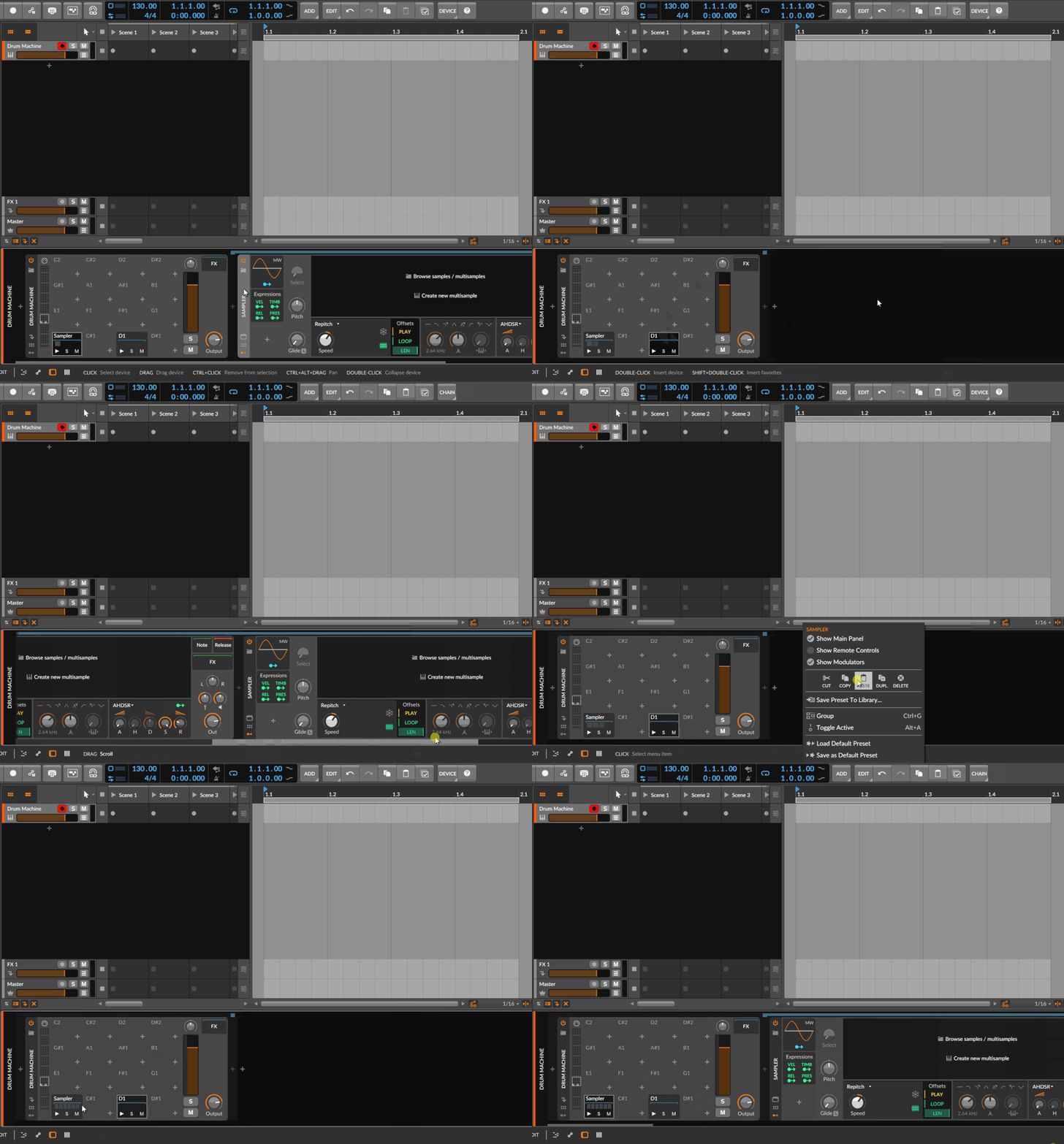
Even more ridiculous is pasting between Drum Machine. I get it - I have found that I could hold CTRL and drag the sampler into another slot which will make a copy. But why simple copy-paste is impossible from one slot to another - is beyond me. It always pastes into an existing (copied from) slot, not an empty slot.
What the? Is it possible to copy the device from one track and paste it before some plugin on another track? Or does Bitwig always pastes it at the end of a chain and I need to drag it manually?
Also, I get I can open the Mixer window and CTRL+move from slots. However, I want to use copy-paste because it's there and I need it. See my screenshot and tell me please what am I doing wrong?
Copy paste - what the??
-
- KVRAF
- Topic Starter
- 5200 posts since 17 Aug, 2004
Here you can see I most definitely selected a different slot (D1) and tried to paste the device inside, but whatever I try to do it always is pasted in C1 (where it's been copied from). Also, note that because of GIF compression DrumMachine looks funny. Image is too large so I uploaded it to postimage.
-
- KVRist
- 436 posts since 26 Jul, 2012 from Prague, czech republic
I got the same problem.
-
- KVRAF
- Topic Starter
- 5200 posts since 17 Aug, 2004
Ok, but my thinking is that we are missing something obvious.
I tried to find a solution to this on youtube but none of the videos cover this. I mean I haven't looked at all of them for obvious reason, but opened three videos and wasted around 30 minutes (people talk entirely different things) - which IMHO is far too much for a "copy-paste". So asking here for help.
-
- KVRAF
- Topic Starter
- 5200 posts since 17 Aug, 2004
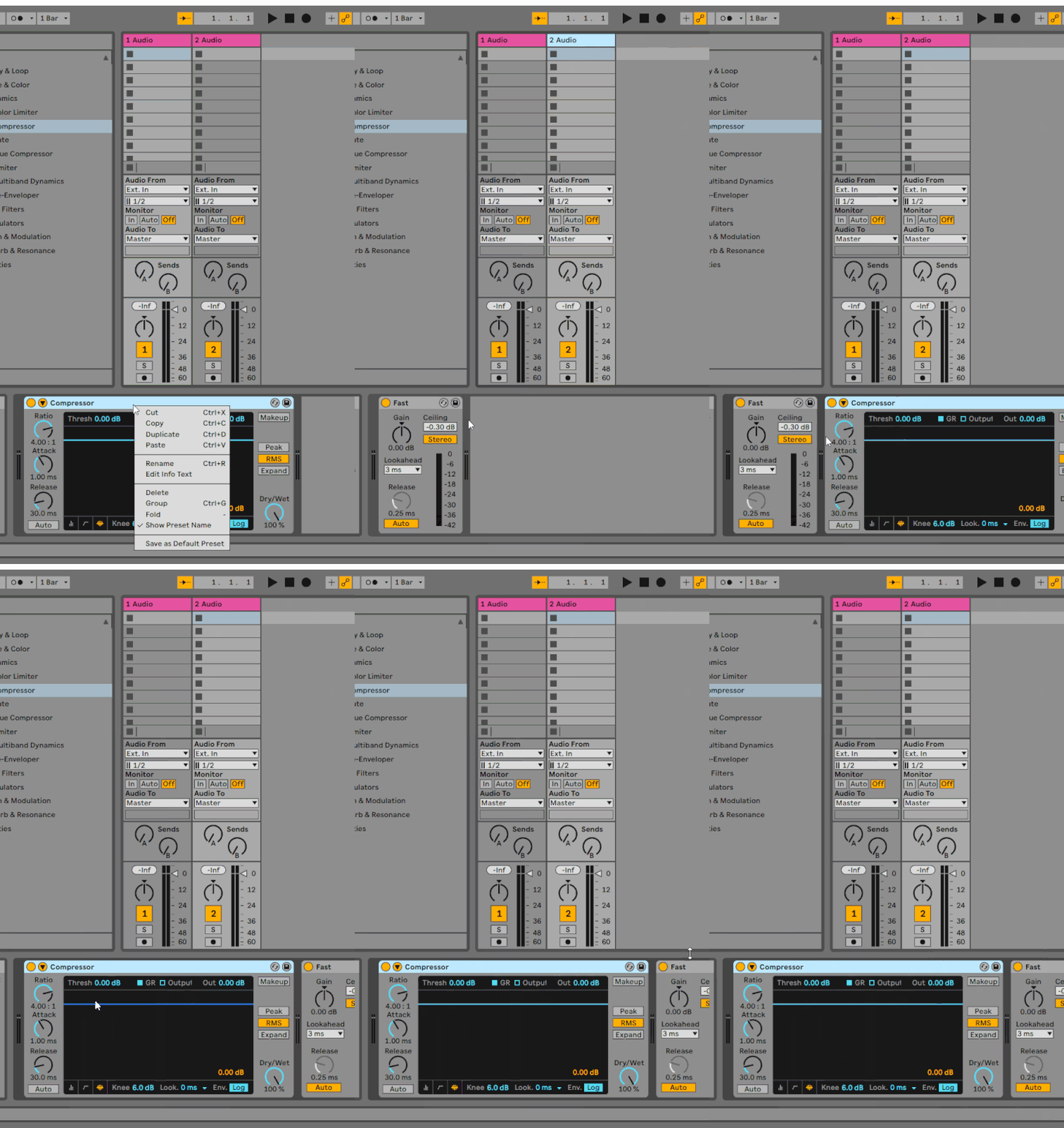
Here's a copy-paste in Ableton. I can copy the device (Compressor) and paste it into another channel after the existing plugin(s)-Limiter in this case.
Or before if I want to. Before Limiter (in this case).
You get to choose where you want to paste the device by placing the cursor at the (surprise) end of a chain or place position just above a specific device in the chain where you want to paste BEFORE that specific plugin.
In Bitwig this is impossible?
Or before if I want to. Before Limiter (in this case).
You get to choose where you want to paste the device by placing the cursor at the (surprise) end of a chain or place position just above a specific device in the chain where you want to paste BEFORE that specific plugin.
In Bitwig this is impossible?
-
- KVRist
- 202 posts since 20 May, 2020
That is a bit odd.
ctrl-drag is the easiest way to achieve what you want I think. If you do it in the mixer view with plugins shown you can duplicate any plugin to any other position in any other track in one motion.
ctrl-drag is the easiest way to achieve what you want I think. If you do it in the mixer view with plugins shown you can duplicate any plugin to any other position in any other track in one motion.
-
- KVRAF
- Topic Starter
- 5200 posts since 17 Aug, 2004
Sorry I genuinely ask can you clarify? I don't understand what you are saying? And do you refer to plugin copy paste or my second gif (sampler copy paste).pdxindy wrote: Fri Aug 12, 2022 5:11 pm Select a device in a chain, and paste will follow that device. Select the track name in the Device Pane and paste will be first
I copy device from one track. I go to another track select device where I want to paste BEFORE, put cursor above its name and click on paste and the device is again pasted AFTER not BEFORE (using capitals just for easier navigation - I am not screaming).
-
- KVRAF
- Topic Starter
- 5200 posts since 17 Aug, 2004
What is odd? Me trying to use copy paste which is not working in the way visuals are indicating or it's odd that it behave like that on my computer?BazJacuzzi wrote: Fri Aug 12, 2022 8:17 pm That is a bit odd.
ctrl-drag is the easiest way to achieve what you want I think. If you do it in the mixer view with plugins shown you can duplicate any plugin to any other position in any other track in one motion.
Did you read what I wrote initially? I said I understand that when on Mix page I can CTRL+Drag - I get that. This is not about it.
When I am not on Mix page I am used to use copy paste. And Bitwig offers it. But it's not working in the sense it's not possible to paste device at the cursor place. See first image and then see gif about Sampler and DrumMachine.
-
- KVRist
- 327 posts since 19 Oct, 2019
Cursor exists for reason, but devs didn't want to make it look like Ableton clone.
-
- KVRist
- 202 posts since 20 May, 2020
Chill your beans. I'm on your side.kmonkey wrote: Sat Aug 13, 2022 6:45 amWhat is odd? Me trying to use copy paste which is not working in the way visuals are indicating or it's odd that it behave like that on my computer?BazJacuzzi wrote: Fri Aug 12, 2022 8:17 pm That is a bit odd.
ctrl-drag is the easiest way to achieve what you want I think. If you do it in the mixer view with plugins shown you can duplicate any plugin to any other position in any other track in one motion.
Did you read what I wrote initially? I said I understand that when on Mix page I can CTRL+Drag - I get that. This is not about it.
When I am not on Mix page I am used to use copy paste. And Bitwig offers it. But it's not working in the sense it's not possible to paste device at the cursor place. See first image and then see gif about Sampler and DrumMachine.
-

- KVRAF
- 26963 posts since 3 Feb, 2005 from in the wilds
I am referring to copy and paste of devices/plugins between tracks.kmonkey wrote: Sat Aug 13, 2022 6:41 am Sorry I genuinely ask can you clarify? I don't understand what you are saying? And do you refer to plugin copy paste or my second gif (sampler copy paste).
I copy device from one track. I go to another track select device where I want to paste BEFORE, put cursor above its name and click on paste and the device is again pasted AFTER not BEFORE (using capitals just for easier navigation - I am not screaming).
There is no BEFORE in Bitwig (not needed). Bitwig always pastes AFTER the selected device. If you want to paste at the beginning of all devices, select the track name on the far left of the Device Pane and paste.
You can do it all with key commands too.
-
- KVRAF
- 26963 posts since 3 Feb, 2005 from in the wilds
Have you tried Cmd-V? For me the key command works to paste into D1kmonkey wrote: Fri Aug 12, 2022 1:13 pm Here you can see I most definitely selected a different slot (D1) and tried to paste the device inside, but whatever I try to do it always is pasted in C1
Unfortunately, you cannot select empty pads. In your D1 case, you added a device already and so it could be selected.
-

- KVRian
- 1386 posts since 7 Dec, 2017
Older ver of Bitwig on Mac but it also works on my Win 10 machine with the latest stable ver of Bitwig.
You do not have the required permissions to view the files attached to this post.
-JH
-
- KVRian
- 1386 posts since 7 Dec, 2017
You do not have the required permissions to view the files attached to this post.
-JH