
Hive Script Question - Buttons > Panels

Official support for: u-he.com
Post Reply New Topic
RELATED
PRODUCTS

Post

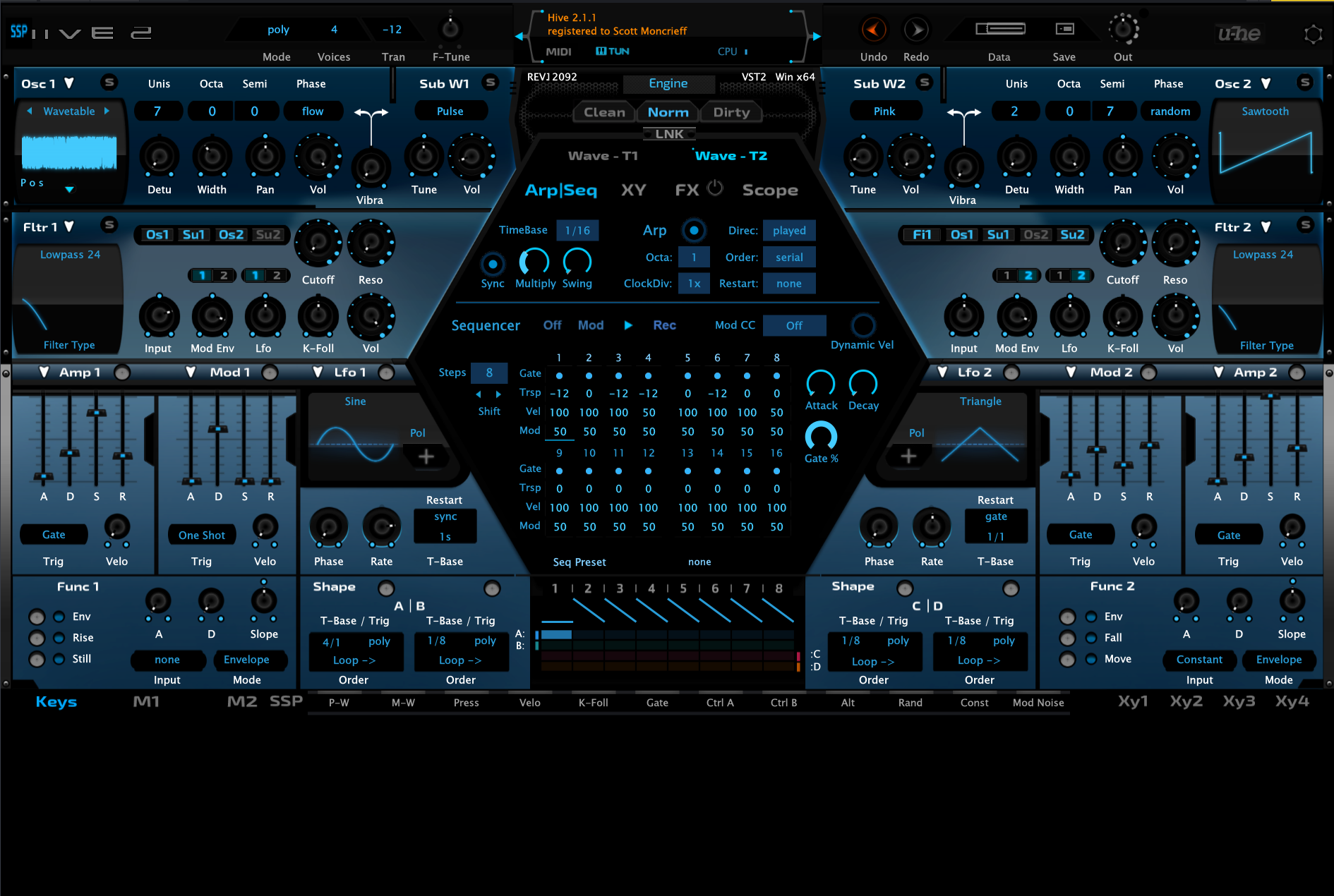
I've been running around for countless hours over recent months trying to figure this out myself like solving a puzzle and hoping it works but can anyone give an example of whats required to enable a button to open another panel ?

I have a basic On & Off Button script that toggles between off and on states along side the Keys - Mod1 - Mod2 row section just above the keyboard section. I have a button with SSP which I wish to toggle another panel in a similar way that happens when you press the other Keys, Mod XY buttons.

It sounds simple to do, but I'm missing something to make it work. The way I have it at the moment is that the panel completely blanks out the Keyboard section which renders that useless.
Image
KVR S1-Thread | The Intrancersonic-Design Source > Program Resource | Studio One Resource | Music Gallery | 2D / 3D Sci-fi Art | GUI Projects | Animations | Photography | Film Docs | 80's Cartoons | Games | Music Hardware |

Post

Anyone ?
KVR S1-Thread | The Intrancersonic-Design Source > Program Resource | Studio One Resource | Music Gallery | 2D / 3D Sci-fi Art | GUI Projects | Animations | Photography | Film Docs | 80's Cartoons | Games | Music Hardware |

Post

for switching layers, you can only assign buttons to panes that are tied to “LayerMem”.
For functions without internal LayerMem you need to use the “layerselector” control type instead
Image

Post Reply

Return to “u-he”