

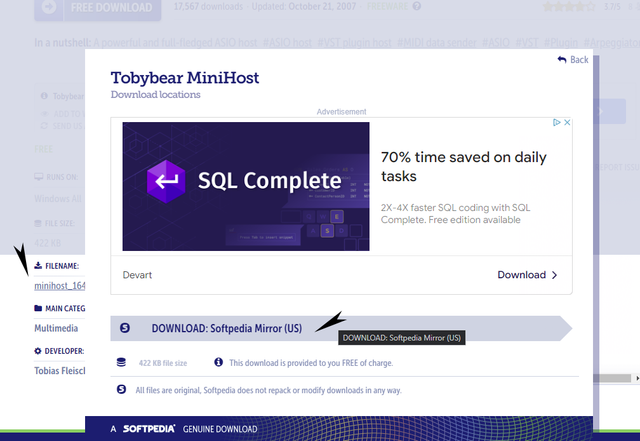
Weird, this is what I'm seeing:rasmusklump wrote: Wed Jun 21, 2023 11:05 am Thanks, I found that site already, but there are no functioning download links there for me. Everything is greyed out...
--
Marco


Weird, this is what I'm seeing:rasmusklump wrote: Wed Jun 21, 2023 11:05 am Thanks, I found that site already, but there are no functioning download links there for me. Everything is greyed out...
Try turning on the Import Filename checkbox before you select the fxps to import; after the last patch has been loaded into Viper, the preset manager should rename all the 'Program' presets to their corresponding filename.rasmusklump wrote: Wed Jun 21, 2023 2:49 pm Fantastic.
It works so far. But now I run into a problem that I noticed already when I imported single fxp.s.
Viper doesn't import the name of the preset most of the time.
Is that by chance a limitation of the demo version?
 Also, Import with Numbers should probably be off, explains why at some point I ended up with ALL the fxps loaded in the same bank slot
If "Import with Numbers" is checked, MiniHost tries to determine the preset number from each preset
file to load and will then load the preset at the appopriate location.
If "Import Filename" is checked, The name of each imported preset is set to the name of the file itself.
It works great. Fantastic. Thank you very much!vulpes777 wrote: Wed Jun 21, 2023 3:11 pmTry turning on the Import Filename checkbox before you select the fxps to import; after the last patch has been loaded into Viper, the preset manager should rename all the 'Program' presets to their corresponding filename.rasmusklump wrote: Wed Jun 21, 2023 2:49 pm Fantastic.
It works so far. But now I run into a problem that I noticed already when I imported single fxp.s.
Viper doesn't import the name of the preset most of the time.
Is that by chance a limitation of the demo version?
The host software is old and unmantained, and I don't think there's even a manual, so there is a bit of trial and error required.
--
Marco
Correction: there IS a manual in the zipfile but it seems I got it right anyway
If "Import with Numbers" is checked, MiniHost tries to determine the preset number from each preset
file to load and will then load the preset at the appopriate location.
If "Import Filename" is checked, The name of each imported preset is set to the name of the file itself.
Glad I could be of help. Have fun!


Yes, imported Virus banks will use those!Echoes in the Attic wrote: Sat Jul 01, 2023 7:31 pm I added the Virus waveforms and wavetables to viper (downloaded from the site) and now I'm just wondering if there are any preset banks that make use of these?

Ok so it's a matter of finding a source of virus ti preset downloads. Anyone got any suggestions?adamtrance wrote: Sat Jul 01, 2023 7:44 pmYes, imported Virus banks will use those!Echoes in the Attic wrote: Sat Jul 01, 2023 7:31 pm I added the Virus waveforms and wavetables to viper (downloaded from the site) and now I'm just wondering if there are any preset banks that make use of these?
How does this happen? Do you have to install them in a particular way.adamtrance wrote: Sat Jul 01, 2023 7:44 pmYes, imported Virus banks will use those!Echoes in the Attic wrote: Sat Jul 01, 2023 7:31 pm I added the Virus waveforms and wavetables to viper (downloaded from the site) and now I'm just wondering if there are any preset banks that make use of these?
Submit: News, Plugins, Hosts & Apps | Advertise @ KVR | Developer Account | About KVR / Contact Us | Privacy Statement
© KVR Audio, Inc. 2000-2026