


To be honest I don't like creating new accounts on forums but couldn't find a solution to my issue yet.
I'm working on a lathe cut vinyl at the moment. The audio needs some tweaks / fixes before sending off the files to the pressing plant. All wav-files were cut in Audacity beforehand to an exact time, like 01:08:000 (min:sec:ms).
After importing the song (yes, to the beginning of the track
 ) I'm using some plugins:
To render / export the audio I'm clicking on that field at the beginning of the track

and then render / export with these options (Render to a new track)
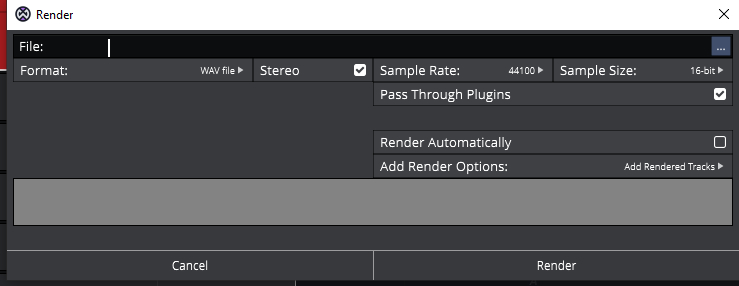
To compare both tracks (the original and the rendered one) I put them into Audacity and saw that the rendered track is just a few milliseconds longer now, like 01:08:019.
After checking the settings in Waveform I found this:
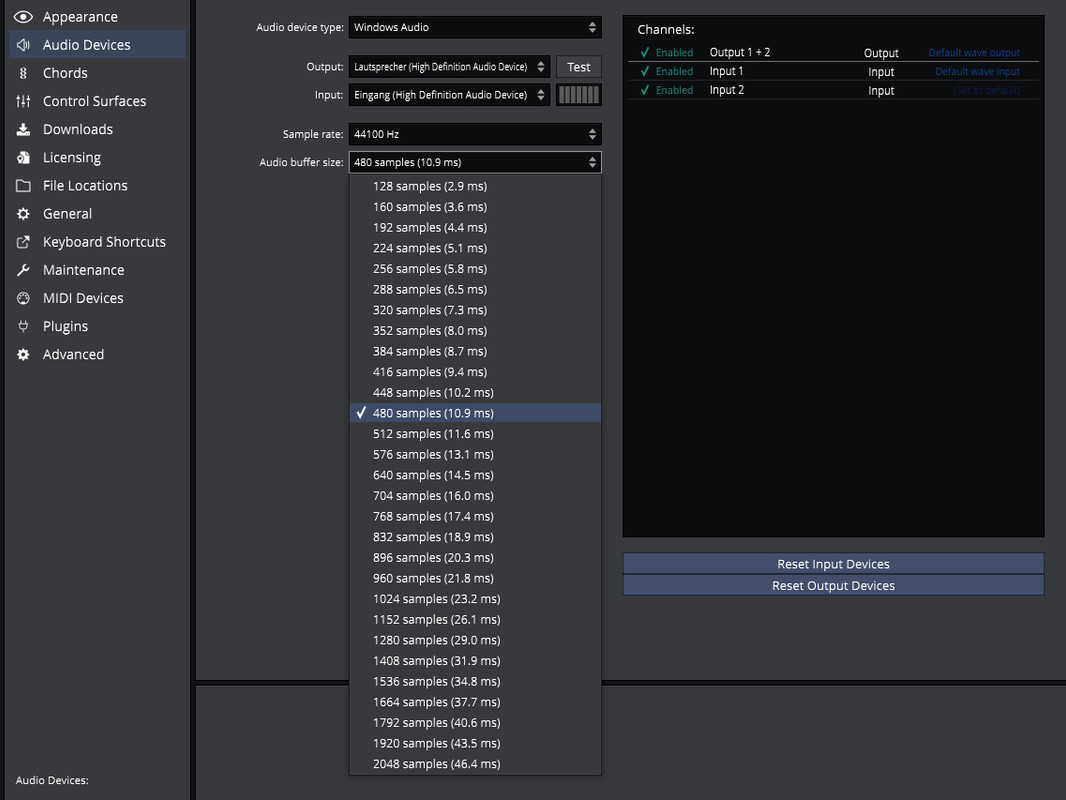
I changed it - just for testing - from 480 to 2048. After rendering even more ms were added.
Now just for fun I thought "what if I render the new rendered song once again?". So I did about 30x. In the end, the rendered song was 1 sec longer than the original tracks. I once again compared them in Audacity. They were still in sync but it was clearly visible that there's silence added to the end of the track.
You might ask why this is important. Sure, I could cut off those additional ms again but that's one more step to work on. And it's important when doing a vinyl (and of course a CD) production that the track lengths are correct. I guess when some ms here and there add up that it could cause some issue maybe when sending the VTM file to the pressing plant.
Long story short: Why does Waveform add these milliseconds and doesn't leave the tracks as they should be? Where's the issue here? "Welcome to Waveform" is not a valid answer.

Appreciate your help & have a great day!
Alex
OS: Windows 10
Waveform V12.5.5 (but same issue with the version before that)